
Discover how to choose the best wireless keyboard and mouse in 2026. Learn key features, buying tips, comparisons, and expert advice for every budget.
Best Wireless Keyboard and Mouse: A Complete Guide for Everyday Users, Professionals, and Gamers
Introduction
Think about how many hours you spend using a computer every day. Whether you’re working from home, attending online classes, editing videos, managing a business, gaming, or simply browsing the internet, your keyboard and mouse are probably the two devices you touch more than anything else.
Yet many people continue using old, uncomfortable, or unreliable peripherals without realizing how much they affect productivity, comfort, and even long-term health.
A good wireless keyboard and mouse setup can completely change your computing experience. The desk looks cleaner. Movement feels more natural. You aren’t limited by cable length. Most importantly, a quality setup can reduce wrist strain and make everyday tasks significantly more enjoyable.
Over the past few years, wireless technology has improved dramatically. The lag issues that once made people avoid wireless devices are largely gone. Battery life has become better than ever, and modern wireless peripherals now offer performance that rivals many wired alternatives.
In this guide, you’ll learn everything you need to know about choosing the best wireless keyboard and mouse in 2026. We’ll discuss different types, essential features, advantages and disadvantages, common mistakes buyers make, and how to select the right combination for your needs and budget.
By the end, you’ll be able to make an informed purchase decision with confidence.
Why Wireless Keyboard and Mouse Combinations Have Become So Popular
Wireless peripherals were once considered a luxury. Today, they have become the preferred choice for millions of users worldwide.
The biggest reason is convenience.
Nobody enjoys dealing with tangled cables, cluttered desks, or limited movement. Wireless devices create a cleaner workspace and provide greater flexibility.
For remote workers and students, a wireless setup helps create a more organized environment. A clutter-free desk often leads to better concentration and productivity.
Professionals who frequently switch between laptops, tablets, and desktop computers also appreciate the flexibility offered by modern wireless devices.
Another major factor is portability. A wireless keyboard and mouse can easily travel between home, office, and coworking spaces.
The technology has matured to the point where reliability is no longer a major concern for most users.
Understanding Wireless Keyboard and Mouse Technology
Before buying a wireless setup, it’s important to understand how these devices connect.
Bluetooth Connectivity
Bluetooth has become one of the most common wireless technologies.
Most modern laptops, tablets, smartphones, and desktops support Bluetooth connectivity without requiring additional hardware.
Advantages
- No USB receiver required
- Easy pairing process
- Works across multiple devices
- Excellent for travel
Disadvantages
- Initial setup may take longer
- Slightly higher latency in some cases
- Performance depends on device compatibility
For office work, studying, browsing, and general productivity, Bluetooth is often an excellent choice.
USB Receiver Connectivity
A lot of wireless keyboards and mice still rely on a small USB receiver to establish a connection with your computer. If you’ve ever used a wireless mouse straight out of the box, chances are you’ve already used this type of connection without even thinking about it. You simply plug the receiver into a USB port, switch on the device, and start working.
One reason many professionals prefer USB receiver-based peripherals is reliability. The connection tends to be fast, stable, and less prone to interruptions compared to some Bluetooth setups. This becomes especially important for people who spend hours working on spreadsheets, editing content, programming, or playing games where even a slight delay can be noticeable.
The downside is that the receiver occupies a USB port, which can be inconvenient on modern laptops that already have limited ports. It is also surprisingly easy to misplace these tiny receivers when traveling. Still, for users who value consistent performance and minimal latency, USB receiver connectivity remains one of the most trusted options available today.
Multi-Device Wireless Systems
One of the biggest improvements in wireless technology over the last few years has been the rise of multi-device connectivity. Modern wireless keyboards and mice are no longer limited to a single computer. Many premium models can stay connected to multiple devices simultaneously and switch between them in seconds.
Imagine you’re working on a desktop computer, replying to messages on a tablet, and occasionally checking documents on a laptop. Instead of keeping separate keyboards and mice for each device, a multi-device setup allows you to control everything from a single workstation. In most cases, switching devices is as simple as pressing a dedicated button.
For remote workers, content creators, and professionals who frequently move between different devices, this feature can save a surprising amount of time throughout the day. Once you’ve experienced the convenience of seamless switching, it’s difficult to go back to a traditional setup.
Benefits of Using a Wireless Keyboard and Mouse
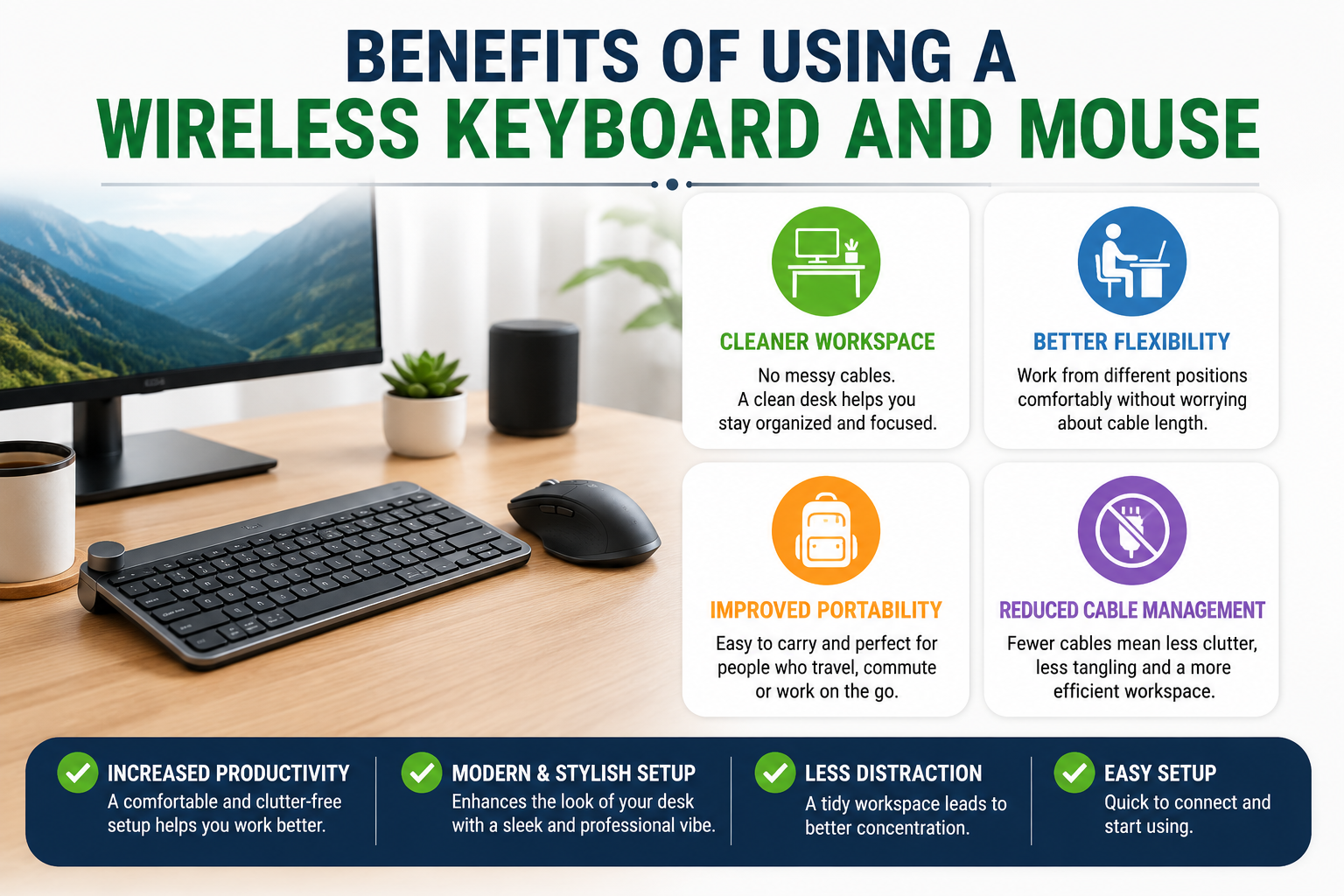
Cleaner Workspace
The first thing most people notice after switching to a wireless keyboard and mouse isn’t faster performance or better features—it’s how much cleaner their desk suddenly looks. Without cables running across the workspace, the entire setup feels more organized and professional.
A clutter-free desk doesn’t just look good in photos or video meetings. Many people find it easier to focus when their workspace is tidy and distraction-free. Even something as simple as removing a few unnecessary wires can make a desk feel more spacious and comfortable.
Better Flexibility
Wireless devices give you the freedom to work the way you want. You’re no longer restricted by cable length or forced to sit close to your computer. Whether you’re connecting a laptop to an external monitor, giving a presentation, or simply adjusting your seating position for comfort, wireless peripherals make the experience much more flexible.
This freedom becomes particularly valuable in home office setups where comfort and adaptability can directly impact productivity.
Improved Portability
For people who regularly travel between home, office, college, or coworking spaces, portability is a major advantage. Most wireless keyboards and mice are lightweight and easy to carry, making them perfect companions for laptops and tablets.
Instead of dealing with tangled cables every time you unpack your bag, you can simply take out your devices and get to work. This convenience is one of the reasons wireless accessories have become increasingly popular among freelancers, remote workers, and digital nomads.
Reduced Cable Management Issues
Anyone who has ever crawled under a desk trying to untangle cables knows how frustrating cable management can be. Over time, wires from monitors, chargers, speakers, keyboards, and mice can create unnecessary clutter.
Wireless peripherals eliminate at least part of that problem. Fewer cables mean less mess, easier cleaning, and a workspace that feels more streamlined. While it may seem like a small improvement at first, it’s something many users quickly learn to appreciate.
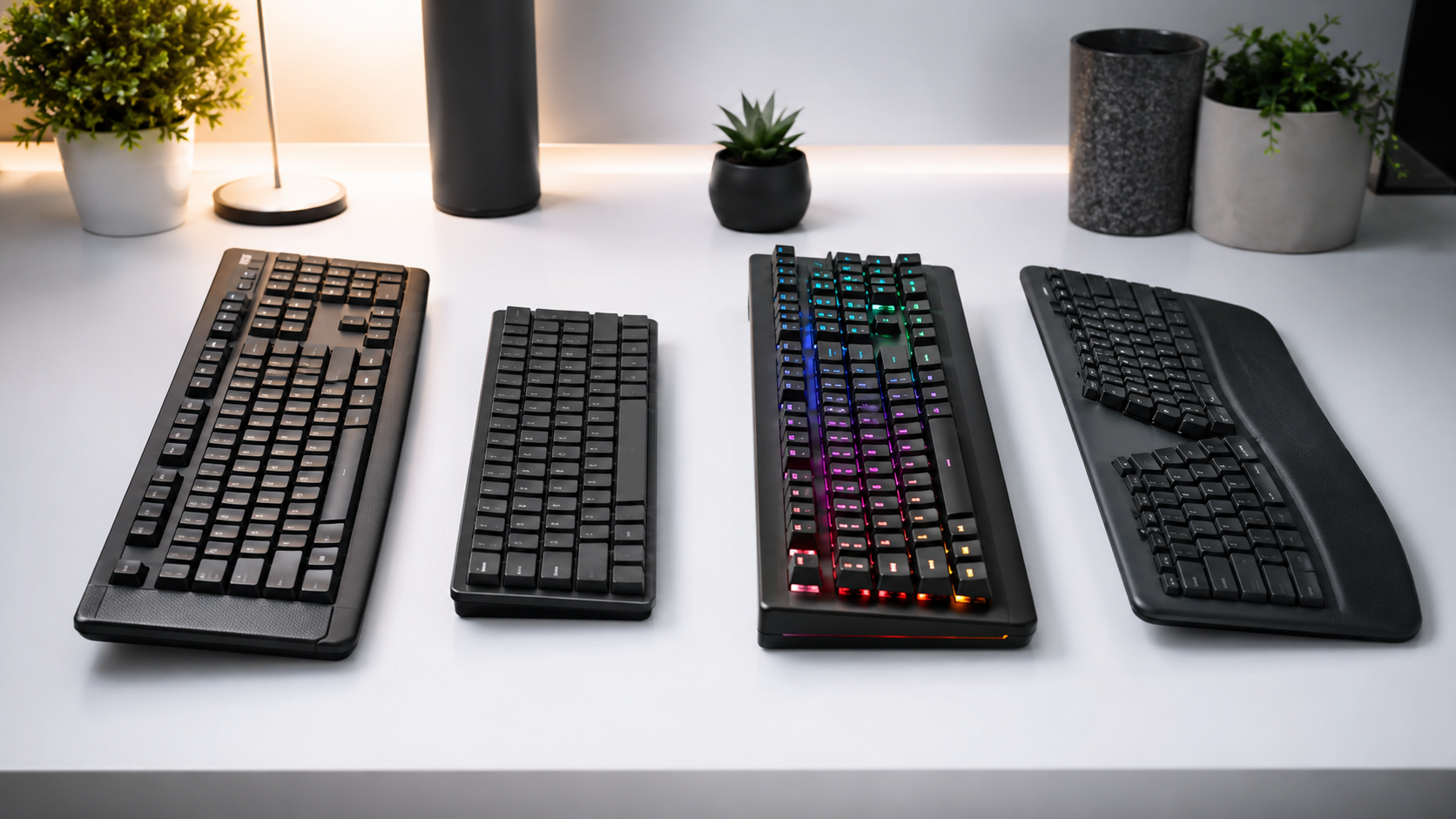
Types of Wireless Keyboards
Not every wireless keyboard is designed for the same type of user. The best choice depends largely on how you work and what features matter most to you.
Standard Full-Size Keyboards
For many people, a full-size keyboard remains the most comfortable and familiar option. These keyboards include a complete layout with a number pad, function keys, navigation controls, and all the shortcuts most users rely on daily.
They’re particularly useful for office workers, accountants, data entry professionals, and anyone who frequently works with numbers. Since the layout is identical to what most people have used for years, there is virtually no learning curve involved.
Compact Keyboards
Compact keyboards have become increasingly popular as workspaces get smaller and portability becomes more important. By removing certain keys or reducing spacing, manufacturers create a keyboard that occupies less desk space while remaining highly functional.
Many users initially worry that a compact keyboard might feel cramped, but after a short adjustment period, they often appreciate the extra desk room and cleaner setup. These keyboards are especially popular among laptop users and people who travel frequently.
Mechanical Keyboards
Mechanical keyboards have developed a loyal following among writers, programmers, and gamers for good reason. Instead of using a membrane layer beneath the keys, each key has its own mechanical switch.
The result is a more satisfying typing experience with better tactile feedback and improved durability. Many mechanical keyboards are built to withstand years of heavy use, making them a worthwhile investment for users who spend long hours at a computer.
Ergonomic Keyboards
If you’ve ever experienced wrist discomfort after a long day of typing, an ergonomic keyboard may be worth considering. These keyboards are specifically designed to encourage a more natural hand position and reduce strain during extended work sessions.
Features such as split layouts, curved key arrangements, built-in wrist rests, and adjustable typing angles can significantly improve comfort. While the design may look unusual at first, many users report noticeable benefits after making the switch.
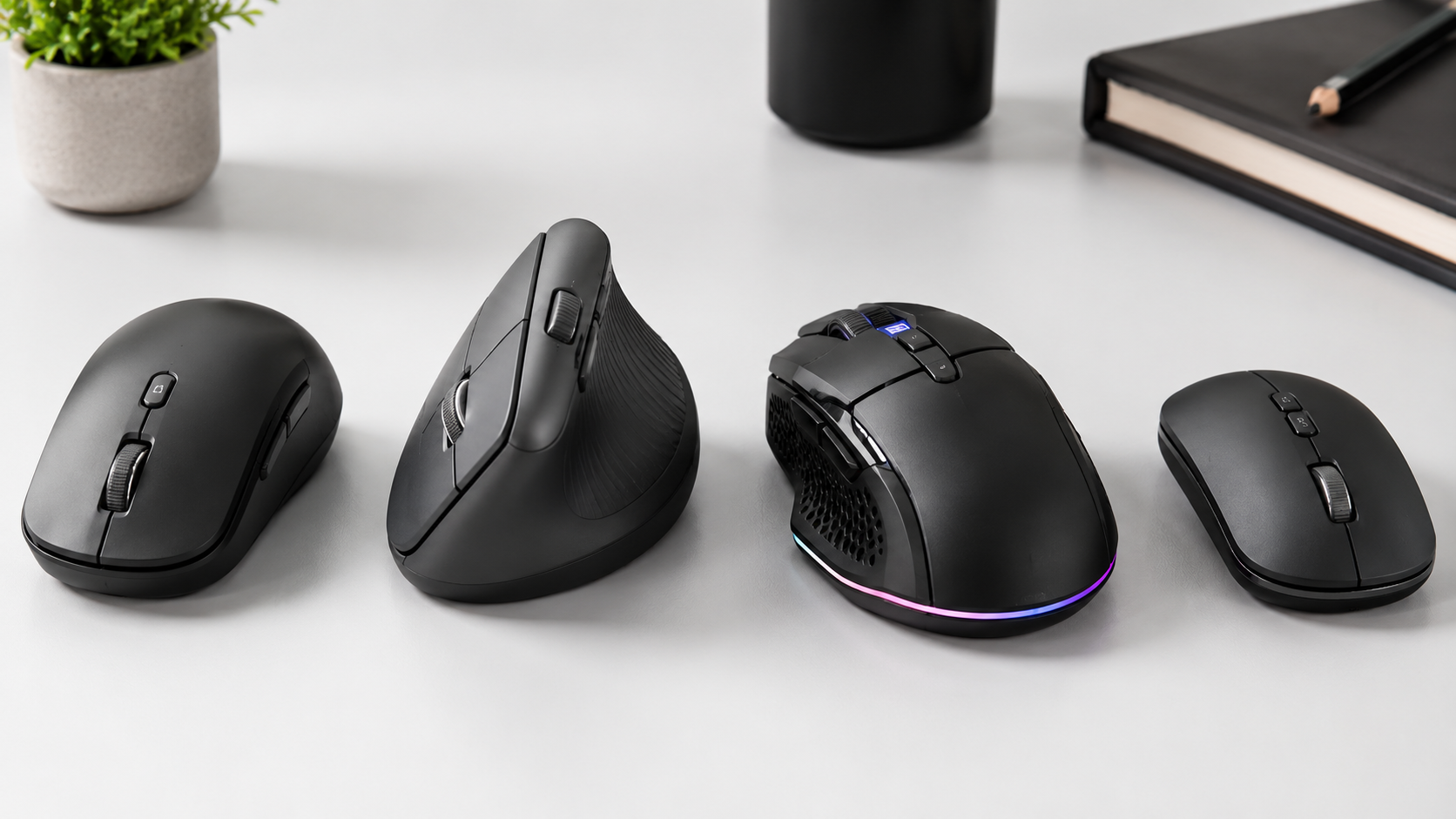
Types of Wireless Mice
Just like keyboards, wireless mice come in different styles designed for different needs.
Standard Productivity Mouse
A standard productivity mouse focuses on reliability, comfort, and everyday usability. These models are ideal for office work, studying, web browsing, and general computer use.
For most people, this category offers the best balance between performance, comfort, and affordability.
Ergonomic Mouse
Ergonomic mice are designed with comfort as the top priority. Many feature a vertical shape that allows the hand to rest in a more natural position compared to traditional mouse designs.
People who spend long hours working at a computer often find that ergonomic mice help reduce wrist fatigue and improve overall comfort during the day.
Gaming Mouse
Gaming mice are built for speed, accuracy, and responsiveness. They typically feature high-performance sensors, customizable buttons, and extremely low latency.
Although they are marketed primarily toward gamers, many designers, editors, and power users appreciate the precision and customization options these mice provide.
Travel Mouse
Travel mice are designed for portability above all else. They are compact, lightweight, and easy to carry alongside a laptop.
While they may not offer the same level of comfort as larger desktop mice, they are incredibly convenient for people who are constantly on the move.
Essential Features to Look for Before Buying
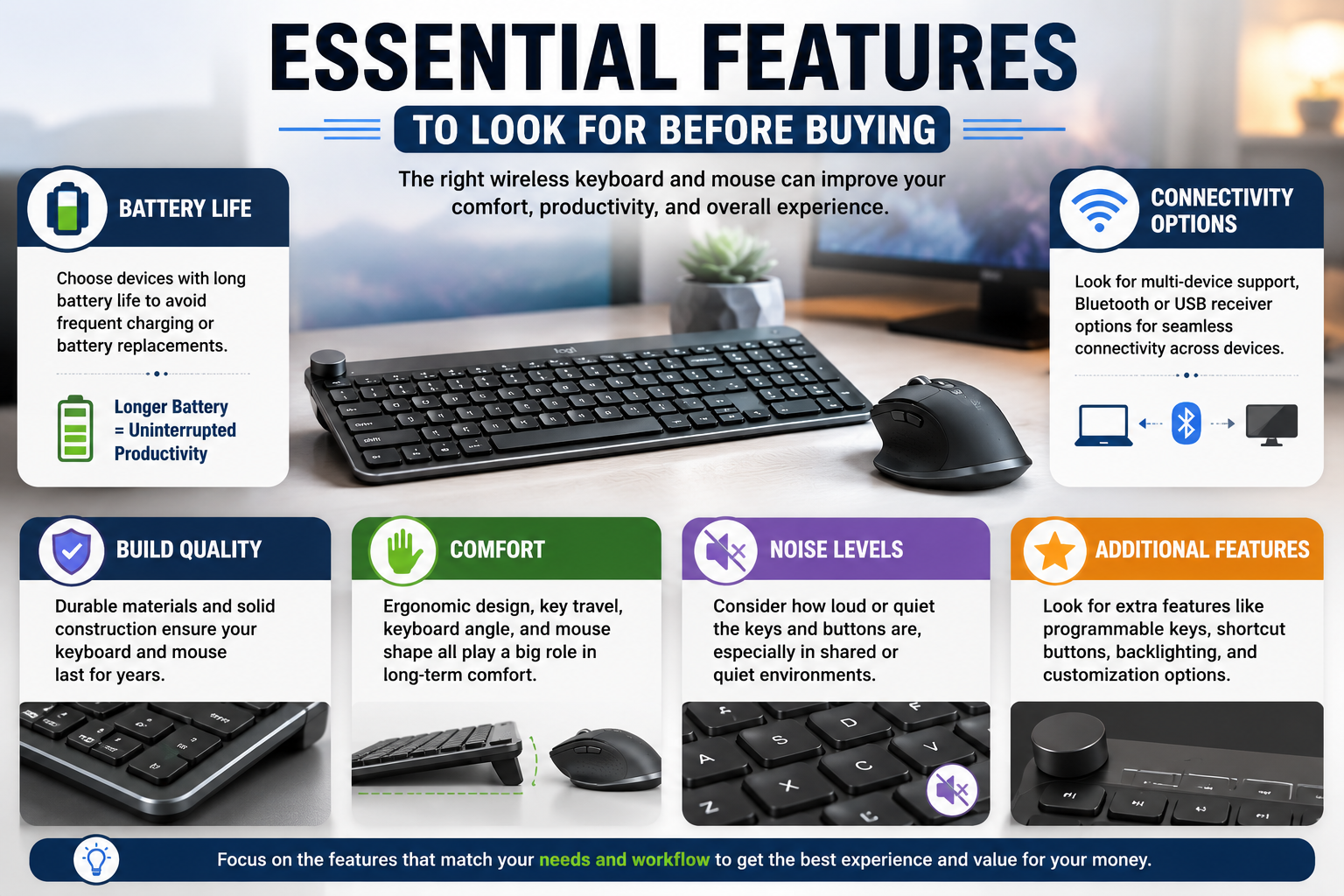
Choosing the best wireless keyboard and mouse isn’t simply about selecting the most attractive design. The features that truly matter are the ones you’ll notice every single day during use.
Battery Life
Battery life is one of the most important factors to consider. Some wireless devices require charging every few days, while others can run for months or even years on a single battery.
A longer battery life means fewer interruptions and less time spent searching for charging cables or replacement batteries.
Build Quality
Photos on product pages don’t always tell the whole story. A keyboard may look premium online but feel cheap once it arrives.
Pay attention to construction quality, key stability, materials, and button responsiveness. A well-built keyboard and mouse can easily last for years, making them a better long-term investment.
Comfort
Comfort is something many buyers overlook until it’s too late. Since you’ll be using these devices daily, even small ergonomic improvements can have a significant impact over time.
Factors such as key travel, keyboard angle, mouse shape, and wrist support can make the difference between a comfortable workday and constant discomfort.
Connectivity Options
Modern users rarely work on a single device anymore. Many people switch between laptops, desktops, tablets, and even smartphones throughout the day.
If that sounds familiar, choosing a keyboard and mouse with multiple connectivity options can make your workflow much smoother and more efficient.
Noise Levels
Not everyone works in the same environment. Some people love the satisfying sound of clicky mechanical keys, while others share office spaces, classrooms, or home workstations where quieter devices are more appropriate.
Before buying, think about where you’ll be using the keyboard and mouse most often. The right noise level can make a big difference in everyday usability.
How Wireless Peripherals Affect Productivity

Most people spend a lot of time researching laptops, processors, and monitors, but very few pay attention to the devices they actually touch all day. The truth is that your keyboard and mouse can have a surprisingly large impact on productivity. Whether you’re writing emails, editing documents, managing spreadsheets, coding, or browsing the web, every action starts with these two devices.
Think about it for a moment. A typical office worker may click a mouse thousands of times and press hundreds of keys every single day. If those devices are uncomfortable, slow, or unreliable, the frustration gradually builds up. Missed clicks, typing mistakes, connection delays, and wrist discomfort may seem minor individually, but together they can make work feel far more exhausting than it needs to be.
On the other hand, a well-designed wireless keyboard and mouse create a seamless experience. Typing feels natural, navigation becomes effortless, and users can focus entirely on their tasks rather than their equipment. Even small improvements in comfort and efficiency can save valuable time over months and years of daily use. That’s why many professionals consider quality peripherals an investment in productivity rather than just another computer accessory.
Common Problems Users Face With Cheap Wireless Devices
Everyone loves saving money, and budget-friendly wireless keyboards and mice can look attractive at first glance. However, choosing the cheapest option available often leads to compromises that become noticeable after only a few weeks of use.
Frequent Connection Drops
One of the most common complaints about low-quality wireless peripherals is unstable connectivity. Imagine working on an important report or attending an online meeting when your mouse suddenly stops responding for a few seconds. These interruptions may be brief, but they can quickly become frustrating when they happen repeatedly.
Reliable connectivity is something users often take for granted until they experience the opposite.
Poor Battery Life
Battery performance can vary dramatically between products. Some inexpensive devices require frequent charging or constant battery replacements, creating unnecessary inconvenience. Nobody wants to interrupt their workflow because a keyboard or mouse unexpectedly runs out of power in the middle of a busy day.
Low Build Quality
Cheap materials may help reduce manufacturing costs, but they often affect durability. Keys can start feeling inconsistent, buttons may become less responsive over time, and overall performance can deteriorate much faster than expected. While a low purchase price may seem attractive initially, replacing poor-quality peripherals every year often costs more in the long run.
Uncomfortable Design
Comfort is another area where budget devices frequently fall short. A keyboard or mouse may feel perfectly acceptable during a quick test, but after several hours of continuous use, discomfort can become noticeable. Poor ergonomics can contribute to wrist strain, finger fatigue, and reduced productivity over time.
Buying Guide: How to Choose the Best Wireless Keyboard and Mouse
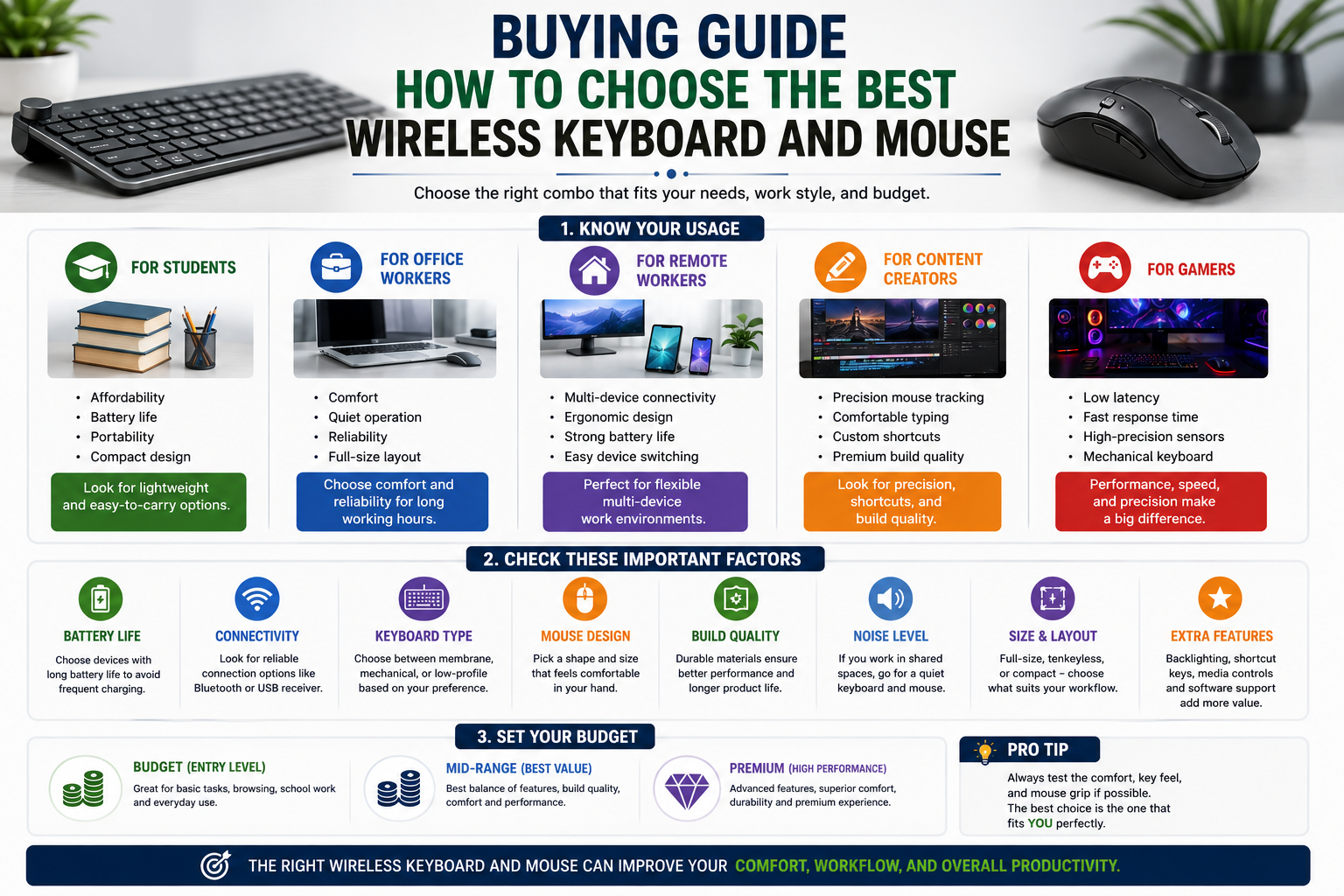
The ideal wireless keyboard and mouse combination depends largely on how you plan to use it. Different users have different priorities, and understanding your own needs is the first step toward making a smart purchase.
For Students
Students typically need a balance between affordability, portability, and battery life. Whether attending online classes, taking notes, completing assignments, or working in libraries and cafes, a lightweight wireless setup can be incredibly convenient.
Compact keyboards are often a great choice because they save space in backpacks while still providing a comfortable typing experience. Long battery life is another important factor since students don’t always have easy access to charging facilities throughout the day.
For Office Workers
For office professionals, comfort and reliability should be the top priorities. A keyboard and mouse used for eight or more hours every day need to remain comfortable during long work sessions.
Quiet keys and buttons are often appreciated in shared workspaces, while dependable wireless connectivity helps ensure uninterrupted productivity. In most office environments, long-term comfort matters far more than flashy features.
For Remote Workers
Remote and hybrid workers often switch between multiple devices throughout the day. They may use a desktop monitor for work, a laptop for meetings, and a tablet for quick tasks.
In these situations, multi-device connectivity becomes extremely useful. Ergonomic designs, strong battery performance, and easy device switching can significantly improve the overall work-from-home experience.
For Content Creators
Video editors, graphic designers, writers, and other content creators often spend countless hours at their workstations. For these users, precision and comfort are essential.
A responsive mouse with accurate tracking can make editing tasks smoother, while a comfortable keyboard helps reduce fatigue during long creative sessions. Customizable shortcuts and premium build quality can also improve workflow efficiency.
For Gamers
Gaming places unique demands on wireless peripherals. Fast response times, low latency, precise sensors, and responsive switches can make a noticeable difference during gameplay.
Many gamers prefer mechanical keyboards because of their tactile feedback and durability. A high-performance wireless mouse with accurate tracking is equally important, particularly in competitive gaming scenarios where every movement matters.
Budget Recommendations
One of the biggest misconceptions about wireless peripherals is that you must spend a fortune to get a good experience. In reality, the best choice depends on your needs and usage patterns.
Entry-Level Budget
Entry-level options are ideal for users who primarily browse the internet, complete schoolwork, attend online classes, or perform basic office tasks. While these devices may not offer advanced features, many provide dependable performance at an affordable price.
For casual users, a well-reviewed budget option can deliver excellent value.
Mid-Range Budget
The mid-range category is where many buyers find the sweet spot between affordability and performance. Products in this segment typically offer better build quality, improved comfort, longer battery life, and more reliable connectivity.
For most users, this range delivers the best overall value and a noticeably better experience than entry-level alternatives.
Premium Budget
Premium wireless keyboards and mice are designed for users who spend several hours a day at their computers. These devices often feature advanced ergonomics, superior materials, enhanced connectivity options, and additional productivity-focused features.
While the upfront cost is higher, the long-term benefits can justify the investment for professionals and power users.
Common Buying Mistakes to Avoid
Choosing the right wireless keyboard and mouse isn’t difficult, but a few common mistakes can lead to disappointment.
Buying Based Only on Price
The cheapest option isn’t always the most economical choice. A slightly more expensive device that lasts for years and provides a better experience often offers far greater value than repeatedly replacing low-quality products.
Ignoring Ergonomics
Many buyers compare specifications and features while completely overlooking comfort. Since you’ll interact with these devices every day, ergonomics should play a major role in the decision-making process.
A comfortable keyboard and mouse can improve productivity while reducing physical strain.
Overlooking Battery Performance
Battery life may not seem important initially, but constantly charging devices can quickly become frustrating. Always check real-world battery performance before making a purchase.
Choosing the Wrong Size
Keyboard size matters more than many people realize. Some users need a full-size layout with a number pad, while others prefer compact designs that free up desk space.
Selecting the wrong size can negatively affect both comfort and productivity.
Wireless Keyboard and Mouse vs Wired Alternatives
The debate between wireless and wired peripherals has existed for years, but the gap between the two has narrowed significantly thanks to modern technology.
Wireless setups offer a cleaner desk, greater flexibility, improved portability, and a more streamlined overall experience. For most users, these benefits easily outweigh the minor drawbacks.
Wired devices still have a few advantages. They don’t require charging, they provide a consistently stable connection, and they are often more affordable. This is one reason some competitive gamers continue to prefer wired equipment.
However, for everyday productivity, remote work, studying, and general computer use, modern wireless keyboards and mice are often the more practical and convenient choice.
Future Trends in Wireless Keyboards and Mice
Wireless technology continues to evolve rapidly, and the next generation of peripherals is expected to become even smarter, more efficient, and more user-friendly.
Longer Battery Life
Manufacturers are investing heavily in power-efficient technologies. As battery performance improves, future wireless keyboards and mice may operate for months or even years with minimal maintenance.
Better Multi-Device Integration
Switching between laptops, desktops, tablets, and smartphones is becoming a normal part of everyday work. Future devices are likely to make this process even more seamless, allowing users to move between platforms effortlessly.
AI-Assisted Productivity Features
Artificial intelligence is beginning to influence peripheral design as well. Smart shortcuts, personalized workflows, predictive commands, and intelligent automation could become standard features in future products.
Improved Ergonomics
As awareness of workplace wellness grows, manufacturers are placing greater emphasis on ergonomic design. Future keyboards and mice are expected to offer even better support for long-term comfort, helping users reduce strain during extended work sessions.
The overall direction is clear: wireless peripherals are becoming smarter, more comfortable, and more capable than ever before. For users planning a workspace upgrade, the future looks extremely promising.
Conclusion
Finding the best wireless keyboard and mouse isn’t about choosing the most expensive option or chasing the latest trend. It’s about selecting a setup that fits your workflow, comfort preferences, and budget.
A good wireless combination can transform the way you work, study, create, and communicate. From cleaner desk setups to improved flexibility and enhanced productivity, the benefits are significant.
Before making a purchase, focus on factors that truly matter: comfort, battery life, build quality, connectivity options, and intended use. Avoid being distracted by marketing buzzwords and flashy designs.
For most users, a reliable mid-range wireless keyboard and mouse provide the ideal balance of performance, comfort, and value. Professionals who spend long hours at a computer may benefit from premium ergonomic options, while students and casual users can find excellent choices within a modest budget.
Ultimately, the best wireless keyboard and mouse are the ones that make your daily computing experience smoother, more comfortable, and more productive.
If you’re planning to upgrade your workspace in 2026, start by evaluating how you use your computer every day. The right keyboard and mouse might be the simplest upgrade that delivers the biggest improvement.
Frequently Asked Questions
1. Are wireless keyboards and mice as reliable as wired ones?
Yes. Modern wireless technology is highly reliable and suitable for most users.
2. Is Bluetooth better than a USB receiver?
It depends on your needs. Bluetooth offers convenience, while USB receivers often provide lower latency.
3. How long do wireless keyboard batteries last?
Battery life varies by model. Some last weeks, while others last several years.
4. Are wireless devices good for gaming?
Many modern wireless gaming peripherals perform exceptionally well and are suitable for competitive play.
5. Can one keyboard connect to multiple devices?
Yes. Many premium models support multi-device connectivity.