
Looking for the best business laptop Review in 2026? Compare the top 9 business laptops with expert reviews, pros, cons, and buying advice to find your perfect work companion.
9 Best Business Laptops Worth Buying in 2026
Finding the Right Business Laptop Can Save You Hours Every Week
A business laptop isn’t just another gadget—it’s the machine you’ll depend on for meetings, presentations, emails, spreadsheets, video calls, and countless hours of focused work. When your laptop is fast and reliable, everything feels easier. When it’s slow or constantly running out of battery, even simple tasks become frustrating.
The good news is that business laptops have improved dramatically in 2026. Today’s models offer AI-powered processors, all-day battery life, lighter designs, better webcams, and stronger security than ever before. The challenge isn’t finding a good laptop—it’s figuring out which one is actually worth your money.

This guide is designed to help you make that decision with confidence. Instead of chasing flashy marketing claims, we’ve compared laptops based on what matters in everyday use: performance, portability, battery life, keyboard comfort, display quality, security, and overall value. Whether you’re a business owner, remote worker, freelancer, executive, or student preparing for a professional career, you’ll find an option that fits your workflow.
Quick Comparison Table
| Laptop | Best For | Display | Battery Life | Rating |
|---|---|---|---|---|
| Apple MacBook Air M4 | Overall Performance | 13.6″/15.3″ Liquid Retina | Up to 18 Hours | ⭐⭐⭐⭐⭐ |
| Lenovo ThinkPad X1 Carbon Gen 13 | Business Travelers | 14″ OLED | Up to 15 Hours | ⭐⭐⭐⭐⭐ |
| Dell Latitude 9450 | Enterprise Users | 14″ QHD+ | Up to 16 Hours | ⭐⭐⭐⭐⭐ |
| HP EliteBook Ultra G1i | Hybrid Work | 14″ OLED | Up to 17 Hours | ⭐⭐⭐⭐☆ |
| Microsoft Surface Laptop 7 | Productivity | 13.8″/15″ PixelSense | Up to 20 Hours | ⭐⭐⭐⭐☆ |
| ASUS ExpertBook B9 | Frequent Travelers | 14″ FHD | Up to 18 Hours | ⭐⭐⭐⭐☆ |
| Acer TravelMate P6 | Small Businesses | 14″ WUXGA | Up to 14 Hours | ⭐⭐⭐⭐☆ |
| LG Gram 14 Pro | Portability | 14″ OLED | Up to 21 Hours | ⭐⭐⭐⭐☆ |
| Framework Laptop 13 | Upgradeability | 13.5″ 3:2 Display | Up to 13 Hours | ⭐⭐⭐⭐☆ |
Which Is the Best Business Laptop in 2026?
If you’re looking for the best all-around business laptop, the Apple MacBook Air M4 is hard to beat. It combines excellent performance, impressive battery life, a lightweight design, and premium build quality, making it ideal for professionals who need a dependable laptop every day.
For Windows users, the Lenovo ThinkPad X1 Carbon Gen 13 remains one of the strongest choices thanks to its exceptional keyboard, enterprise-grade security, and reliable performance.
What Makes a Great Business Laptop?
Not every premium laptop is built with business users in mind. Gaming laptops prioritize graphics performance, while many consumer laptops focus on entertainment. A business laptop, however, needs to deliver consistent performance, strong security, excellent portability, and enough battery life to keep up with a demanding workday.
Here are the key factors we considered while selecting the best business laptops.
Performance That Keeps Up
Business professionals often juggle multiple browser tabs, spreadsheets, video conferences, cloud apps, and productivity software simultaneously. A capable processor and sufficient memory ensure everything runs smoothly without unnecessary slowdowns.
For 2026, look for laptops with:
- Intel Core Ultra processors
- AMD Ryzen AI processors
- Apple M4 chips
- At least 16GB RAM
- 512GB SSD storage or higher
Long Battery Life
Whether you’re traveling, working from a coffee shop, or attending back-to-back meetings, battery life matters. The best business laptops should comfortably last an entire workday without constantly reaching for a charger.
Comfortable Keyboard
Business users spend hours typing emails, reports, proposals, and documents. A comfortable keyboard with good key travel and responsive feedback can make a significant difference during long work sessions.
That’s one reason Lenovo’s ThinkPad series continues to be a favorite among professionals.
Enterprise-Level Security
Business laptops often store sensitive company data, client information, and confidential documents. Modern devices include advanced security features such as:
- Fingerprint readers
- Facial recognition
- TPM 2.0 security chips
- Webcam privacy shutters
- BIOS protection
- Hardware encryption support
These features help keep your information secure both in the office and on the move.
Portability
If your work involves frequent travel, a lightweight laptop can make commuting much easier. Most premium business laptops now weigh between 2.5 and 3 pounds, offering an ideal balance between portability and durability.
1. Apple MacBook Air M4 — Best Overall Business Laptop
The Apple MacBook Air M4 is the business laptop that gets almost everything right. It delivers exceptional speed, industry-leading battery life, and an incredibly slim design without sacrificing everyday usability.
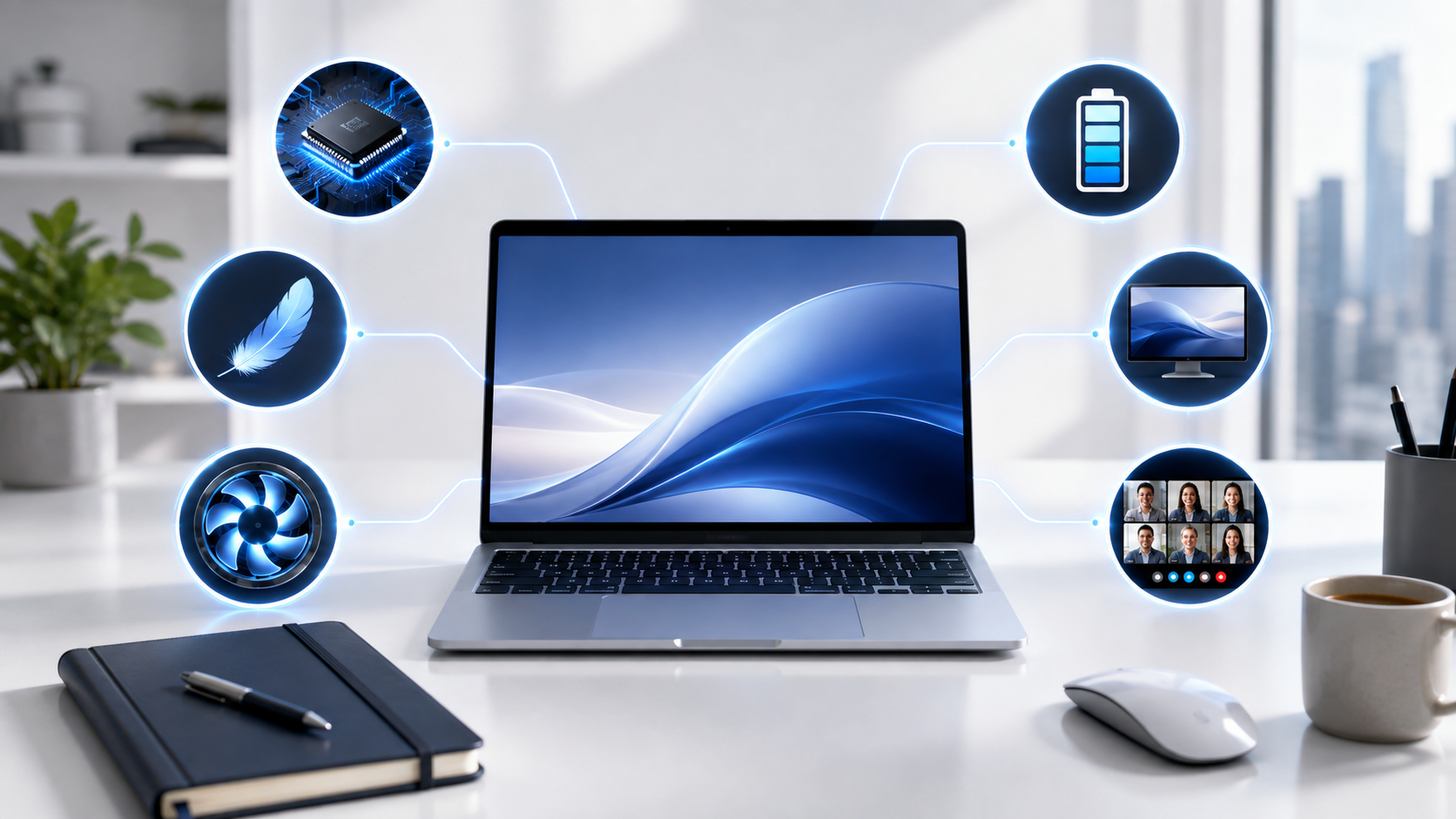
Powered by Apple’s latest M4 chip, the MacBook Air handles multitasking with ease. Whether you’re working with dozens of browser tabs, joining Zoom meetings, editing presentations, or managing spreadsheets, the laptop remains fast, responsive, and completely silent thanks to its fanless design.
Battery life is one of its biggest strengths. Many professionals can comfortably work through an entire business day without plugging in, making it an excellent companion for travel and remote work.
The Liquid Retina display is bright, color-accurate, and comfortable for extended use, while the upgraded webcam and excellent microphones make virtual meetings look and sound professional.
Pros
- Outstanding M4 performance
- Exceptional battery life
- Lightweight and premium design
- Silent fanless operation
- Beautiful Liquid Retina display
- Excellent webcam and speakers
- Reliable macOS experience
Cons
- Limited port selection
- RAM and storage upgrades are expensive
- Best suited for users already invested in the Apple ecosystem
Best For: Business owners, executives, consultants, freelancers, remote workers, and professionals who value portability and battery life.
2. Lenovo ThinkPad X1 Carbon Gen 13 — Best Windows Business Laptop
For years, the ThinkPad X1 Carbon has been one of the most trusted names in the business world, and the latest generation continues that legacy.
Its carbon-fiber chassis is both lightweight and durable, making it perfect for professionals who travel frequently. Despite its slim profile, it feels sturdy enough to handle the demands of daily commuting and business trips.
Where the ThinkPad truly shines is its keyboard. Widely regarded as one of the best laptop keyboards available, it provides a comfortable typing experience that’s ideal for long emails, reports, coding sessions, and document editing.
Security is another major advantage. Features like biometric authentication, TPM protection, and enterprise-grade management tools make it a popular choice for corporate environments.
Performance is fast and dependable, easily handling productivity software, multitasking, cloud applications, and video conferencing.
Pros
- Industry-leading keyboard
- Lightweight carbon-fiber build
- Excellent security features
- Durable and travel-friendly
- Bright, high-quality display
- Reliable all-day performance
Cons
- Premium pricing
- Integrated graphics limit creative workloads
- Fewer upgrade options compared to modular laptops
Best For: Corporate professionals, executives, writers, consultants, and business travelers.
3. Dell Latitude 9450 — Best for Enterprise Professionals
If your job involves managing large projects, frequent video meetings, and handling sensitive company data, the Dell Latitude 9450 deserves serious consideration. Dell designed this laptop specifically for business professionals who need premium performance, reliability, and enterprise-level security.
The Latitude 9450 features Intel’s latest Core Ultra processors, making multitasking effortless. Running Microsoft Office, Slack, Teams, Zoom, Chrome with dozens of tabs, and cloud-based business applications simultaneously feels smooth and responsive.
One of its standout features is the collaboration experience. The AI-enhanced webcam, intelligent audio, and noise cancellation help you look and sound professional during virtual meetings, whether you’re working from home or traveling.
The keyboard is comfortable for long typing sessions, while the premium aluminum build gives the laptop a solid, high-end feel.
Specifications
- Processor: Intel Core Ultra 5 / Ultra 7
- RAM: 16GB–64GB
- Storage: Up to 2TB SSD
- Display: 14-inch QHD+
- Battery Life: Up to 16 Hours
- Weight: Around 3 lbs
Pros
- Premium build quality
- Excellent keyboard and touchpad
- Enterprise-grade security
- AI-powered webcam features
- Strong multitasking performance
- Bright, high-resolution display
Cons
- Expensive compared to consumer laptops
- Limited gaming capability
- Premium upgrades increase the price significantly
Best For: Corporate employees, executives, IT professionals, and enterprise users.
4. HP EliteBook Ultra G1i-Best for Hybrid Work
Hybrid work has become the new normal, and the HP EliteBook Ultra G1i is built with that lifestyle in mind.
It’s lightweight enough to carry between home and the office while offering premium performance for demanding workloads. HP has also focused heavily on AI features, making meetings, collaboration, and productivity more efficient.
The OLED display delivers sharp visuals with vibrant colors, making everything from presentations to spreadsheets look crisp. The webcam performs exceptionally well in low-light environments, while the AI-powered audio helps reduce background noise during meetings.
Battery life comfortably lasts through a full workday, making it a dependable choice for professionals who are constantly on the move.
Specifications
- Intel Core Ultra Processor
- Up to 32GB RAM
- OLED Display
- AI-enhanced webcam
- Wi-Fi 7 support
- Up to 17-hour battery life
Pros
- Premium lightweight design
- Excellent OLED display
- AI meeting enhancements
- Long battery life
- Strong security features
Cons
- Premium price tag
- Limited ports
- Integrated graphics only
Best For: Remote workers, hybrid employees, consultants, and executives.
5. Microsoft Surface Laptop 7-Best for Productivity
Microsoft has refined the Surface Laptop series into one of the cleanest Windows experiences available. The Surface Laptop 7 combines sleek design, fast performance, and excellent battery life, making it an ideal productivity machine.
Its PixelSense touchscreen is bright, responsive, and comfortable for long work sessions. Whether you’re writing reports, reviewing presentations, or taking handwritten notes with a compatible stylus, the display enhances the overall experience.
Battery life is another highlight. Many users can easily complete a full workday without carrying a charger.
Windows 11 runs exceptionally well on the latest hardware, and Microsoft’s AI-powered Copilot features are deeply integrated into the system, helping improve productivity.
Specifications
- Snapdragon X Elite / Intel options (varies by configuration)
- 16GB–64GB RAM
- Up to 1TB SSD
- 13.8-inch or 15-inch PixelSense display
- Up to 20-hour battery life
Pros
- Beautiful touchscreen display
- Excellent battery life
- Lightweight design
- Quiet operation
- Premium keyboard
- AI-powered Windows features
Cons
- Fewer ports than some competitors
- App compatibility may vary on certain ARM-based models
Best For: Students, professionals, entrepreneurs, and remote workers.
6. ASUS ExpertBook B9-Best Lightweight Business Laptop
If portability is your top priority, the ASUS ExpertBook B9 is one of the lightest premium business laptops available today.
Despite weighing under 2.3 pounds in some configurations, it still offers impressive performance, military-grade durability, and strong battery life.
Frequent travelers will appreciate how easy it is to carry through airports, meetings, and conferences. ASUS has also included enterprise security features that make it suitable for professional environments.
Pros
- Extremely lightweight
- Durable magnesium-alloy construction
- Excellent battery life
- Business-focused security
- Comfortable keyboard
Cons
- Small speakers
- Premium pricing
- Limited graphics performance
Best For: Business travelers, consultants, sales professionals, and executives.
7. LG Gram 14 Pro-Best Battery Life
The LG Gram 14 Pro proves that you don’t need a bulky laptop to enjoy exceptional battery life.
It combines a lightweight chassis with a gorgeous OLED display and outstanding endurance, allowing many users to work well into the evening without needing to recharge.
The laptop is especially attractive for professionals who spend long hours writing, browsing, attending meetings, or managing business tasks away from a power outlet.
Pros
- Outstanding battery life
- Lightweight design
- Vibrant OLED display
- Quiet operation
- Fast everyday performance
Cons
- Flexible chassis compared to competitors
- Average speaker quality
Best For: Remote workers, travelers, students, and digital entrepreneurs.
8. Acer TravelMate P6-Best Value for Small Businesses
The Acer TravelMate P6 delivers many premium business features at a more accessible price.
It offers dependable performance, enterprise security, and a lightweight design without reaching flagship-level pricing. For startups and small businesses purchasing multiple laptops, this model provides excellent value.
The keyboard is comfortable, battery life is respectable, and the laptop easily handles common business applications.
Pros
- Excellent value
- Lightweight build
- Good battery life
- Enterprise security
- Comfortable keyboard
Cons
- Display isn’t as vibrant as premium competitors
- Speakers are average
Best For: Small businesses, startups, and budget-conscious professionals.
9. Framework Laptop 13-Best Upgradeable Business Laptop
Most laptops become outdated after a few years because upgrading them is difficult. The Framework Laptop 13 takes a completely different approach.
Nearly every major component—including memory, storage, ports, keyboard, and even the motherboard—can be replaced or upgraded.
For professionals planning to keep a laptop for many years, Framework offers one of the most repairable and future-proof options available.
Its modular design also reduces electronic waste, making it an environmentally friendly choice.
Pros
- Highly upgradeable
- Easy repairs
- Modular ports
- Sustainable design
- Strong everyday performance
Cons
- Battery life is shorter than some rivals
- Not as polished as premium ultrabooks
Best For: Developers, IT professionals, tech enthusiasts, and users who value long-term ownership.
Business Laptop Buying Guide
Choosing the right business laptop depends on how you work. Here are the most important factors to consider before making your purchase.
Processor
A modern processor is essential for smooth multitasking.
Recommended options include:
- Apple M4
- Intel Core Ultra 5 or Ultra 7
- AMD Ryzen AI Series
These processors provide excellent speed while improving battery efficiency.
RAM
For most professionals, 16GB RAM is the ideal starting point. If you regularly work with large datasets, virtual machines, programming tools, or creative software, 32GB RAM is a better long-term investment.
Storage
Choose an SSD rather than a traditional hard drive.
Recommended capacity:
- 512GB for most users
- 1TB if you work with large files or multimedia projects
SSDs offer much faster boot times and application loading.
Battery Life
Aim for a laptop that delivers at least 10–12 hours of real-world usage. If you travel frequently, models offering 15–20 hours of battery life provide greater flexibility.
Display
A high-quality display reduces eye strain during long work sessions.
Look for:
- Full HD (1920×1080) minimum
- 2K or OLED for sharper visuals
- Anti-glare coating for outdoor or bright office use
Security
Business users should prioritize laptops with built-in protection, such as:
- Fingerprint sensor
- Windows Hello facial recognition
- TPM 2.0 chip
- Webcam privacy shutter
- BIOS and firmware protection
These features help safeguard sensitive work and personal data.
Final Comparison: Which Business Laptop Should You Buy?
Choosing the right business laptop depends on your work style, budget, and operating system preference. Here’s a quick recommendation based on different needs.
| If You Need… | Recommended Laptop |
|---|---|
| Best Overall | Apple MacBook Air M4 |
| Best Windows Laptop | Lenovo ThinkPad X1 Carbon Gen 13 |
| Best Enterprise Laptop | Dell Latitude 9450 |
| Best Hybrid Work Laptop | HP EliteBook Ultra G1i |
| Best Productivity Laptop | Microsoft Surface Laptop 7 |
| Best Lightweight Laptop | ASUS ExpertBook B9 |
| Best Battery Life | LG Gram 14 Pro |
| Best Budget Business Laptop | Acer TravelMate P6 |
| Most Upgradeable Laptop | Framework Laptop 13 |
Pros & Cons Summary
✅ Why Buy a Business Laptop?
- Faster multitasking and productivity
- Better battery life than most consumer laptops
- Lightweight and travel-friendly
- Premium build quality
- Strong security features
- Comfortable keyboards for long typing sessions
- Longer software support
- Reliable performance for years
❌ Things to Keep in Mind
- Premium business laptops can be expensive
- Integrated graphics aren’t ideal for gaming or heavy 3D work
- Some ultrathin models have limited ports
- RAM and storage upgrades may not be possible after purchase.
Frequently Asked Questions (FAQ)
1. What is the best business laptop in 2026?
The Apple MacBook Air M4 is one of the best business laptops available in 2026 thanks to its outstanding performance, exceptional battery life, lightweight design, and premium build quality. If you prefer Windows, the Lenovo ThinkPad X1 Carbon Gen 13 is an excellent alternative.
2. How much RAM do I need for business work?
For most professionals, 16GB RAM is the sweet spot. It easily handles multitasking, Microsoft Office, video conferencing, and web browsing. If your work involves programming, data analysis, or creative software, 32GB RAM offers better long-term performance.
3. Is a MacBook better than a Windows business laptop?
It depends on your workflow.
A MacBook is ideal if you’re already part of Apple’s ecosystem or value battery life and portability. A Windows business laptop may be a better fit if your organization relies on Microsoft software, enterprise management tools, or specialized business applications.
4. Which laptop has the best battery life?
The LG Gram 14 Pro and Microsoft Surface Laptop 7 offer some of the longest battery life in this list, while the MacBook Air M4 consistently delivers excellent real-world endurance.
5. Are business laptops worth the extra cost?
Yes. Business laptops are designed for reliability, security, and long-term use. They typically feature stronger build quality, better keyboards, enterprise-grade security, and longer software support than standard consumer laptops.
Final Verdict
A business laptop is more than just a computer—it’s a long-term investment in your productivity. The right choice can make daily tasks smoother, reduce downtime, and help you stay efficient whether you’re working from an office, your home, or on the road.
If you’re looking for the best overall value, the Apple MacBook Air M4 stands out with its outstanding performance, impressive battery life, and premium design. For professionals who prefer Windows, the Lenovo ThinkPad X1 Carbon Gen 13 remains one of the most dependable options thanks to its exceptional keyboard, durability, and enterprise-grade security.
Need maximum portability? The ASUS ExpertBook B9 is a fantastic travel companion. If battery life is your top priority, the LG Gram 14 Pro is hard to beat. And if you want a laptop that can evolve with your needs over time, the Framework Laptop 13 offers unmatched upgradeability.
The best business laptop isn’t necessarily the most expensive one—it’s the one that matches your workflow, budget, and long-term goals. Take a moment to think about how and where you’ll use your laptop, and you’ll be much more likely to choose a device that serves you well for years to come.