
Discover the best AI tools to automate business tasks in 2026, from sales and customer support to marketing, data entry, and daily operations.
11 AI Tools to Automate Business in 2026 and Save Hours Every Week
Running a business can feel strange sometimes. You can have customers, revenue, a good product and a growing audience, yet still spend half your day doing things that don’t really move the business forward. Copying information between apps. Answering the same customer questions. Following up with leads. Sorting emails. Updating spreadsheets. Creating reports.
That’s where AI tools to automate business become genuinely useful. The goal isn’t to replace every person or turn your company into a collection of robots. It’s much simpler: let software handle repetitive work so you and your team can spend more time on decisions, customers and growth.
And there’s an important difference between ordinary automation and AI automation. Traditional automation generally follows predefined rules. AI can work with less-structured information, classify text, summarize conversations, generate drafts and make context-dependent decisions before passing the result into another workflow. Make describes this combination as AI automation: AI sits inside an automated process and helps handle tasks that traditional rule-based automation struggles with.
So, which tools are actually worth looking at in 2026?
What Is AI Business Automation?
AI business automation is the use of artificial intelligence and workflow software to perform repetitive or decision-heavy business tasks with limited human intervention.
A simple example looks like this:
Customer fills out a form → AI analyzes the request → CRM is updated → lead is assigned → personalized email is drafted → sales representative receives a notification.
Without automation, someone might have to perform every one of those steps manually.
With an AI-powered workflow, the software handles much of the process automatically.
The important word here is workflow.
An AI chatbot sitting on a website can be useful, but automation becomes much more powerful when AI is connected to the applications your business already uses.
That could mean:
- Gmail
- Google Sheets
- Slack
- CRM software
- accounting software
- project management tools
- online forms
- calendars
- customer-support platforms
- ecommerce systems
For example, Zapier currently describes its platform as connecting AI models with business apps and processes, with more than 9,000 apps available across its automation ecosystem.
Why Businesses Are Turning to AI Automation
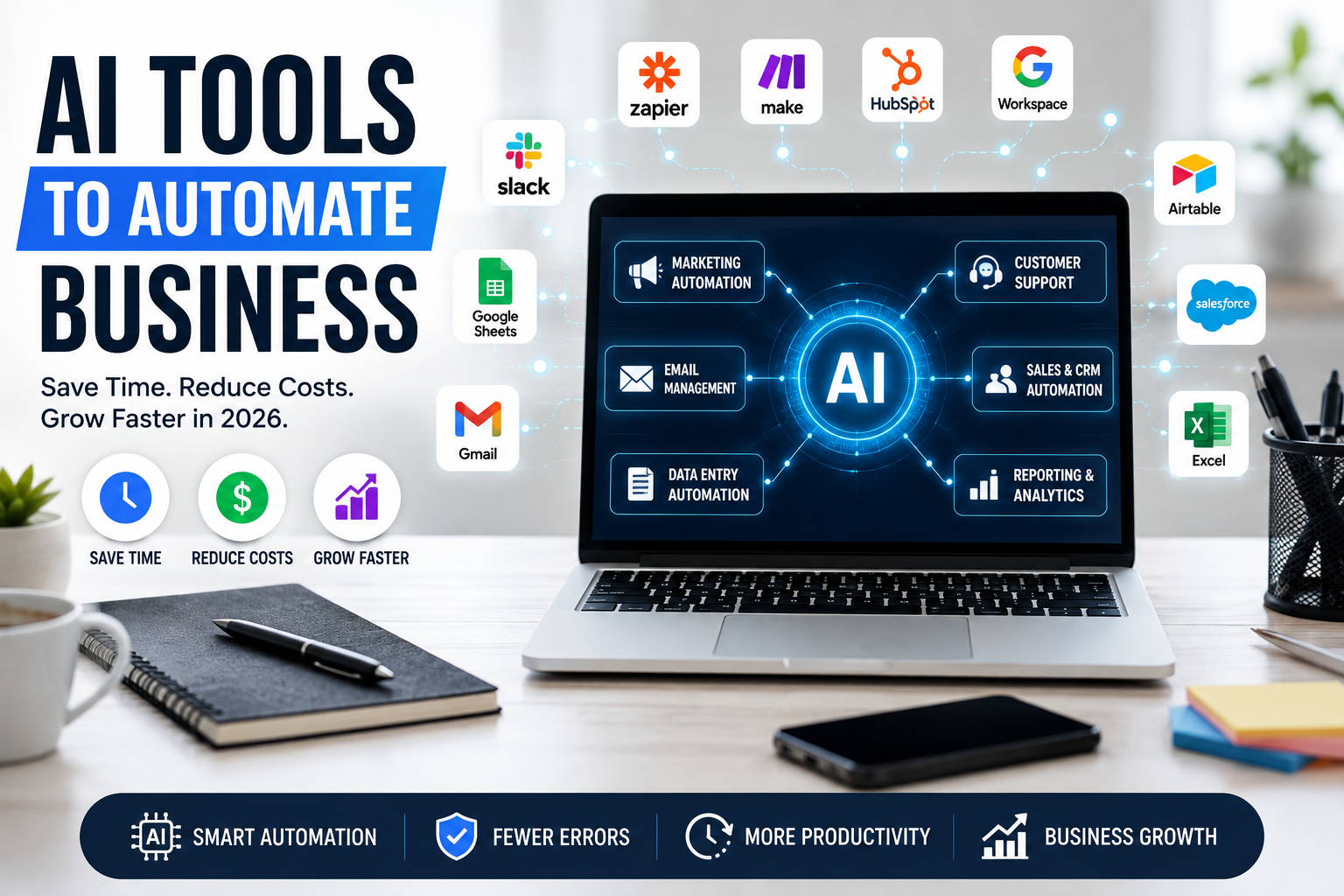
There’s a reason business automation has moved beyond simple “if this happens, do that” workflows.
Modern businesses generate enormous amounts of information every day.
A customer sends an email. A lead fills out a form. Someone leaves a review. An employee uploads a document. A payment arrives. A meeting finishes. A support ticket gets opened.
Individually, none of these events seems difficult.
The problem is the sheer volume.
AI can help turn these events into automated actions.
The biggest benefits include:
Less repetitive work: Employees don’t need to spend hours copying and organizing information.
Faster response times: Leads, customers and internal requests can be routed immediately.
Fewer manual mistakes: Automated workflows can reduce errors caused by repetitive data entry.
More consistent processes: Every lead or support request can follow the same basic workflow.
Better scalability: A business can handle more activity without increasing every manual task at the same rate.
But there’s a catch.
Automation isn’t automatically good just because AI is involved.
A poorly designed workflow can automate a bad process faster.
That’s why the best strategy is to identify repetitive tasks first and then choose the appropriate tool.
11 Best AI Tools to Automate Business in 2026
1. Zapier — Best Overall for Connecting Business Apps
If your business uses several different applications, Zapier is one of the first automation platforms I’d investigate.
Its basic concept is easy to understand.
You create a trigger and then tell the system what should happen next.
For example:
New website lead → add lead to CRM → use AI to classify the lead → send notification to sales → create follow-up task.
Zapier has also added more AI capabilities. Its current AI functionality includes AI-assisted workflow creation, troubleshooting and AI-powered steps that can analyze, classify, summarize or generate information.
What you can automate
- Lead management
- Email workflows
- Customer onboarding
- Data entry
- Notifications
- Content workflows
- Sales follow-ups
- Support processes
- Internal task creation
Pros
- Huge app ecosystem
- Beginner-friendly
- Strong AI features
- Good for cross-platform workflows
Cons
- Costs can increase as automation usage grows
- Complex workflows require planning
- Not every process should be fully automated
Best for: Small businesses, agencies, freelancers and teams using multiple SaaS applications.
2. Make — Best for Visual and Complex AI Workflows
If Zapier feels too straightforward for what you’re trying to build, Make is worth considering.
Make uses a visual workflow builder that lets you map out complicated processes.
That makes it particularly useful when a business workflow has multiple branches and conditions.
For example:
New lead → check source → analyze lead → check CRM → determine sales priority → notify correct employee → create task → send customized response.
Make’s current AI automation offering includes AI agents that can work with goals, prompts and data while allowing businesses to visually orchestrate the workflow.
The company also says its platform supports more than 3,000 apps.
Pros
- Powerful visual workflow builder
- Great for complicated processes
- AI-agent capabilities
- Large integration ecosystem
Cons
- Steeper learning curve
- Complex scenarios can become difficult to maintain
- Beginners may need time to understand the platform
Best for: Growing businesses, automation specialists, agencies and operations teams.
3. Microsoft Power Automate — Best for Microsoft-Based Businesses
If your business already lives inside Microsoft 365, Power Automate deserves serious consideration.
It can automate workflows involving Microsoft services and other applications, and Microsoft’s documentation includes cloud flows, scheduled flows, desktop flows and Copilot capabilities.
Imagine a company where employees work primarily with:
- Outlook
- Excel
- Teams
- SharePoint
- OneDrive
- Microsoft Forms
Instead of introducing another disconnected automation platform, Power Automate can fit naturally into that ecosystem.
Good automation examples
- Move email attachments into folders
- Update Excel records
- Send Teams notifications
- Automate approval requests
- Schedule recurring reports
- Process documents
- Create internal tasks
Pros
- Excellent Microsoft 365 integration
- Useful for enterprise workflows
- Desktop automation
- Copilot-assisted capabilities
Cons
- Can feel complicated for beginners
- Best experience often comes within the Microsoft ecosystem
Best for: Microsoft 365 users, medium-sized businesses and enterprise teams.
4. Google Workspace Studio — Best for Google Workspace Users
Many small businesses already run their daily operations through Gmail, Google Drive, Docs, Sheets and Calendar.
For those companies, adding automation directly into that environment makes a lot of sense.
Google Workspace Studio is designed to create AI-powered workflows across Workspace. Google says users can describe an automation in natural language and have Gemini create a flow, with no coding required.
That opens up interesting possibilities.
You could automate:
Email → identify request → organize information → create task → notify team member.
Or:
Meeting → generate notes → identify action items → organize tasks.
Google also highlights AI capabilities across Gmail, Meet, Sheets, Drive and other Workspace applications.
Pros
- Excellent for Google Workspace users
- Natural-language workflow creation
- Gemini integration
- Familiar environment
Cons
- Most useful if your business already uses Google Workspace
- Advanced automation may require additional configuration
Best for: Small businesses and teams already using Gmail and Google Workspace.
5. HubSpot — Best for Sales and Marketing Automation
If your biggest problem is managing leads and customers rather than moving data between random applications, HubSpot can be a better fit.
Its workflow automation can respond to triggers such as form submissions, deal-stage changes and ticket updates. Workflows can then send emails, create tasks, assign leads and update records automatically.
HubSpot also integrates AI through its Breeze platform to help with workflow creation, data enrichment and record summarization.
Useful automation examples
- New lead follow-up
- Customer onboarding
- Sales pipeline updates
- Email campaigns
- Support ticket routing
- Lead assignment
- Customer segmentation
Pros
- Strong CRM integration
- Excellent for sales teams
- Marketing and customer-service automation
- AI-assisted workflows
Cons
- Can become expensive as requirements grow
- More than a simple automation tool
Best for: Businesses focused on sales, marketing and customer relationships.
6. Gemini for Google Workspace — Best for Everyday Office Work
Not every business automation needs a complicated workflow.
Sometimes the biggest productivity gain comes from removing small tasks from an employee’s day.
Gemini can assist with emails, documents, meetings, spreadsheets and other Workspace activities. Google currently positions Gemini as an AI layer across applications such as Gmail, Docs, Sheets, Meet and Drive.
Think about an employee receiving 50 emails.
Instead of manually opening every conversation, summarizing everything and drafting responses from scratch, AI can help surface key information and prepare drafts.
That doesn’t mean employees should blindly send whatever AI generates.
Human review still matters, especially for customer-facing or sensitive communication.
Best uses
- Email drafting
- Meeting notes
- Document summaries
- Spreadsheet analysis
- Research
- Internal documentation
Best for: Almost any business already using Google Workspace.
7. n8n — Best for Technical Teams and Custom Automation
Some businesses want more control over their automation environment.
That’s where n8n becomes interesting.
It is particularly attractive for technical teams that want highly customizable workflows and more control over infrastructure.
You can build workflows that connect APIs, databases, AI models and business applications.
Example
A company receives customer feedback.
The workflow could:
- Collect the feedback
- Send it to an AI model
- Determine sentiment
- Categorize the issue
- Store the result
- Notify the appropriate team
- Create a support ticket
Pros
- Highly customizable
- Strong for technical users
- Useful for complex integrations
- Can be self-hosted
Cons
- Not as beginner-friendly
- Requires more technical knowledge
Best for: Developers, technical founders and businesses requiring customized automation.
8. Airtable — Best for Automated Business Data
Airtable sits somewhere between a spreadsheet and a database, which makes it useful for businesses managing structured information.
You can use it as the central data layer for an automation system.
For example:
Customer database → AI categorization → sales priority → automated task → team notification.
This is particularly useful for companies managing:
- Content calendars
- Customer databases
- Product information
- Sales leads
- Marketing campaigns
- Project information
Best for: Teams that need a flexible database combined with automation.
9. UiPath — Best for Legacy Systems and RPA
Not every company uses modern cloud applications.
Large organizations often have old desktop software and legacy systems that don’t offer convenient APIs.
That’s where robotic process automation can become valuable.
UiPath focuses heavily on RPA and enterprise automation, making it useful for automating repetitive interactions with software interfaces.
For example, a company might have employees repeatedly:
- Open an old application
- Copy information
- Enter it into another system
- Download a document
- Rename it
- Upload it somewhere else
A properly designed RPA workflow can take over much of that repetitive process.
Best for: Larger businesses with legacy software and repetitive desktop processes.
10. QuickBooks — Best for Automating Accounting Work
Accounting is another area where automation can save a business significant administrative time.
Instead of manually tracking every transaction, invoice and financial record, accounting software can automate many routine processes.
AI can make this even more useful by helping organize information and surface insights.
For a small business owner, the benefit isn’t just saving a few clicks.
It’s getting time back.
Time that could be spent finding customers, improving products or actually running the company.
Best for: Freelancers, small businesses and companies looking to reduce accounting administration.
11. AI-Powered Customer Support Tools
Customer support is one of the easiest places to see the value of AI automation.
Businesses receive many questions that are repetitive:
“Where is my order?”
“What are your business hours?”
“How do I reset my password?”
“Can I change my subscription?”
Instead of forcing an employee to answer every basic question manually, AI can handle straightforward requests and send complicated cases to a human.
A good support automation system should therefore work like this:
Simple question → AI response
Unclear question → AI asks for clarification
Sensitive/complex problem → human agent
That last step is important.
Automation should not become an excuse to hide your business behind a chatbot.
What Business Tasks Should You Automate First?
If you’re starting from scratch, don’t try to automate everything.
Start with tasks that are:
- repetitive
- time-consuming
- predictable
- easy to measure
- low-risk
Great first automation projects
1. Lead collection
New lead → CRM → notification → follow-up task.
2. Email organization
Incoming email → AI classification → label → appropriate action.
3. Meeting follow-up
Meeting → notes → action items → task assignment.
4. Customer onboarding
New customer → welcome email → account setup → internal notification.
5. Reporting
Data → spreadsheet → analysis → summary → email report.
6. Content workflows
Idea → draft → review → content calendar → publishing task.
7. Invoice administration
Invoice → record → reminder → accounting workflow.
AI Automation vs Traditional Automation
| Feature | Traditional Automation | AI Automation |
|---|---|---|
| Rule-based tasks | Excellent | Excellent |
| Fixed workflows | Excellent | Excellent |
| Text understanding | Limited | Strong |
| Summarization | No/limited | Yes |
| Classification | Basic rules | AI-powered |
| Content generation | No | Yes |
| Messy information | Limited | Better suited |
| Decision support | Basic | More flexible |
| Human review | Often optional | Often recommended |
The important thing isn’t choosing “AI” simply because it sounds more advanced.
If a simple rule can solve a problem reliably, use the simple rule.
AI is most useful when the workflow involves language, documents, classification, summarization or information that doesn’t always arrive in exactly the same format.
How Much Can AI Automation Actually Save?
Be careful with articles that promise a business will “save 40 hours every week” simply by installing an AI tool.
There isn’t one universal number.
Your actual savings depend on:
- number of employees
- task frequency
- workflow complexity
- current software
- amount of manual work
- how much human review is required
Here’s a better way to calculate it.
Suppose an employee spends 45 minutes every working day doing a repetitive reporting task.
That’s roughly:
3.75 hours per week
Over 50 working weeks:
187.5 hours per year
If automation cuts that task by 70%, the business could potentially recover around:
131 hours per year
That’s a much more useful way to evaluate automation than believing a generic marketing claim.
How to Choose the Right AI Automation Tool
Don’t choose a tool because it has the longest list of AI features.
Ask these questions first.
1. What exactly am I automating?
Write the current process down step by step.
2. Which apps are involved?
Check whether your automation platform supports the applications you already use.
3. Does the task actually require AI?
If a simple rule works, don’t add unnecessary AI.
4. What happens when something goes wrong?
Every important workflow needs an error path.
5. Does a human need to approve the result?
For financial transactions, legal communication, sensitive customer issues or important business decisions, human oversight may be appropriate.
6. How will I measure success?
Track:
- time saved
- errors reduced
- response time
- leads processed
- customer satisfaction
- cost per task
Pros and Cons of AI Business Automation
Pros
- Saves repetitive manual work
- Speeds up workflows
- Helps businesses handle more volume
- Can improve consistency
- Reduces some forms of manual data entry
- Works across multiple business functions
- Can make small teams more productive
Cons
- Automation requires setup and maintenance
- AI can make mistakes
- Some workflows need human approval
- Subscription costs can grow
- Poorly designed workflows can create new problems
- Sensitive business information requires careful handling
The smartest businesses don’t ask:
“How much can we automate?”
They ask:
“What should we automate, and what should remain human?”
That’s a much better question.
A Simple AI Automation Strategy for Small Businesses
If you’re a small business owner and this all feels overwhelming, start here.
Week 1: Find the repetitive work
Write down everything you and your team do repeatedly.
Don’t worry about software yet.
Week 2: Pick one workflow
Choose the task that:
- happens frequently
- takes significant time
- has a clear beginning and end
Week 3: Build the simplest version
Don’t create a 20-step AI agent on your first attempt.
Start small.
For example:
New lead → spreadsheet → notification
Then add AI:
New lead → AI qualification → spreadsheet → notification
Then add another action:
New lead → AI qualification → CRM → personalized email → sales notification
That’s how automation should grow.
5 AI Automation Workflows You Can Copy
Lead Generation
Website form → AI lead classification → CRM → sales notification → follow-up task
Great for agencies, consultants and B2B businesses.
Customer Support
Customer email → AI classification → FAQ response OR human escalation
Useful for businesses receiving repetitive support requests.
Content Marketing
Content idea → AI research → draft → human editing → CMS task → social media task
AI handles the repetitive parts while the human remains responsible for quality and originality.
Meeting Management
Meeting → transcript/notes → AI summary → action items → assigned tasks
This can remove a surprisingly annoying administrative task from a team’s day.
Finance Administration
Invoice/payment event → accounting record → notification → reminder workflow
For financial tasks, keep appropriate human controls and review processes in place.
Are AI Automation Tools Worth It in 2026?
For many businesses, yes—but not because AI is fashionable.
They’re worth considering when employees are spending meaningful time on repetitive work that software can reliably handle.
The strongest use cases are usually boring.
That’s actually a good thing.
You don’t need an AI agent to make your business look futuristic.
You need one that stops someone from copying 200 rows from one spreadsheet to another every Friday.
You need one that makes sure a new lead doesn’t sit unanswered for six hours.
You need one that turns a 45-minute reporting task into a five-minute review.
That’s where automation starts paying for itself.
Frequently Asked Questions
What are the best AI tools to automate business?
Some of the strongest options include Zapier, Make, Microsoft Power Automate, Google Workspace Studio, HubSpot, n8n, Airtable and UiPath. The best choice depends on your existing software and the complexity of your workflows.
Can AI automate a small business?
Yes. Small businesses can automate lead collection, email workflows, customer support, reporting, scheduling, content processes and administrative tasks without building a large technology department.
What is the easiest AI automation tool for beginners?
Zapier is one of the easier starting points because its workflow model is based around connecting apps and triggers/actions. Its current platform also includes AI-assisted workflow building.
Is AI automation expensive?
It depends on the platform and usage. Some tools offer free plans or trials, while advanced business and enterprise features can cost substantially more. Always calculate the cost against the time and errors the workflow could save.
Can AI completely automate a business?
Not realistically—and it shouldn’t be the goal. Businesses still need humans for strategy, relationships, judgment, quality control and decisions involving risk or sensitive information.
Is AI automation safe for business data?
Security depends on the specific platform, configuration and type of information being processed. Before connecting sensitive business data, review the provider’s security, privacy, permissions and data-handling documentation.
For example, Google says Workspace data remains under organizational controls and describes security features such as data loss prevention, information rights management and client-side encryption for relevant Workspace environments.
Final Thoughts
The most useful AI tools to automate business aren’t necessarily the ones with the most impressive demos.
They’re the tools that quietly remove annoying work from your team’s day.
Zapier can connect the apps your business already uses. Make can handle more visual and complex workflows. Microsoft Power Automate makes sense for Microsoft-heavy organizations. Google Workspace Studio is compelling for teams living inside Gmail, Sheets and Drive. HubSpot is particularly useful when sales and customer workflows are the priority.
The right approach is to start with one problem.
Find the task nobody enjoys doing.
Measure how much time it consumes.
Automate the repetitive part.
Keep a human involved where judgment matters.
Then measure the result.
That’s how AI automation becomes more than another subscription on your credit card. Done properly, it becomes part of the operating system of your business.