
Looking for the best password manager review? Compare top password managers for security, pricing, features, and ease of use in 2026.
Best Password Manager Review 2026: Which One Deserves Your Trust?
Imagine waking up one morning and discovering that your email account, banking app, and social media profiles have all been compromised.
Unfortunately, this scenario is becoming more common every year. Cybercriminals no longer rely on sophisticated attacks alone. Many simply exploit weak passwords, reused credentials, and poor security habits.
That’s where this Best Password Manager Review becomes valuable.
Most people use dozens of online accounts every week. Between banking, shopping, streaming services, work tools, and social media, remembering unique passwords for everything feels impossible. As a result, many users recycle the same password across multiple websites, creating a major security risk.
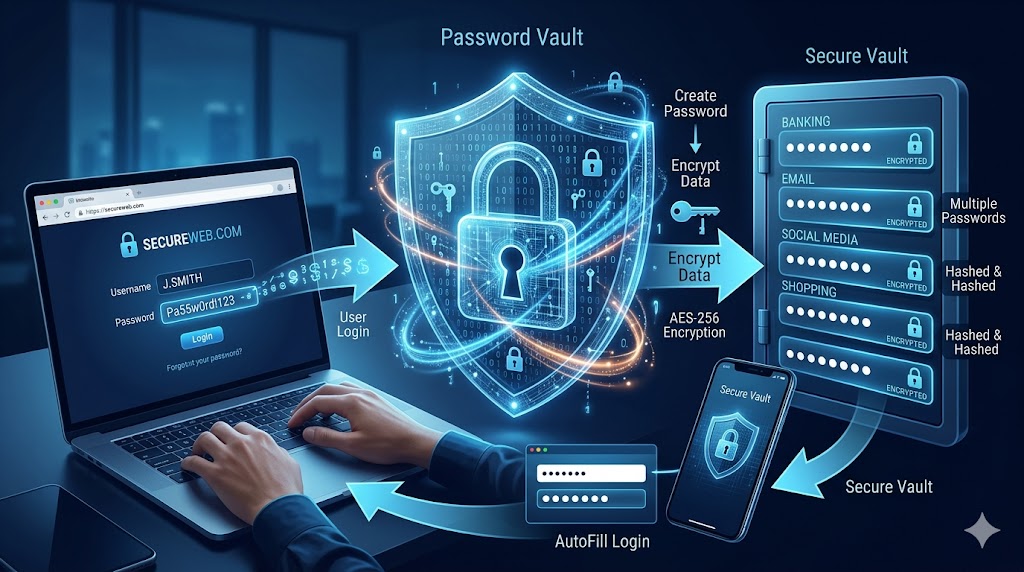
The good news is that password managers have evolved dramatically. Modern solutions generate strong passwords, store them securely, autofill login details, monitor data breaches, and even support passkeys.
In this detailed Best Password Manager Review, we tested the most trusted options available in 2026 to help you find the right balance between security, convenience, and value.
Which Password Manager Is Best?
If you’re looking for a short answer before diving deeper into this Best Password Manager Review, here are our top recommendations:
| Password Manager | Best For | Rating |
|---|---|---|
| 1Password | Overall Performance | 9.8/10 |
| Bitwarden | Best Free Option | 9.7/10 |
| Dashlane | Security Features | 9.5/10 |
| NordPass | Beginners | 9.4/10 |
| Keeper | Business Security | 9.3/10 |
| RoboForm | Form Filling | 9.1/10 |
For most users, 1Password delivers the best combination of security, usability, and cross-platform support.
Why You Need a Password Manager in 2026
The average internet user now maintains over 100 online accounts.
Remembering strong and unique passwords for every account is unrealistic.
A quality password manager helps by:
- Generating secure passwords
- Storing credentials safely
- Autofilling login details
- Protecting against phishing
- Monitoring breached accounts
- Supporting passkeys
- Syncing across devices
Without a password manager, users often rely on weak passwords, browser notes, spreadsheets, or memory.
All of these methods create unnecessary security risks.
How We Tested Password Managers
To create this Best Password Manager Review, we evaluated each product based on:
Security
We examined encryption standards, authentication methods, breach monitoring, and privacy practices.
Ease of Use
A password manager should simplify your digital life, not complicate it.
Device Compatibility
We tested performance across:
- Windows
- Mac
- Android
- iPhone
- Linux
- Browser extensions
Value for Money
We compared pricing against available features.
Customer Support
Reliable support becomes important when dealing with sensitive account access.
Best Password Manager Review: Top Picks for 2026
1. 1Password – Best Overall Password Manager
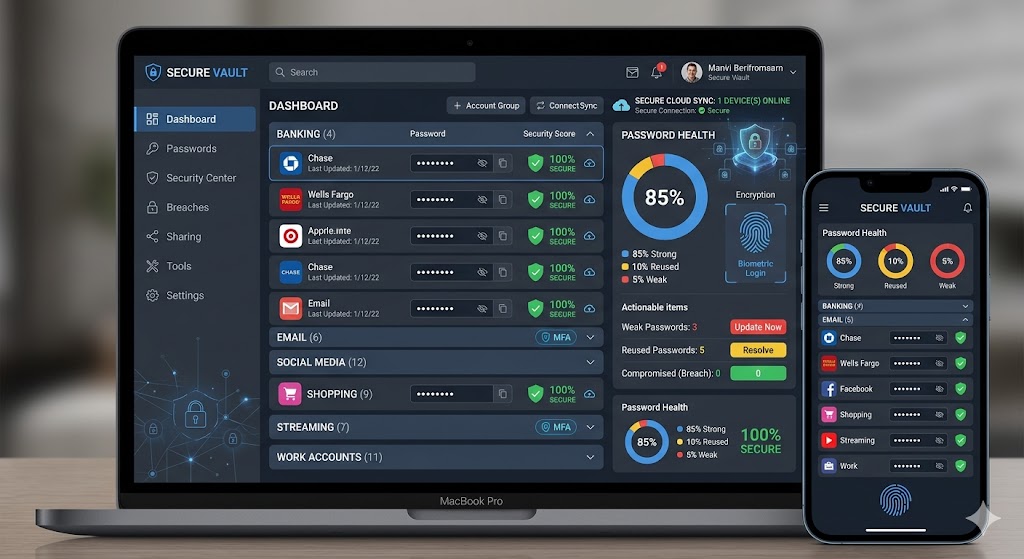
When discussing the best solutions in this Best Password Manager Review, 1Password consistently ranks at the top.
It offers an excellent combination of usability and advanced security.
Key Features
- AES-256 encryption
- Travel Mode
- Passkey support
- Watchtower security monitoring
- Secure password sharing
- Multi-device sync
Pros
✔ Outstanding user interface
✔ Excellent family plans
✔ Strong security architecture
✔ Supports passkeys
Cons
✘ No permanent free plan
✘ Slightly more expensive than competitors
Best For
Users seeking premium security without sacrificing convenience.
2. Bitwarden – Best Free Password Manager
Bitwarden has earned a loyal following among cybersecurity professionals.
In almost every Best Password Manager Review, Bitwarden stands out because of its transparency and affordability.
Key Features
- Open-source code
- Unlimited password storage
- Multi-device sync
- Secure password generator
- Vault health reports
Pros
✔ Excellent free plan
✔ Open-source security
✔ Affordable premium option
✔ Trusted by security experts
Cons
✘ Interface feels less polished
✘ Fewer premium extras
Best For
Budget-conscious users who still want enterprise-grade security.
3. Dashlane – Best Security Features
Dashlane focuses heavily on identity protection.
Beyond password storage, it includes advanced monitoring tools that help users stay ahead of cyber threats.
Key Features
- Dark web monitoring
- VPN access
- Password health score
- Breach alerts
- Automatic password changer
Pros
✔ Strong security tools
✔ Excellent dashboard
✔ Useful dark web alerts
✔ Easy setup
Cons
✘ Higher pricing
✘ Free version limitations
Best For
People concerned about identity theft.
4. NordPass – Best for Beginners
Created by the team behind the popular VPN service, NordPass focuses on simplicity.
If you’re new to password managers, this option deserves attention in any Best Password Manager Review.
Key Features
- Password health reports
- Passkey support
- Secure notes
- Biometric login
- Data breach scanner
Pros
✔ Beginner-friendly
✔ Clean interface
✔ Strong encryption
✔ Easy migration
Cons
✘ Fewer advanced features
✘ Premium needed for full benefits
Best For
Users switching from browser password storage.
5. Keeper – Best for Businesses
Keeper has become popular among organizations needing stronger access management.
Its administrative controls and compliance tools make it attractive for teams.
Key Features
- Role-based permissions
- Secure file storage
- Breach monitoring
- Advanced reporting
- Enterprise integration
Pros
✔ Business-focused
✔ Excellent compliance tools
✔ Strong encryption
✔ Reliable performance
Cons
✘ Learning curve
✘ Add-ons can increase costs
Best For
Businesses and remote teams.
Password Manager Comparison
Security Comparison
| Feature | 1Password | Bitwarden | Dashlane | NordPass | Keeper |
|---|---|---|---|---|---|
| AES-256 Encryption | Yes | Yes | Yes | Yes | Yes |
| MFA Support | Yes | Yes | Yes | Yes | Yes |
| Passkeys | Yes | Yes | Yes | Yes | Yes |
| Breach Monitoring | Yes | Yes | Yes | Yes | Yes |
| Secure Sharing | Yes | Yes | Yes | Yes | Yes |
All major products in this Best Password Manager Review meet modern security standards.
However, implementation quality varies.
What Makes a Password Manager Secure?
Many readers ask whether password managers themselves can be hacked.
While no technology is immune to risk, reputable password managers use multiple layers of protection.
End-to-End Encryption
Your vault remains encrypted before data leaves your device.
Zero-Knowledge Architecture
The company cannot view your stored passwords.
Multi-Factor Authentication
Additional verification protects your vault.
Breach Monitoring
Alerts help users react quickly if credentials appear in known leaks.
These features significantly improve overall online security.
Real-Life Benefits of Using a Password Manager
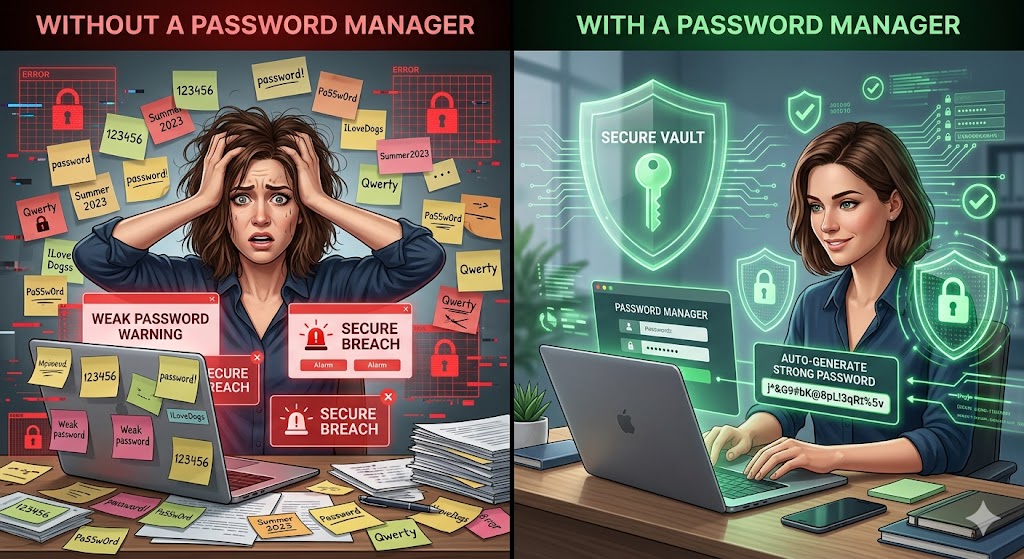
Consider a typical user named Sarah.
She has:
- Banking apps
- Shopping accounts
- Streaming subscriptions
- Social media profiles
- Work software
Before using a password manager, Sarah reused variations of the same password everywhere.
After switching to a password manager:
- Every account received a unique password.
- Login time decreased.
- Security improved dramatically.
- Password reset requests nearly disappeared.
This is exactly why cybersecurity experts recommend password managers.
Are Free Password Managers Worth Using?
One common question during any Best Password Manager Review is whether free versions provide enough protection.
The answer depends on your needs.
For many users, Bitwarden’s free plan offers more than enough functionality.
However, premium plans often add:
- Breach monitoring
- Emergency access
- Encrypted storage
- Advanced authentication
- Secure sharing
For the average user, upgrading is often worth the small annual cost.
Password Manager vs Browser Password Storage
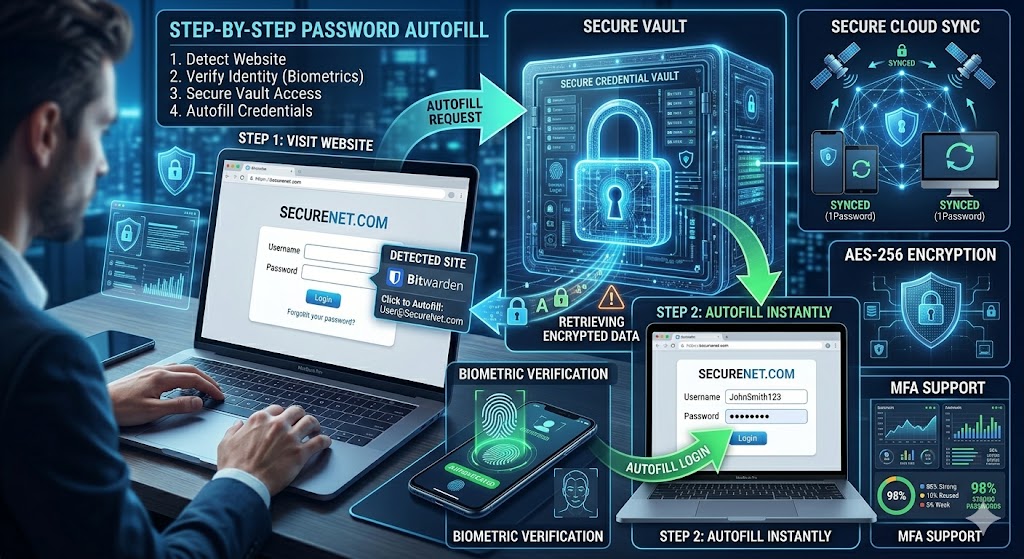
Many people assume that saving passwords directly in their browser is enough.
While browsers like Google Chrome, Microsoft Edge, and Safari have improved significantly, they still lack many advanced security features offered by dedicated password managers.
Browser Password Storage
Advantages
- Free to use
- Built into the browser
- Easy setup
Disadvantages
- Limited security monitoring
- Fewer sharing options
- Weak organization tools
- Limited cross-platform flexibility
Dedicated Password Managers
Advantages
- Strong encryption
- Password health reports
- Dark web monitoring
- Secure sharing
- Emergency access
- Passkey support
Disadvantages
- Some require subscriptions
- Initial setup takes time
In this Best Password Manager Review, dedicated password managers consistently outperformed browser-based solutions for both security and convenience.
How Passkeys Are Changing Password Security
One of the biggest trends in cybersecurity is the rise of passkeys.
Instead of relying on traditional passwords, passkeys use cryptographic authentication methods that are much harder for hackers to steal.
Benefits of Passkeys
- Resistant to phishing attacks
- Faster login experience
- Better security
- Reduced password fatigue
- Improved account protection
Most leading products featured in this Best Password Manager Review now support passkeys, making them future-ready solutions.
As major companies continue adopting passkeys, password managers will become even more important.
Features to Look for Before Buying
Not all password managers are created equal.
Before choosing one, consider the following features.
1. Strong Encryption
Look for AES-256 encryption or equivalent security standards.
2. Multi-Factor Authentication
MFA adds an additional layer of protection to your account.
3. Cross-Platform Support
Ensure the password manager works on:
- Windows
- macOS
- Android
- iPhone
- Linux
4. Password Generator
Strong random passwords dramatically improve account security.
5. Password Health Monitoring
This helps identify:
- Weak passwords
- Reused passwords
- Compromised passwords
6. Secure Sharing
Useful for families and teams that need shared access.
7. Emergency Access
Allows trusted individuals to access your vault during emergencies.
Best Password Managers for Different Users
Choosing the right product depends on your needs.
Best Overall
1Password
Ideal balance of usability, security, and premium features.
Best Free Option
Bitwarden
Excellent security without spending money.
Best for Families
1Password Family Plan
Simple sharing and account management.
Best for Businesses
Keeper
Strong administrative controls and compliance support.
Best for Beginners
NordPass
Easy setup and intuitive interface.
Best Security Features
Dashlane
Outstanding breach monitoring and identity protection tools.
Common Password Manager Myths
There are many misconceptions about password managers.
Let’s clear up a few of them.
Password Managers Are Easy to Hack
In reality, reputable password managers use extremely strong encryption.
Breaking modern AES-256 encryption would require immense computational resources.
I Only Need One Strong Password
Using the same password across multiple websites remains risky.
A single breach could expose numerous accounts.
Password Managers Are Only for Tech Experts
Today’s password managers are designed for everyday users.
Most can be installed and configured within minutes.
Password Managers Slow Down Login
The opposite is usually true.
Autofill features often make logging in faster.
Real-World Security Scenarios
To understand the value of a password manager, consider these common situations.
Online Shopping Account Breach
A retailer experiences a data breach.
If you reused the same password elsewhere, hackers may gain access to additional accounts.
A password manager prevents this by generating unique credentials.
Phishing Attack
You accidentally visit a fake website.
Most password managers will not autofill credentials on fraudulent domains.
This acts as an additional security layer.
Forgotten Password
Instead of resetting passwords repeatedly, your vault securely stores login information.
Family Account Sharing
Password managers allow secure sharing without exposing actual passwords.
Pricing Comparison
| Password Manager | Free Plan | Premium Starting Price |
|---|---|---|
| Bitwarden | Yes | Affordable |
| 1Password | Trial Only | Mid Range |
| Dashlane | Limited | Higher |
| NordPass | Limited | Mid Range |
| Keeper | Limited | Mid to Higher |
Prices change regularly, so check official websites before purchasing.
In this Best Password Manager Review, Bitwarden offers the strongest value for budget-conscious users, while 1Password delivers the most balanced premium experience.
Security Best Practices Beyond Password Managers
Even the best password manager cannot protect users who ignore basic cybersecurity habits.
Follow these recommendations:
Enable Multi-Factor Authentication
Whenever possible, activate MFA.
Update Software Regularly
Keep devices and apps updated.
Avoid Public Wi-Fi Risks
Use secure networks or a trusted VPN.
Watch for Phishing Emails
Verify links before entering credentials.
Review Vault Health Reports
Most password managers provide password audits.
Which Password Manager Should You Choose?
After extensive testing for this Best Password Manager Review, a few clear winners emerged.
Choose 1Password If:
- You want the best overall experience.
- You value ease of use.
- You need family sharing.
Choose Bitwarden If:
- You want the best free option.
- You prefer open-source software.
- Budget matters.
Choose Dashlane If:
- You prioritize identity protection.
- You want dark web monitoring.
Choose NordPass If:
- You’re new to password managers.
- You prefer simplicity.
Choose Keeper If:
- You manage a business.
- You need advanced administrative controls.
Conclusion
Managing passwords manually is no longer practical.
As cyber threats continue to evolve, using unique passwords for every account has become essential rather than optional.
Throughout this Best Password Manager Review, we evaluated the industry’s leading solutions based on security, usability, value, and real-world performance.
For most users, 1Password remains the top recommendation thanks to its exceptional balance of security and convenience.
If you’re seeking a powerful free option, Bitwarden is difficult to beat.
Regardless of which solution you choose, adopting a password manager today can dramatically improve your online security, reduce password fatigue, and help protect your personal information from future breaches.
The sooner you start using one, the safer your digital life becomes.
Frequently Asked Questions (FAQ)
What is the best password manager in 2026?
Based on testing in this Best Password Manager Review, 1Password offers the best overall combination of security, usability, and premium features.
Are password managers safe?
Yes. Reputable password managers use strong encryption, zero-knowledge architecture, and multi-factor authentication to protect user data.
Is a free password manager good enough?
For many users, Bitwarden’s free plan provides excellent security and functionality.
Can password managers be hacked?
While no system is completely immune, top password managers use advanced encryption that makes unauthorized access extremely difficult.
Do password managers work on phones?
Yes. Most major password managers support Android and iPhone devices.
What happens if I forget my master password?
Recovery options vary by provider. Some offer emergency access or account recovery methods.
Are password managers worth paying for?
For most users, yes. Premium plans often include breach monitoring, secure sharing, emergency access, and enhanced security tools.
Which password manager is best for families?
1Password Family remains one of the strongest choices for shared household security.