
Discover the best AI personal assistants 2026. Compare ChatGPT, Google Gemini, Siri, Alexa, Lindy & more for productivity, privacy & pricing.
Best AI Personal Assistants in 2026
Imagine waking up in 2026 and finding your day already organized by a virtual helper. The chaos of juggling emails, calendars, and to-do lists feels solved by an AI that anticipates your needs. This isn’t sci-fi—it’s the promise of today’s AI personal assistants. Across homes and workplaces, digital helpers are evolving beyond simple chatbots into proactive task managers and friendly companions. In this guide, we unveil the best AI personal assistants of 2026, exploring how they work, real-world use cases, and what sets them apart. By the end, you’ll know exactly which AI sidekick can streamline your life.
In the coming years, AI assistants will do more than respond to prompts—they’ll act on your behalf. They’ll schedule meetings, draft emails in your voice, and even tackle errands like negotiating bills. Which one is right for you? From Siri and Alexa in the smart home to ChatGPT and Gemini in your laptop, and upstart agents like Lindy and Vellum reinventing work, we’ve tested them all. Let’s dive into the top AI helpers of 2026, comparing features, pricing, and privacy so you can pick the perfect digital sidekick.
What Is an AI Personal Assistant?
An AI personal assistant (sometimes called a digital or virtual assistant) is software that uses artificial intelligence to understand commands and complete tasks on your behalf. Think of it as a supercharged helper: it can schedule appointments, answer questions, draft content, control smart devices, and more. They use natural language processing and advanced models (like the GPT and Gemini families) to converse with you and take action. In 2026, these assistants have grown far more sophisticated than early chatbot novelties. Today’s AI assistants integrate with the apps you already use – calendars, email, messaging apps, and smart home devices – so they can actually do things, not just chat about them.
According to experts, AI assistants now fall into three categories:
- Conversational Chatbots (e.g. ChatGPT, Claude, Gemini) – These are general-purpose assistants that excel at text and voice conversations. They can brainstorm ideas, write and summarize documents, answer questions, and even help with coding.
- Specialized Productivity Tools (e.g. Motion, Reclaim, Otter) – These apps focus on a particular domain (scheduling, transcription, email) and use AI to automate that workflow. For instance, they might auto-schedule your day or join your meetings to take notes.
- Autonomous AI Agents (e.g. Lindy, Vellum) – The newest wave: assistants that act across multiple apps without constant prompting. They can read your email and calendars, anticipate needs, and perform multi-step tasks for you.
In the past, AI assistants mainly provided answers. Now they execute tasks. As one AI research blog notes, the best assistant in 2026 is not just the one that answers correctly, but the one that reduces friction and gets work done. In short, we’re moving from chatbots to agents. Let’s meet the leaders.
Conversational AI Assistants
ChatGPT (OpenAI) – Best General-Purpose AI Assistant
The reigning champion of chat-based assistants is OpenAI’s ChatGPT. By 2026, ChatGPT runs on an advanced GPT-5.6 model, which OpenAI says offers “more reliable facts” and a new “Think” mode for tougher questions. In practice, ChatGPT feels like a Swiss Army knife: it writes emails, brainstorms ideas, summarizes articles, and even helps debug code. Lindy’s review calls ChatGPT “the tool people open without thinking”, useful for drafting everything from workout plans to meeting briefs on the fly.
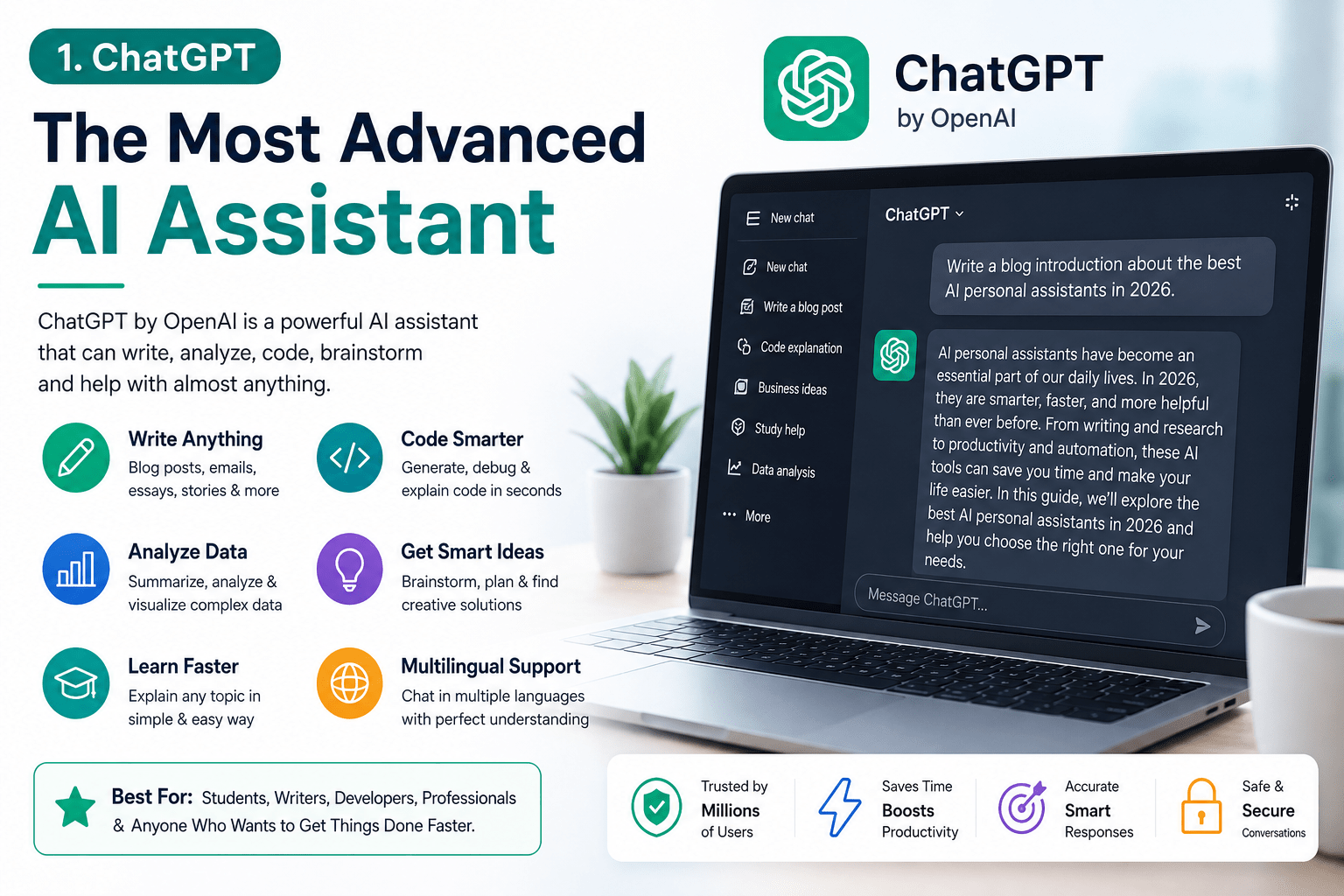
- Key Use Cases: Drafting and editing text, brainstorming ideas, researching topics, coding help, learning new subjects.
- Features: Persistent Projects and Memory keep context across sessions; code and writing blocks allow in-place editing; file upload and visual responses for documents; multi-modal inputs (text, voice, images).
- Platforms & Integration: Available on web browsers and as desktop/mobile apps on Windows, macOS, iOS, and Android. Can connect to external apps via plugins and APIs for search, calendars, and more.
- Pricing: Free tier available; ChatGPT Go plan (basic features) $8/month; Plus plan $20/month (faster GPT-5.6 Sol model); Pro tier $100/month for heavy users.
User Insight: In one test, ChatGPT was the first tab users opened for any quick task. It helped a marketer draft a campaign copy, a developer debug code, and a consultant prepare meeting notes – all with the same interface. Its flexibility makes it great for diverse tasks. Just be cautious: ChatGPT can hallucinate facts. As one reviewer warns, when it cites statistics you should always verify the source before trusting it.
Claude (Anthropic) – Best for Deep Reasoning and Coding
If you need an assistant that thinks carefully, Anthropic’s Claude is a top pick. Claude is built for complex reasoning, long-form writing, and coding, which Lindy’s testers highlight. It shines at multi-step problems: you can create a workspace, upload documents, and Claude remembers your context across the project. For developers, it even offers Claude Code mode to write and run code in your terminal.
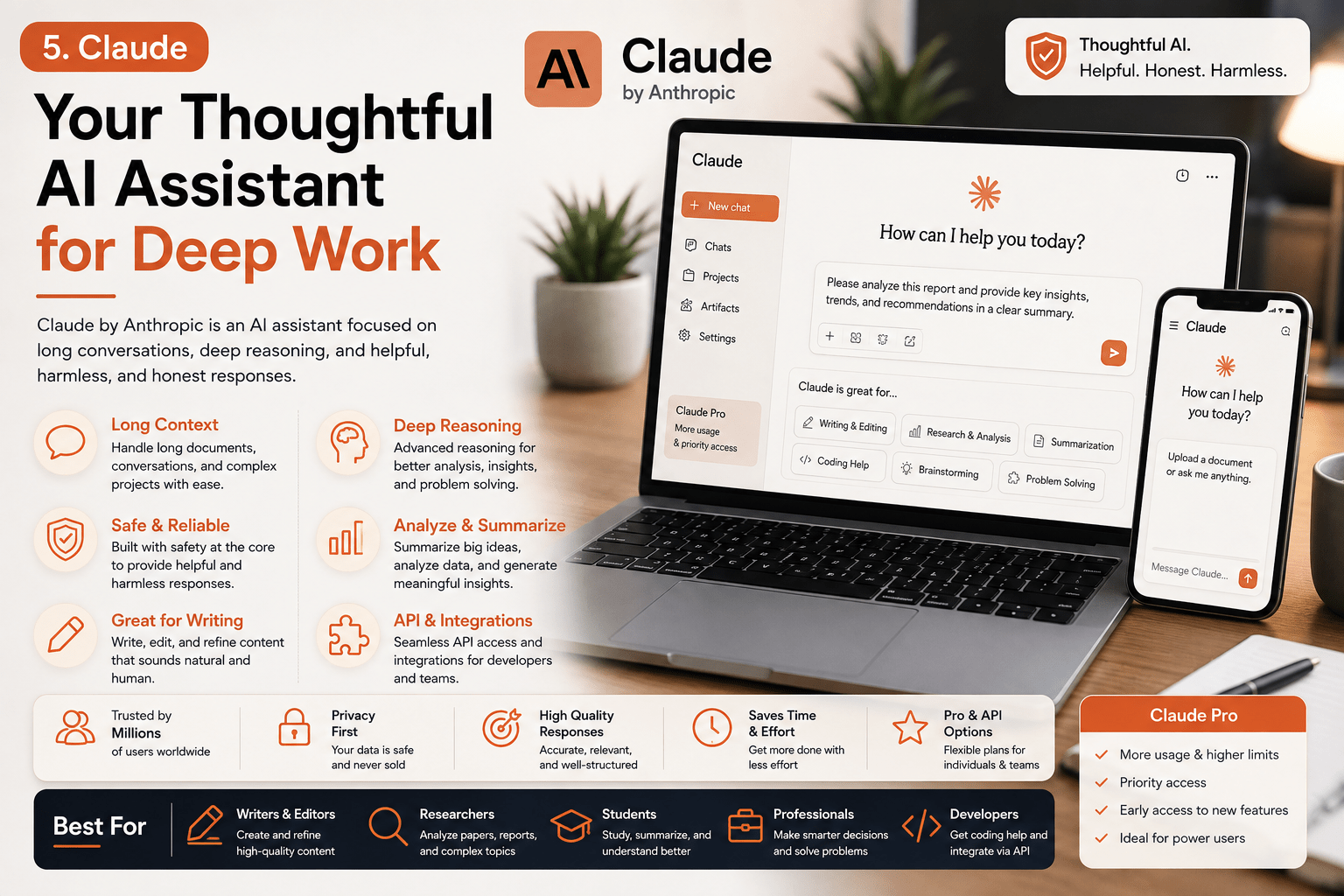
- Key Use Cases: Writing reports, analyzing data, complex problem solving, programming help, multi-document research.
- Features: “Cowork” desktop integration to automate tasks across files and apps; Projects for persistent context; extended “Artifacts” viewer for images, tables, and charts; built-in memory on Pro plans.
- Platforms & Integration: Web access plus Claude Desktop app on Windows and macOS. Integrates with Microsoft Office (Excel/PowerPoint), Slack, and code editors.
- Pricing: Free basic plan; Claude Pro at $20/month unlocks Cowork, unlimited projects, code generation; higher tiers available for enterprise.
User Insight: One tester noted that using Claude’s “Projects” mode made it feel like a real workspace: you set up a context once (e.g. a client or project) and Claude automatically applies it to every chat. They even had Claude convert a messy pricing spreadsheet into an editable comparison table using the live panel feature. Claude’s replies tend to be well-structured and concise from the start, requiring less editing. Keep in mind agentic features (Cowork) consume credits quickly, so heavy users may need the higher Max plan for smooth operation.
Gemini (Google) – Best for Google Ecosystem and Voice Search
Google’s next-generation assistant is Gemini, which replaces the older Google Assistant with Gemini-powered AI throughout Google’s apps. Officially introduced as a “new kind of AI assistant” with advanced language understanding, Gemini can do everything Google Assistant did—and more. It’s deeply integrated into Android and Google services: ask it to summarize emails in Gmail, analyze a long document in Drive, or even draft replies in real time. Notably, it has a live voice mode for on-the-fly conversation and can handle massive 1-million-token inputs.
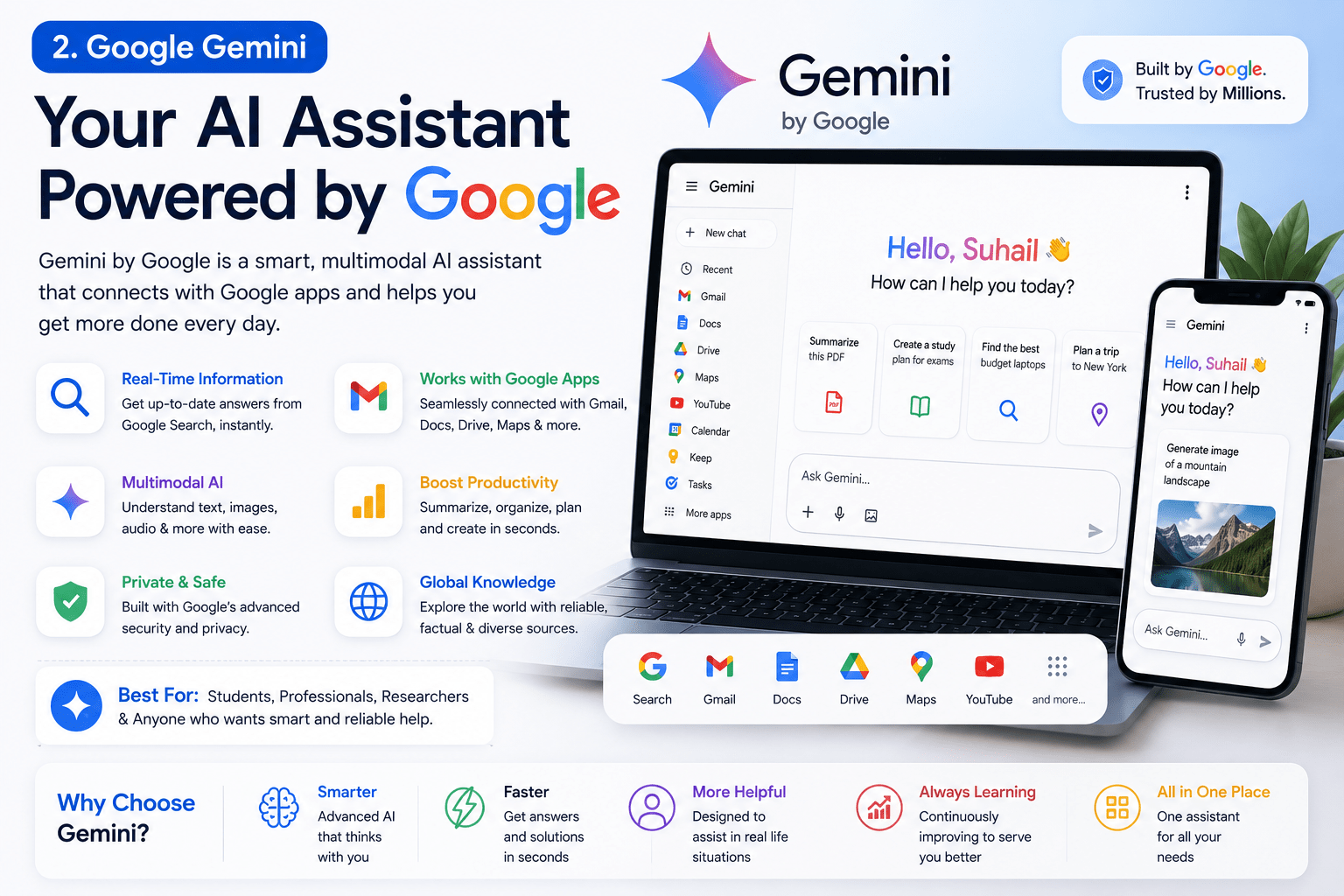
- Key Use Cases: Any Google-centric task: drafting email in Gmail, summarizing Docs or Drive files, finding local information via Maps, hands-free queries on mobile, and more.
- Features: “Deep Research” to compile info from web and Drive; integration with YouTube, Maps, Calendar, and other apps; Gemini Live for voice chats on Android; on-device queries (“Ask about this screen”); image, audio, and video generation tools (Veo 3.1, Nano Banana 2, etc) as part of the ecosystem.
- Platforms & Integration: Built into Android phones, Chromebooks, and Google Home/Nest devices. Also accessible via browser on gemini.google.com. Deep Google Workspace integration (Gmail, Docs, Sheets).
- Pricing: Free tier available; Google AI Plus $4.99/month (better processing); AI Pro $19.99/month (higher limits); AI Ultra $99.99/month (max power).
User Insight: Testers praised how Gemini seamlessly works inside Google apps. One found they could ask Gemini to summarize a messy doc and pull in related info from Drive without switching windows. A Gmail sidebar lets you generate replies or pull context from past messages in place. Gemini even supports voice-on-the-go: in Android Auto or on Pixel phones you can chat with Gemini hands-free. On the flip side, Gemini’s strength is mostly within Google’s ecosystem. Outside Gmail/Docs, it behaves more like a normal chatbot. Some testers noted mobile editing glitches, so advanced tasks are still smoother on desktop.
Voice-Activated Home Assistants
Voice assistants remain hugely popular for home use. In 2026, the big three are Google Assistant (upgraded by Gemini), Amazon’s Alexa, and Apple’s Siri. Cybernews labels these “the most popular AI assistants worldwide” because they come bundled on devices. Here’s how they stack up:
-
Google Assistant (Gemini): As above, works on all Android/Nest devices and leverages Google’s search brain. It’s free with devices. It excels at voice search and information, taking advantage of Google’s search engine. Pros: hands-free Google searches, navigation (via Android Auto), and deep integration with Google services. Cons: some users worry about Google’s data collection. Indeed, Google’s privacy record is a concern for some; Cybernews notes “general data privacy concerns” with Google’s assistant.
-
Amazon Alexa: Built into Echo speakers and Fire TV, Alexa is free (though hardware costs $20–$400). It’s the king of smart home control and voice shopping. You can control thousands of compatible devices (lights, thermostats, security, etc.) with “Alexa” commands. Amazon’s LLM-driven Alexa+ now even books restaurants and handles purchases via voice. Pros: extremely broad third-party integration (“works with many third-party devices”). Cons: Alexa is always listening in your home, so privacy-aware users note it records voice interactions to the cloud (some dislike this). Cybernews mentions many enjoy Alexa’s configurability, but a few hope for improved voice recognition.
-
Apple Siri: Siri (and the new Siri+ with Apple Intelligence) is built into every iPhone, iPad, Mac, Apple Watch and HomePod. It’s free on those devices. Over the years, Siri has gained on-device AI: it can analyze what’s on your screen, handle multi-step commands, and sync across Apple apps. Pros: tightly integrated across Apple’s ecosystem with strong on-device processing for privacy. Apple ensures Siri’s recordings are anonymized (using rotating IDs not tied to your account) and not sold. Cons: Siri still sometimes lags behind competitors in voice recognition and lacks some capabilities of Gemini or Alexa (users often notice it “pales in comparison” on complex queries).
Smart Home & Misc. Assistants
Besides the big three, a few others deserve a mention:
- Meta AI (Meta’s Assistant): Available in apps like WhatsApp and Instagram, Meta AI offers chat and voice features, even on smart glasses. It can recall user preferences across chats and generate images. It’s free on Meta platforms.
- Samsung Bixby: Built into Samsung phones and appliances, Bixby handles voice commands (“set reminders, get weather, text”) and learns your device usage over time. It’s free on Samsung hardware.
- Others: Niche assistants like HeyGoogle on Wear OS, or virtual assistants in cars, continue improving.
Productivity-Focused AI Assistants
Beyond general chat and voice, 2026’s AI landscape includes specialized helpers that tackle work and personal admin:
-
Lindy: A rising startup assistant for professionals. Lindy lives in your email, Slack, and calendar, auto-managing your day. It triages your inbox, drafts replies in your style, and even preps you for meetings. In one report, a user connected Lindy to Gmail and Slack, and within minutes Lindy had labeled the inbox and drafted three replies for approval. It can also join Slack threads on command: ask Lindy (via Slack) to schedule a meeting, and it handles the coordination behind the scenes. Lindy learns your preferences over time and works in the background so you don’t constantly interact with it. Best for: busy professionals and teams using Slack/Gmail who want an assistant that acts proactively.
- Platforms: Web-based, integrates with Gmail, Google Calendar, Slack.
- Price: Plans start at $29.99/user/month for the basic tier, $99.99 for Pro, $199.99 for heavy use.
- Privacy: Runs in your workspace (Gmail/Slack); note it drafts real emails so it does see your data. Lindy’s team says all data is encrypted and user-controlled.
-
Vellum: A personal agent focused on persistent memory. Vellum “knows what’s happening in your life” by remembering your ongoing conversations and preferences. It can handle tasks autonomously over time (scheduling, follow-ups, etc.). Mastra calls it the top assistant for “autonomous execution” with a cutting-edge memory system. Users can even customize Vellum’s personality and memory structure. Best for: anyone who wants an assistant that constantly adapts to you, remembering long-term goals.
- Platforms: Mobile and web (still emerging in 2026).
- Price: Vellum recently launched with pricing in the $50–$100+/month range.
- Privacy: Vellum emphasizes user control of memory; data is stored encrypted.
-
Duckbill: This unique service uses real people + AI to tackle complex tasks. It “handles the messy parts of life” that pure software can’t – think negotiating bills, coordinating complex logistics, or following up on a service call. Duckbill’s founders describe it as an “execution engine” combining AI with human nuance. Best for: outsourcing life admin (travel planning, vendor calls, paperwork).
- Features: You can delegate things like “reduce my cable bill” or “coordinate this home repair.” AI does the routine work, and humans step in for tricky bits.
- Pricing: Typically concierge-style plans ($100+ per month) or per-task fees.
- Privacy: As it involves human operators, you should trust Duckbill’s privacy protocols; tasks are conducted under NDA.
-
Motion: An AI scheduling and planning tool. It links your to-do list with your calendar. Motion automatically plans your day by slotted tasks around meetings. If a meeting runs long, Motion detects the conflict and reschedules tasks for you. Best for: people drowning in deadlines and fragmented tasks. It’s essentially an “AI daily organizer” that continuously re-organizes your schedule around your real-time capacity.
- Platforms: Web app with Google/Microsoft Calendar integration.
- Price: Plans start around $49/month per user for Pro AI, $69 for Business AI.
- Privacy: Taps into your calendars and tasks data; the company is HIPAA/GDPR compliant for enterprises.
-
Reclaim: Similar to Motion, Reclaim automates calendar management with focus on habits and deep work. It treats personal routines (exercise, learning) as first-class entries and protects them. For example, one user found Reclaim automatically moved a one-on-one meeting that clashed with a running task, resolving the conflict without any manual intervention. Best for: scheduling focus time, recurring tasks, and syncing work/personal calendars.
- Platforms: Web, syncs with Google Calendar and Outlook.
- Price: Free tier; Starter $12/user/mo, Business $18 (with more features).
- Privacy: Only works with Google/Outlook (no Apple Calendar support yet); data is encrypted and not sold.
-
Otter.ai: An AI meeting assistant. Otter will join your Zoom or Teams calls, transcribe them in real time, and auto-generate speaker-labeled notes and summaries. You can then chat with Otter’s AI to query the meeting (“What did Alice say about the budget?”). Best for: professionals who attend lots of meetings and need searchable transcripts.
- Features: Live transcription, speaker identification, highlight key moments.
- Price: Free 300 min/month; Premium $16.99/user/mo.
- Privacy: Transcripts stored in your account; Otter claims high security (but like any cloud service, sensitive content should be handled carefully).
-
Shortwave: An AI email client. It sorts your Gmail into categories, provides AI search of your inbox, and can draft quick replies. One tester noted Shortwave split his inbox into “Important” and “Other” without effort, correctly prioritizing verification emails over less critical alerts. Best for: heavy email users who want less manual triage.
- Platforms: Gmail web and mobile (Gmail API based).
- Price: Free trial; Pro $18/user/mo.
- Privacy: All data stays with Shortwave via Google’s secure APIs; there’s a free plan with basic features.
These specialized assistants demonstrate practical use cases of AI. Whether it’s Lindy getting your inbox in shape or Reclaim protecting your focus time, real people are already seeing benefits. They report less overload and more time reclaimed for creative work. For example, after letting Lindy handle her emails and Slack, one user said she returned from vacation to five neatly summarized inbox labels instead of hundreds of unread messages. Another found Reclaim’s scheduling so reliable that forgotten tasks felt magical – “By the time I checked my calendar, the conflict was already handled,” they wrote.
Comparative Table of AI Assistants
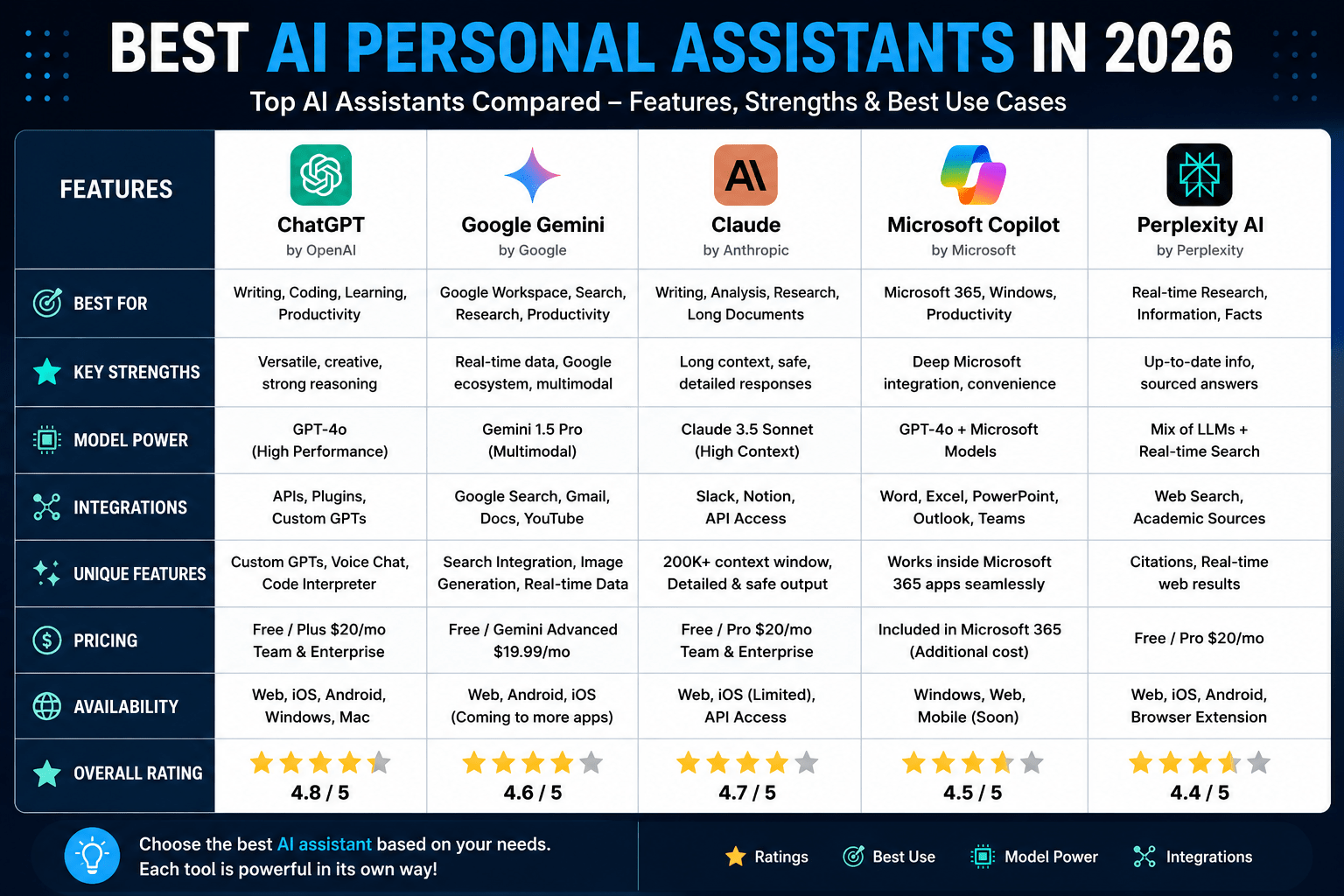
| Free tier; ChatGPT Go $8/mo (basic GPT-5.6); Plus $20/mo (GPT-5.6 Sol); Pro $100/mo. | Stores chats on OpenAI servers; encryption in transit. (Users should fact-check responses). | ||||||||||||||||||||||||||||||||||||||||||
| Handles voice/text queries (powered by Gemini) and “Ask about this screen”. | Free with device (Google Nest speaker $49+); Gemini plans from $4.99–$99.99/mo. | Data logged by Google (some privacy concerns noted). Strong on-device options via Android 14. | |||||||||||||||||||||||||||||||||||||||||
| Supports thousands of smart home products, Amazon services (shopping, music). | Free (Echo devices $20–$399); Alexa+ subscription also available for advanced features. | Always-listening device; voice recordings stored by Amazon. Good security protocols but some users worry about privacy. | |||||||||||||||||||||||||||||||||||||||||
| Integrates with iOS/macOS apps and Shortcuts for workflows. | Free (built-in). | Processes many requests on-device; transcripts anonymized with rotating IDs. Apple says data isn’t tied to your Apple ID. | |||||||||||||||||||||||||||||||||||||||||
| Links to Outlook, Teams, SharePoint. | Business: From $25.20/user/month (with M365 plan). Personal: M365 Personal $9.99/mo, Family $12.99, Premium $19.99. | Enterprise-focused; uses company data securely. Can access corporate files and emails for insights. | |||||||||||||||||||||||||||||||||||||||||
| Integrates with Slack, Salesforce, and local files. | Free basic plan; Pro $20/mo (adds Claude Code, Cowork agent tasks). | Anthropic emphasizes “safety-first” design; chat data used to improve models with user consent. |
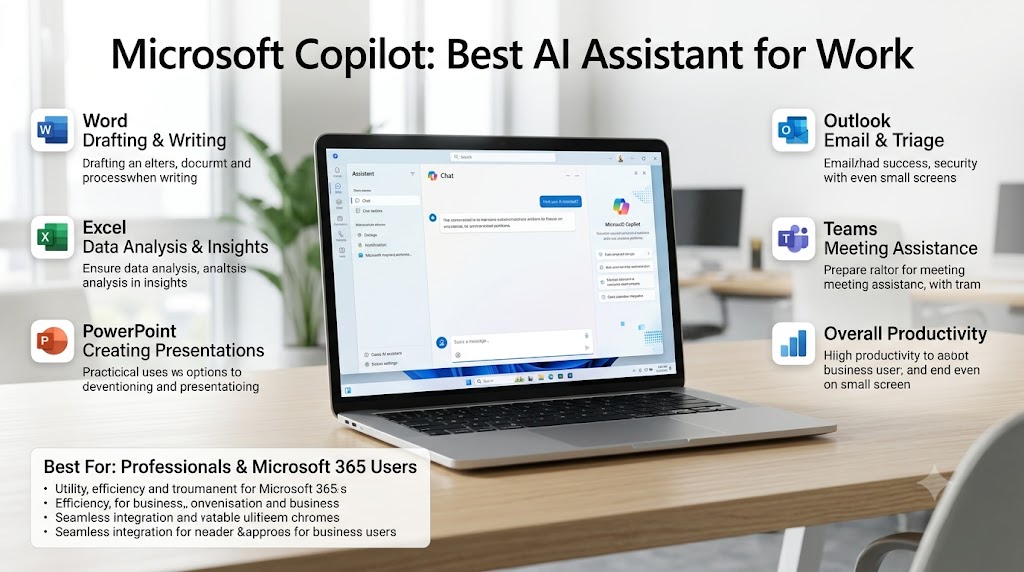
Each assistant above has strengths and weaknesses. For example, ChatGPT is incredibly versatile and accessible, but relies on cloud servers (remember to verify critical info). Google Assistant/Gemini excels in voice search and local info (think “navigate home” or “show me nearby restaurants”), yet some users worry about Google’s data collection. Alexa dominates the smart home niche, while Siri is ideal if you’re all-in on Apple devices and care about on-device privacy. Microsoft’s Copilot is unbeatable if your world is Word and Excel. And Claude stands out for tasks that require patience and logic.
How to Choose the Right AI Assistant
With so many options, how do you pick? Here are key factors to consider:
- Your Needs: If you need hands-free home automation, Alexa or Google might be best. For writing and general tasks, ChatGPT or Claude shine. For email and scheduling, consider Lindy or Motion. Write down your top use cases and see which assistant specializes there.
- Platform Compatibility: Stick to ecosystems you use. Apple users should start with Siri; Android fans lean on Google Assistant. Office-centric folks get more from Copilot, while cross-platform teams might prefer ChatGPT or Claude via web.
- Privacy: Review data policies. Apple’s Siri processes more on-device, which appeals to privacy-sensitive users. Google and Amazon have more cloud logging. Third-party assistants (Lindy, Motion) usually encrypt data, but if you handle secrets, read their policies carefully.
- Budget: Many assistants have free tiers (voice assistants and ChatGPT free chat). Paid plans often remove limits. For example, ChatGPT Go at $8 unlocks unlimited GPT-5.6 conversations, while Lindy’s powerful tiers run $30–$200 per user. Factor what you’ll use daily.
- Integration: Look at apps and services the assistant connects to. Need a multi-tool that spans Gmail, Slack, and Zoom? Lindy or Motion might. Need broad app workflows? Zapier (with AI copilot) or Snips can link lots of tools. Integration breadth often equals convenience.
In summary: the “best AI personal assistant” depends on you. In fact, Mastra’s analysis concludes that assistants aren’t one-size-fits-all. They highlight that Lindy and Vellum each solve different core problems – Lindy for getting stuff done across work tools, Vellum for remembering context over time. Whichever you choose, look for strong memory, deep integrations, and the ability to actually execute tasks.
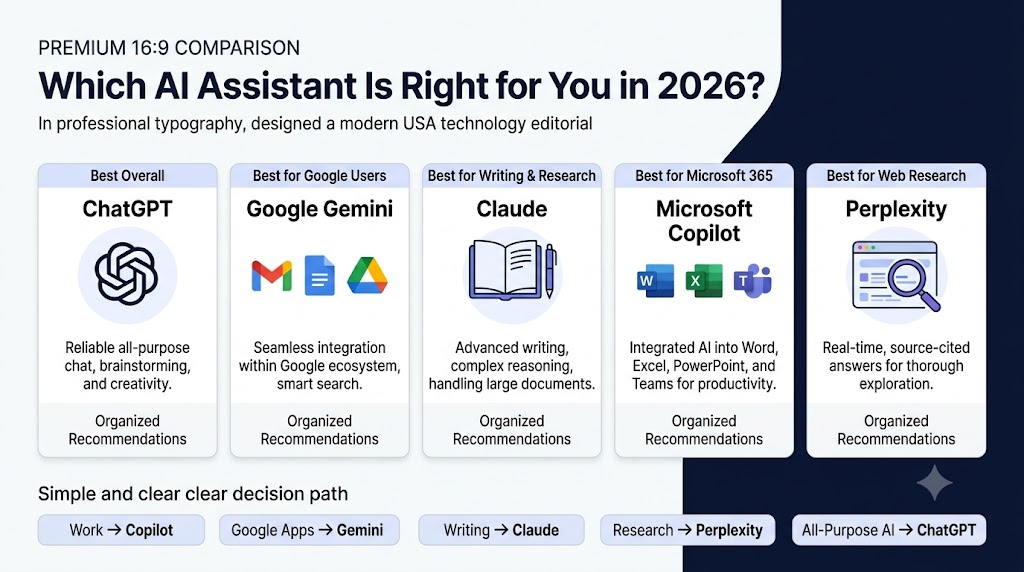
What Are the Top AI Assistants in 2026?
- ChatGPT (OpenAI): A general-purpose AI that excels at writing, brainstorming, and research.
- Google Gemini (Assistant): Google’s voice and text assistant, deeply integrated with Android and Google apps.
- Amazon Alexa: Leading smart-home voice assistant, controlling devices and shopping via Echo speakers.
- Apple Siri: Built-in assistant for Apple devices; now powered by Apple Intelligence for on-device context understanding.
- Anthropic Claude: AI assistant focused on complex reasoning and coding tasks.
- Microsoft Copilot: AI in Microsoft 365 apps, boosting productivity in Word, Excel, Teams, etc..
- Lindy: A modern AI agent that runs in Slack/Gmail to manage your inbox, calendar, and meetings.
- Motion & Reclaim: AI scheduling assistants that auto-plan your day and protect focus time.
- Duckbill: Concierge AI (with human help) for real-world errands and admin.
These AI personal assistants can save you hours each week by automating routine work. Whether you’re organizing your home, office, or your own thoughts, an AI helper is waiting. Let’s finish with a few practical takeaways.
Conclusion
AI personal assistants in 2026 are more capable and integrated than ever. They aren’t just virtual chat partners – they act for you. From drafting an email in your voice to rescheduling an urgent meeting conflict, the best assistants reduce daily friction. We’ve seen how ChatGPT and Claude can co-author content, how Gemini can navigate your world with voice, and how specialists like Lindy or Duckbill dive into tasks you’d rather offload. Of course, none are perfect – AI still makes mistakes and raises privacy questions. But by choosing the right one for your needs and using it wisely, you can reclaim precious time.
Use these insights to pick a winner: Do you want the most conversational smarts (ChatGPT), the tightest ecosystem fit (Siri/Alexa/Gemini), or a proactive life manager (Lindy/Vellum)? The future of personal assistance is here, and it’s exciting. One thing’s clear: the AI that works with you – remembering your preferences and doing the heavy lifting – will be the most valuable digital assistant of all.
FAQ
Q: What is the best AI personal assistant in 2026?
A: It depends on your needs. Lindy and Vellum top the list for comprehensive assistance – Lindy excels at executing tasks across email and calendars, Vellum at remembering long-term context. For general tasks, ChatGPT is a top pick; for voice/home use, Google’s Gemini Assistant, Siri, or Alexa lead; for Microsoft Office, Copilot is best.
Q: Can an AI assistant really manage my tasks?
A: Yes. Modern AI assistants go beyond answering queries. They can autonomously schedule meetings, draft and send emails, summarize meetings, and even make purchases. For example, Reclaim automatically reschedules conflicts, and Lindy can send email replies after getting your approval.
Q: What about privacy? Should I worry?
A: All assistants involve data processing, so privacy is key. Apple’s Siri keeps processing mostly on-device. Google and Amazon store voice data for improvement (which some find concerning). Business tools like Copilot or Lindy encrypt workplace data. Always review a service’s privacy policy, and avoid sharing sensitive info unless you trust the provider.
Q: Are these assistants free?
A: Many have free tiers. Voice assistants (Alexa, Google, Siri) are free with devices. ChatGPT has a free plan (with a cap on features). Specialized assistants often have free limited versions (e.g. Otter free minutes) but require subscriptions for full power. Budget accordingly if you’re a heavy user.
Q: Do I need a powerful computer or device?
A: No, the heavy AI work is done on servers. You just need a compatible device (smartphone, computer, smart speaker). For example, ChatGPT works in a browser or light app; Siri/Alexa run on your phone or echo device; Lindy lives in the cloud with interfaces in Slack/web.
Q: What’s the difference between an AI assistant and an AI chatbot?
A: A chatbot (like a conversational AI) only answers when asked. A personal AI assistant goes further – it acts for you. It connects to your tools (email, calendar, apps) and takes initiative, like scheduling events or auto-filling forms. Think of a chatbot as an encyclopedia, but an AI assistant as a team member.
Q: How do I get started with an AI assistant?
A: Identify a small, clear task to delegate first (e.g. scheduling or email triage), then try an assistant that fits. Many tools offer free trials. For example, set up ChatGPT for writing help, enable Gemini on your Android phone for voice queries, or add Lindy to your Slack. Start simple, and you’ll quickly see the benefit.