
Looking for a cheap mechanical keyboard under $50 (USA)? Discover the best budget picks, honest pros & cons, and how to choose the right one.
Introduction: You Don’t Need $150 for a Great Mechanical Keyboard
If you’ve ever typed on a cheap mechanical keyboard under $50 (USA) you know—it’s hard to go back. The satisfying click, the tactile feedback, the overall feel… it just makes typing and gaming better.
But here’s the problem: most “good” mechanical keyboards cost $100 or more.
The good news? You can absolutely find a cheap mechanical keyboard under $50 (USA) that feels surprisingly premium—if you know where to look.
I’ve tested a bunch of budget boards (and wasted money on a few bad ones too), so this guide cuts through the noise and shows you the ones actually worth buying.
Quick List: Best Cheap Mechanical Keyboards Under $50 (USA)
If you’re in a hurry, here are the top picks:
- Redragon K552 Kumara – Best overall budget pick
- MageGee MK-Box – Best compact (60%) keyboard
- Velocifire TKL02 – Best for typing and office use
- Havit KB487L – Best low-profile mechanical keyboard
- E-Element Z88 – Best for RGB lovers on a budget.
Comparison Table: Top Budget Mechanical Keyboards
| Keyboard | Size | Switch Type | Backlight | Best For |
|---|---|---|---|---|
| Redragon K552 | Tenkeyless | Outemu Blue/Red | Yes | Gaming + typing |
| MageGee MK-Box | 60% | Blue/Red/Brown | RGB | Small desks, travel |
| Velocifire TKL02 | Tenkeyless | Brown (quiet) | White | Office & typing |
| Havit KB487L | Full | Low-profile Red | White | Comfort & slim setup |
| E-Element Z88 | Tenkeyless | Blue | RGB | Budget RGB gaming |
Detailed Reviews (Real-World Feel, Not Marketing Fluff)
1. Redragon K552 Kumara – Best Overall Cheap Mechanical Keyboard Under $50
If someone asked me for a safe recommendation under $50, this is it.
What it feels like:
Solid. Heavier than you’d expect. Doesn’t slide around your desk like cheaper boards.
Pros:
- Extremely durable (metal top plate)
- Great tactile feedback (especially with blue switches)
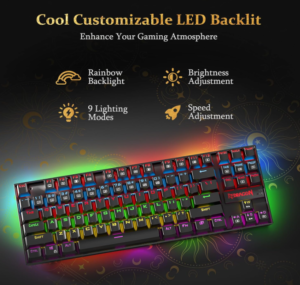
- Bright and customizable backlighting
- Reliable for gaming and typing
Cons:
- A bit loud (not ideal for shared spaces)
- No dedicated number pad (TKL layout)
My take:
This keyboard punches way above its price. It’s the one I usually recommend to first-time mechanical keyboard users.
2. MageGee MK-Box – Best Compact Budget Keyboard
Want something small and clean? This 60% keyboard saves desk space and looks great.
What it feels like:
Tight, compact, and surprisingly sturdy for the size.
Pros:
- Very affordable (often under $40)
- RGB lighting looks great in dark setups
- Portable and lightweight
Cons:
- No arrow keys (takes getting used to)
- Build quality isn’t as premium as Redragon
Real-life tip:
If you’re coming from a full keyboard, expect a 3–5 day adjustment period.
3. Velocifire TKL02 – Best for Work & Quiet Typing
Not everyone wants loud “clicky” keys—especially if you work from home or in an office.
What it feels like:
Smooth, soft, and quiet. More like a refined typing experience than a gaming one.
Pros:
- Brown switches (quiet + tactile)
- Comfortable for long typing sessions
- Clean white backlight (not flashy RGB)
Cons:
- Not ideal for hardcore gaming
- Basic design
My experience:
This is the keyboard I’d pick if I were writing all day. It’s easy on the fingers and ears.
4. Havit KB487L – Best Low-Profile Mechanical Keyboard
If chunky keyboards aren’t your thing, this one feels closer to a laptop keyboard—but better.
What it feels like:
Slim, fast, and super comfortable for long use.
Pros:
- Low-profile switches (less finger fatigue)
- Full-size layout with numpad
- Lightweight and modern design
Cons:
- Less “clicky satisfaction”
- Build isn’t as rugged as heavier boards
Best for:
People who want a mechanical keyboard without the bulk.
5. E-Element Z88 – Best RGB Budget Pick
If aesthetics matter, this keyboard brings the glow without the high price.
What it feels like:
Fun and responsive, especially for gaming setups.
Pros:
- Vibrant RGB lighting
- Good responsiveness for gaming
- Affordable and widely available
Cons:
- Louder switches
- Slightly cheaper plastic feel
My take:
Not the most premium, but great if you want a flashy setup on a tight budget.
Best Overall Recommendation
If you want the best cheap mechanical keyboard under $50 (USA), go with:
👉 Redragon K552 Kumara
Why?
- Best balance of build quality, performance, and price
- Durable enough to last years
- Great for both beginners and experienced users
It’s one of those rare budget products that doesn’t feel “budget.”
Buying Guide: How to Choose the Right Budget Cheap Mechanical Keyboard under $50 (USA)
1. Pick the Right Switch Type
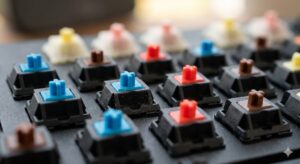
- Blue switches → Clicky and loud (great for feedback)
- Red switches → Smooth and quiet (best for gaming)
- Brown switches → Balanced (good for work + play)
Tip: If you share a room, avoid blue switches unless everyone’s okay with noise.
2. Choose the Right Size
- Full-size → Includes numpad (best for work)
- Tenkeyless (TKL) → No numpad (more desk space)
- 60% → Ultra-compact (minimal setup)
3. Backlighting: RGB vs Simple
- RGB = looks cool, customizable
- White = cleaner, less distracting
- None = cheaper, longer lifespan sometimes
4. Build Quality Matters (Even Under $50)
Look for:
- Metal top plate (more durability)
- Good keycap quality (won’t fade quickly)
- Stable base (no wobbling)
5. Wired vs Wireless
Most keyboards under $50 are wired—and that’s actually a good thing:
- Lower latency (better for gaming)
- No charging headaches.
Conclusion: You Can Go Cheap Without Going Bad
Finding a cheap mechanical keyboard under $50 (USA) isn’t just possible—it’s actually pretty easy now.
You just need to avoid the truly low-quality options and stick with proven budget picks.
If you want my honest advice:
Start with the Redragon K552. It’s reliable, affordable, and gives you that satisfying mechanical feel without regret.
Once you try it, you’ll wonder why you didn’t switch sooner.
FAQs: Cheap Mechanical Keyboard Under $50 (USA)
1. Are cheap mechanical keyboards worth it?
Yes—if you pick the right one. Brands like Redragon and Velocifire offer excellent value without cutting essential features.
2. How long do budget mechanical keyboards last?
Typically 2–5 years, depending on usage. Mechanical switches themselves can last millions of keystrokes.
3. Can I use these keyboards for gaming?
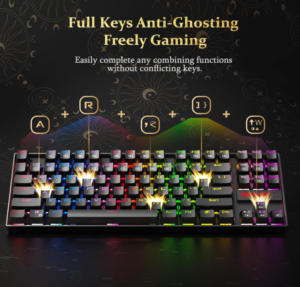
Absolutely. Even under $50, many keyboards offer fast response times and anti-ghosting features.
4. What’s the biggest downside of cheap keyboards?
- Louder switches
- Slightly lower build quality
- Fewer customization options
But performance-wise, many are surprisingly solid.
5. Which switch is best for beginners?
Brown switches are the safest choice—they’re quiet, tactile, and versatile.