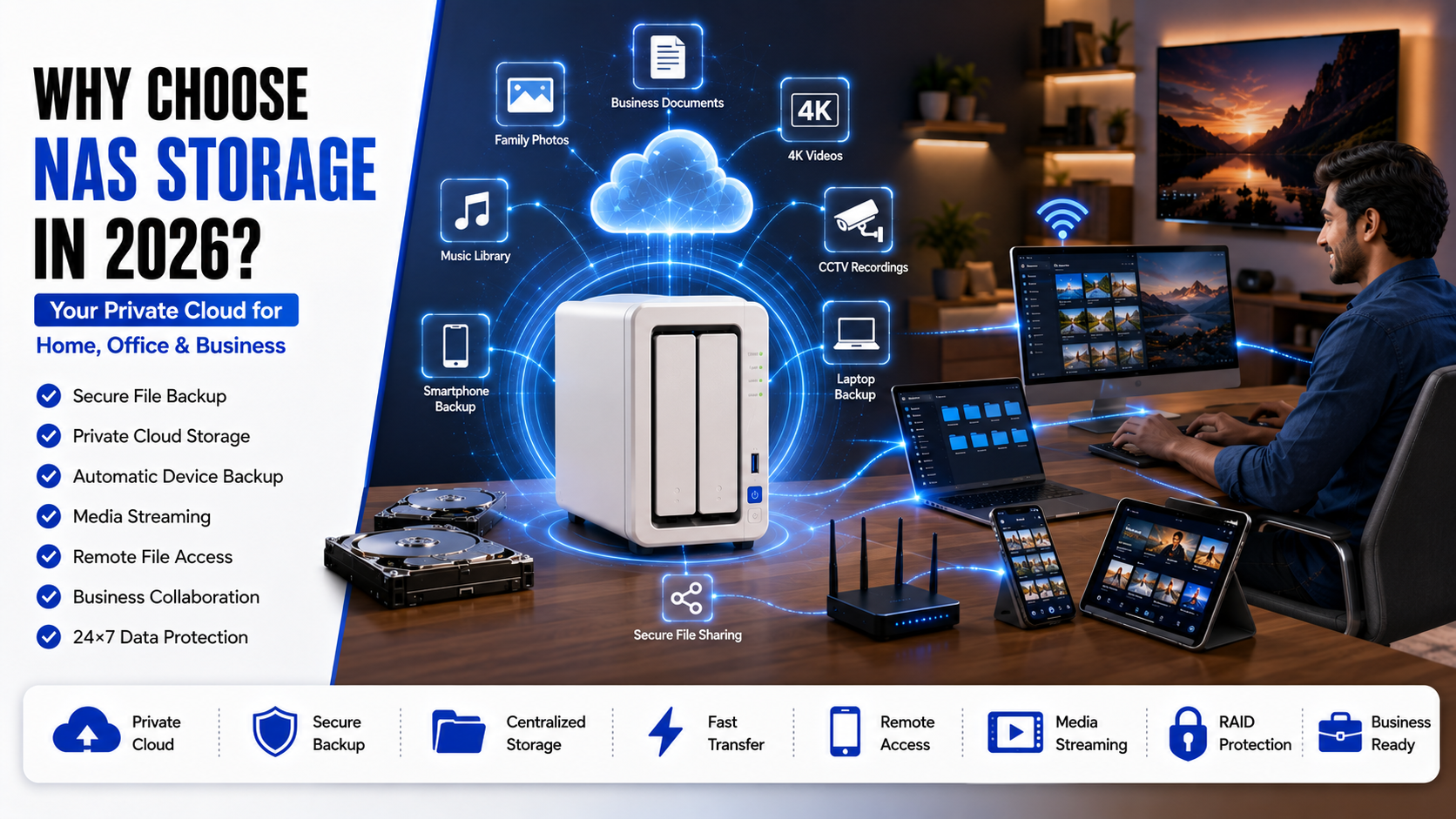
Looking for the best NAS storage device in India? Discover the top NAS servers for home, business, media streaming, and secure backups with our expert buying guide for 2026.
Best NAS Storage Device in India (2026) Which One Is Actually Worth Buying?
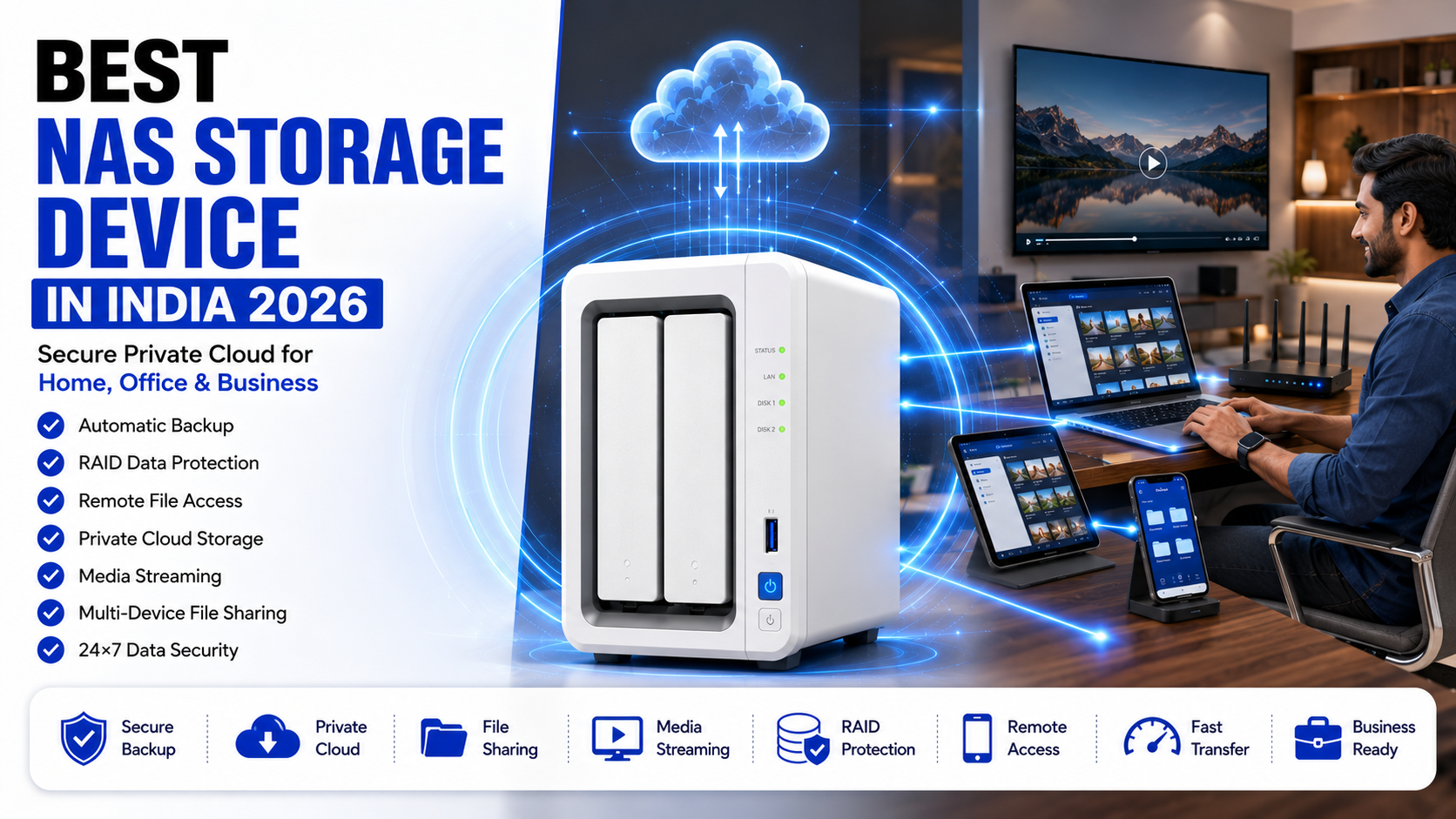
There comes a point when an external hard drive just isn’t enough.
Maybe you’ve started editing 4K videos, your phone keeps complaining about low storage, or you’re constantly moving files between your laptop, desktop, and cloud storage. At first, it’s manageable. Then one day you’re searching through three different drives just to find a single project folder, or worse, you realize an important file disappeared because the only copy was stored on a failing hard disk.
I’ve seen this happen more times than most people would admit.
One of my friends lost nearly six years of family photos after his external drive suddenly stopped working. Another creator had to delay a client project because his SSD failed before he had copied the footage elsewhere. Situations like these aren’t rare anymore. As our digital lives continue to grow, so does the risk of losing valuable data.
That’s exactly where a NAS makes a real difference.
Instead of depending on multiple USB drives or paying for larger cloud storage plans every few months, a NAS gives you one secure place to keep everything organized. Photos, videos, office documents, CCTV recordings, movies, music collections—even automatic backups from every device in your home—can all live in one place.
The best part?
You don’t need to be an IT expert anymore.
A few years ago, setting up a NAS felt like a weekend project that required networking knowledge and endless YouTube tutorials. Thankfully, things have changed. Modern NAS systems from brands like Synology, QNAP, TerraMaster, Asustor, and Western Digital have become surprisingly beginner-friendly. Most of them guide you through the setup step by step, and within an hour you can have your own private cloud running from home.
In India, NAS devices are becoming popular for another reason: people simply have more data than ever before.
A smartphone today records 4K videos, mirrorless cameras produce massive RAW image files, and work-from-home setups often involve multiple laptops and shared folders. Add streaming, security cameras, gaming libraries, and family backups into the mix, and storage requirements grow much faster than most people expect.
Choosing the right NAS, however, isn’t as simple as buying the biggest storage capacity you can afford.
Some NAS devices are designed for beginners who simply want reliable backups. Others are powerful enough to host websites, run virtual machines, stream multiple 4K videos at once, or even replace a small office server.
That’s why I spent time comparing some of the most popular NAS devices available in India—not just on paper, but based on what actually matters in day-to-day use.
By the end of this guide, you’ll know:
- Which NAS offers the best value for money.
- Which model is ideal for home users.
- Which NAS is better for photographers and video editors.
- Which device makes sense for small businesses.
- And which one you should avoid spending extra money on if your needs are basic.
Whether you’re buying your very first NAS or upgrading from an old storage setup, this guide will help you make a smarter decision.
What Exactly Is a NAS Storage Device?
Let’s keep the technical jargon aside for a moment.
Imagine having a hard drive that everyone in your house can access at the same time.
Now imagine that same drive automatically backs up your phone every night, stores your office files, streams movies to your Smart TV, and still lets you access everything while you’re travelling.
That’s essentially what a NAS does.
NAS stands for Network Attached Storage.
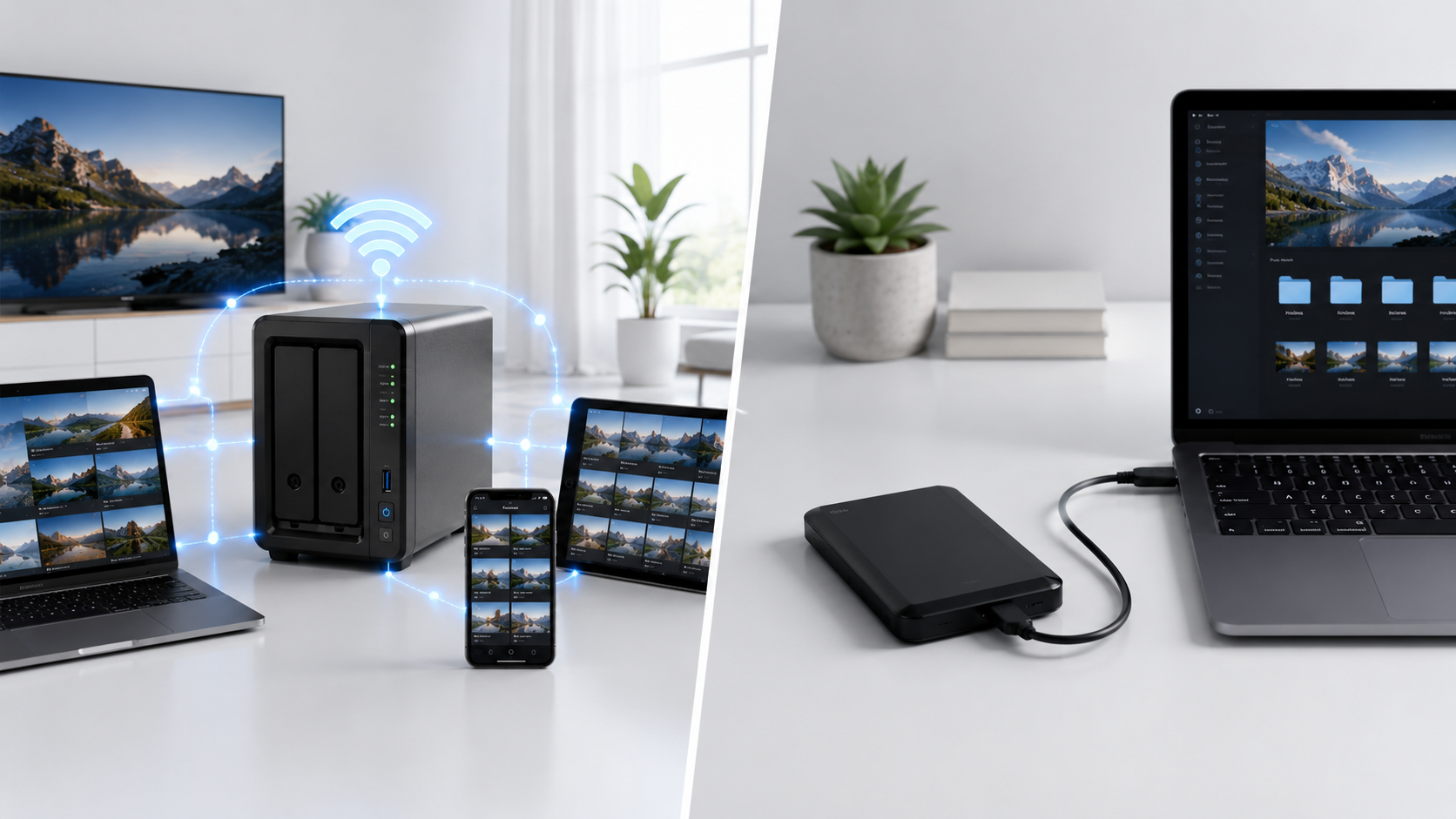
Unlike an external hard drive that plugs into one computer using a USB cable, a NAS connects directly to your Wi-Fi router. Once connected, every authorized device on your network can access it whenever needed.
Think of it as your own personal version of Google Drive or Dropbox—except the storage stays inside your home instead of someone else’s data center.
That single difference changes everything.
You’re no longer copying files between multiple devices.
You’re no longer emailing documents to yourself.
You’re no longer wondering which laptop contains the latest version of a project.
Everything stays in one place.
Why Are More People in India Buying NAS Devices?
Until recently, NAS devices were mostly associated with offices and IT departments.
Today, they’re quietly finding their way into homes as well.
One reason is simple: we create a lot more data than we used to.
Take a typical family as an example.
Two smartphones.
One DSLR camera.
A laptop for work.
A desktop for gaming.
A Smart TV.
Maybe a Wi-Fi security camera.
Within just a couple of years, it’s easy to accumulate several terabytes of photos, videos, documents, movies, and backups.
Trying to manage all of that using random USB drives quickly becomes frustrating.
A NAS solves that problem by acting as the central storage hub for every device in the house.
For professionals, the benefits become even more obvious.
Photographers can organize thousands of RAW files without filling up their laptops.
Video editors can keep completed projects archived safely while working on new ones.
Small businesses can allow employees to share documents securely without relying entirely on third-party cloud platforms.
Even if you’re simply someone who wants every family photo backed up automatically, a NAS can save countless hours over the years.
NAS vs External Hard Drive: What’s the Real Difference?
This is probably the question most first-time buyers ask.
After all, an external hard drive costs far less than a NAS.
So why spend more?
The answer comes down to convenience and flexibility.
An external drive is like a personal locker.
You connect it to one computer, copy files, disconnect it, and put it away.
A NAS is more like a shared digital library.
Multiple people can access it simultaneously.
Your phone can upload photos automatically while someone else watches a movie stored on it, and another family member downloads office documents—all at the same time.
That simply isn’t possible with a standard USB hard drive.
Another important advantage is automation.
Most NAS devices can back up your computers every night without you remembering to do anything.
Once it’s configured, it quietly works in the background.
That’s one of those features you don’t appreciate until the day your laptop refuses to boot.
Why I Believe a NAS Is Worth the Investment
Whenever someone asks me whether a NAS is worth buying, I usually ask them a different question.
“How valuable is the data you already have?”
If losing your photos, client projects, tax documents, or family videos would be devastating, then investing in proper storage starts making a lot more sense.
Yes, a NAS costs more than an external hard drive.
But you’re not paying only for storage.
You’re paying for:
- Better data protection
- Automatic backups
- Remote access
- File sharing
- Expandability
- Privacy
- Peace of mind
Over the next five years, those advantages usually matter far more than the initial purchase price.
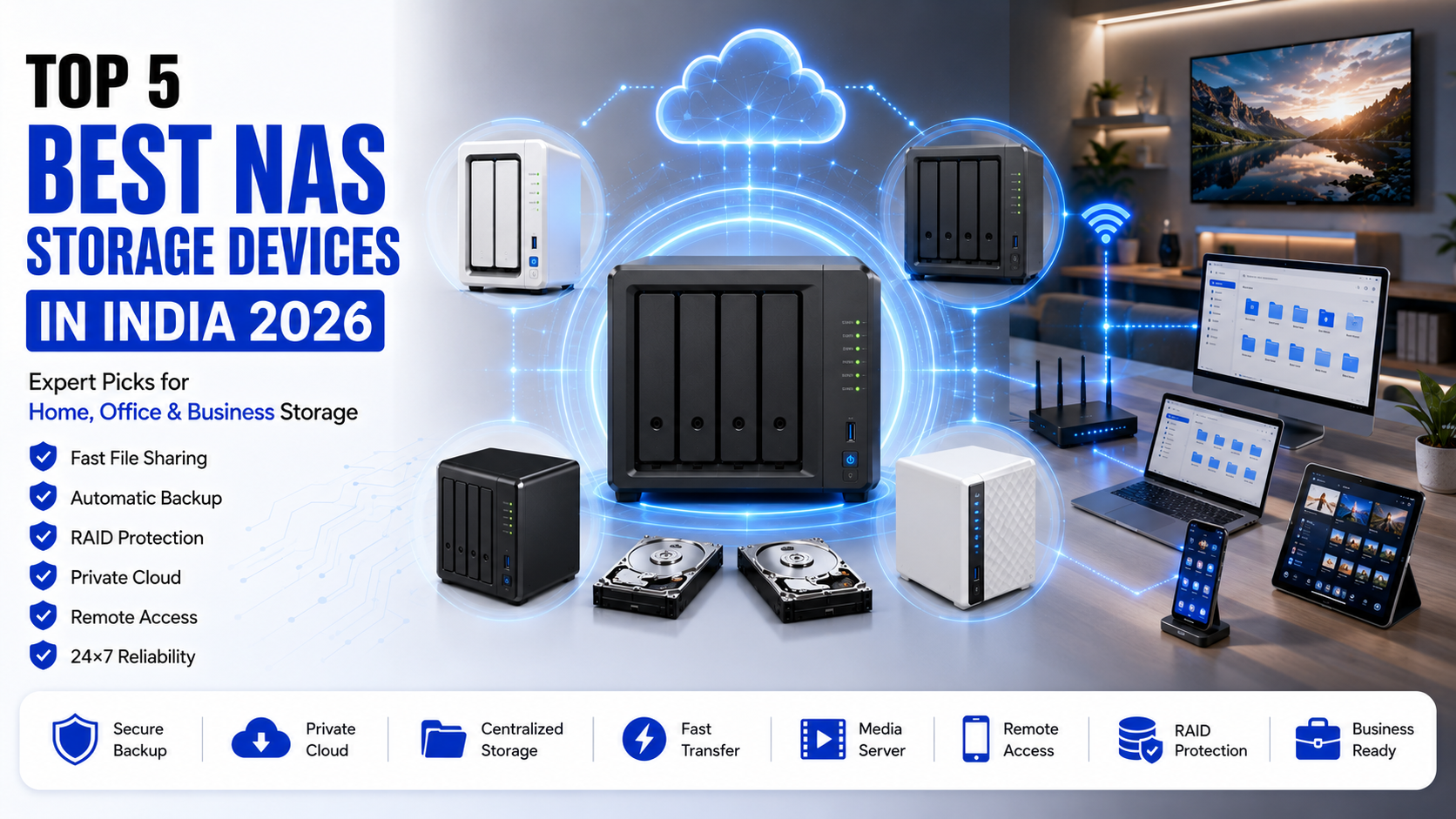
Our Top NAS Picks for 2026
After comparing software, hardware performance, ease of use, long-term reliability, and overall value, these are the NAS devices that stand out the most for buyers in India.
| NAS Device | Best For |
|---|---|
| Synology DS224+ | Best Overall |
| QNAP TS-264 | Best Performance |
| TerraMaster F2-223 | Best Budget Choice |
| Asustor Lockerstor 2 Gen2 | Creative Professionals |
| WD My Cloud EX2 Ultra | Home Users & Families |
Each of these models excels in different areas. Some focus on simplicity, while others offer enterprise-level features for demanding workloads. In the next section, we’ll look at each one in detail to understand where they shine—and where they fall short.
The Best NAS Storage Devices You Can Buy in India
Specifications can tell you how powerful a NAS is on paper, but they rarely tell you what it’s actually like to live with one every day.
That’s where many buying guides fall short.
A NAS isn’t something you replace every year like a smartphone. Most people buy one expecting it to last five to eight years, sometimes even longer. So the experience of using it every day matters just as much as the processor inside it.
During my research, one thing became clear: there isn’t a single “best” NAS for everyone.
A photographer doesn’t need the same features as a family storing holiday photos. Likewise, a YouTuber editing 4K videos has completely different requirements compared to a small business sharing office documents.
That’s why these recommendations aren’t based only on benchmark numbers. They’re based on how each NAS fits into different real-world situations.
1. Synology DiskStation DS224+ – The NAS I’d Recommend to Most People
If someone who has never owned a NAS asked me where to start, my answer would probably be the Synology DS224+.
Not because it’s the cheapest.
Not because it has the most powerful hardware.
But because it’s one of those products that simply gets the basics right.
The first thing you’ll notice isn’t the hardware—it’s the software.
Synology’s DiskStation Manager (DSM) is arguably the biggest reason people stay loyal to the brand. It doesn’t overwhelm you with technical settings on day one. Instead, everything feels surprisingly familiar. Backing up a laptop, creating shared folders, or giving family members their own accounts is straightforward, even if you’ve never used a NAS before.
That’s important because many buyers give up on NAS systems simply because the setup feels too complicated.
With Synology, that rarely happens.
Everyday Experience
Imagine this setup.
Your phone automatically uploads every new photo the moment you connect to Wi-Fi.
Your laptop quietly creates a backup every night.
Your Smart TV streams movies directly from the NAS without buffering.
Meanwhile, your office documents remain safely organized in separate folders.
That’s exactly the type of experience the DS224+ is designed to deliver.
Everything works quietly in the background, and after a few weeks you almost forget it’s even there—which, in my opinion, is one of the biggest compliments you can give a storage device.
Performance
For everyday workloads, the performance is more than enough.
Whether you’re browsing thousands of family photos, transferring large folders, or streaming multiple Full HD movies, the system remains responsive.
Even casual Plex users won’t have much to complain about.
If you’re planning to edit massive 8K video projects directly from the NAS, you’ll eventually hit its limits. But for the majority of home users, photographers, freelancers, and small businesses, those limits are rarely noticeable.
What I Like
- The software is incredibly polished.
- Excellent automatic backup tools.
- Reliable mobile apps.
- Strong security features.
- Regular software updates.
- Beginner-friendly interface.
- Excellent community support.
What Could Be Better
The only area where Synology feels slightly conservative is networking.
While competitors are increasingly moving toward faster 2.5GbE ports, the DS224+ still relies on Gigabit Ethernet. For most users this isn’t a deal-breaker, but creative professionals moving hundreds of gigabytes every week may wish for faster transfer speeds.
Best For
- Families
- Home offices
- Students
- Photographers
- Freelancers
- First-time NAS buyers
Verdict: If you want a NAS that simply works without demanding hours of configuration, the DS224+ remains one of the safest long-term investments.
2. QNAP TS-264 – Built for Users Who Want More Than Just Storage
The QNAP TS-264 has a very different personality.
Where Synology focuses on simplicity, QNAP gives you more freedom.
That freedom comes with a learning curve, but it also opens the door to possibilities that many home users never even consider.
This isn’t just a place to store files.
It can become the heart of an advanced home lab.
I’ve spoken to developers who run Docker containers on it.
Video editors use it as centralized project storage.
Some businesses even host internal applications directly from their NAS.
That’s the kind of flexibility QNAP offers.
Built for Heavy Workloads
If your daily routine includes editing large video files, transferring hundreds of gigabytes between systems, or managing multiple users at once, the TS-264 starts to justify its higher price.
The faster networking alone can make a noticeable difference.
Large file transfers that feel slow on older Gigabit networks become much quicker once you pair this NAS with compatible 2.5GbE networking equipment.
Multimedia Performance
One feature I particularly like is the HDMI output.
Instead of streaming everything across the network, you can connect the NAS directly to a television and turn it into a dedicated media center.
For movie enthusiasts with large Blu-ray collections, that’s genuinely useful.
Software Experience
QNAP’s interface offers an impressive number of features.
The downside?
New users might initially feel overwhelmed.
There are simply more menus, settings, and advanced options compared to Synology.
Some people love that.
Others prefer something simpler.
Neither approach is wrong—it depends on what you’re looking for.
Strengths
- Outstanding performance.
- Excellent networking.
- Great virtualization support.
- HDMI output.
- Expandable hardware.
- Powerful multimedia features.
Weaknesses
- Higher learning curve.
- Software can feel complex for beginners.
- Premium price.
Best For
- Video editors.
- Developers.
- Small production studios.
- IT professionals.
- Businesses handling large files.
Verdict: If you’re the type of person who enjoys exploring advanced features and wants room to grow, the TS-264 is an excellent choice.
3. TerraMaster F2-223 – Surprisingly Good for the Price
TerraMaster doesn’t receive as much attention as Synology or QNAP, but that’s slowly changing.
After comparing its hardware with similarly priced competitors, I came away genuinely impressed.
The F2-223 offers specifications that, a few years ago, were available only in much more expensive NAS systems.
Of course, hardware is only part of the story.
Software matters too.
And while TerraMaster’s operating system has improved significantly, it’s still catching up to Synology in terms of polish.
That said, for many buyers, especially those purchasing their first NAS, the difference isn’t as dramatic as online discussions sometimes suggest.
Day-to-Day Usage
If your needs are straightforward—automatic backups, file sharing, media storage, and occasional remote access—the F2-223 performs exactly as expected.
Large photo libraries load smoothly.
Movie streaming works well.
Office documents sync reliably.
The interface isn’t flashy, but it gets the job done.
Value for Money
This is where TerraMaster really stands out.
Rather than charging a premium for its brand name, it focuses on offering stronger hardware at a competitive price.
For buyers with a limited budget, that’s a major advantage.
Instead of spending more on the NAS itself, you can invest the savings in better NAS-grade hard drives.
In many cases, that decision has a bigger impact on long-term reliability.
Pros
- Excellent value.
- Modern hardware.
- Fast networking.
- Quiet operation.
- Upgradeable memory.
Cons
- Smaller app ecosystem.
- Software still trails Synology.
- Community support isn’t as extensive.
Best For
- Students.
- Freelancers.
- Home users.
- Budget-conscious buyers.
- Small offices.
Verdict: If you’re trying to maximize value without sacrificing performance, the TerraMaster F2-223 deserves serious consideration.
So, Which One Feels Right?
After spending time comparing these three NAS devices, I don’t think the decision comes down to hardware alone.
It comes down to how you plan to use it.
If you want a device that works smoothly from day one and doesn’t require much technical knowledge, Synology DS224+ remains my first recommendation.
If your work involves demanding tasks like video production, virtualization, or large-scale collaboration, the QNAP TS-264 offers the flexibility to grow with your needs.
And if you’re entering the world of NAS for the first time and want the best balance between price and performance, the TerraMaster F2-223 is arguably one of the smartest purchases you can make.
One final tip before you buy: don’t forget that a NAS enclosure is only half of the investment. Pair it with reliable NAS-specific hard drives such as WD Red Plus or Seagate IronWolf, and you’ll have a storage system that’s built to run continuously for years.
What Actually Matters Before You Spend Your Money?
One mistake I’ve noticed over the years is that people often buy a NAS the same way they buy an external hard drive.
They look at one thing—storage capacity.
That’s it.
If one model says 16TB and another says 8TB, many assume the larger one is automatically the better choice.
Unfortunately, that’s not how NAS devices work.
A NAS isn’t just storage. It’s a small computer that happens to store your data. That means its processor, memory, operating system, networking, and even software updates matter just as much as the hard drives inside it.
If you’re planning to keep the same NAS for the next five or six years—and most people do—it’s worth spending a little more time choosing the right one.
Here’s what I’d look at before buying.
Start With One Simple Question
Before comparing brands or watching YouTube reviews, ask yourself this:
“What am I actually going to store?”
It sounds obvious, but this one question eliminates half the options immediately.
For example, if all you need is a safe place to store family photos, phone backups, and important documents, you don’t need a high-end NAS with virtualization support or multiple network ports.
On the other hand, if you’re editing wedding videos every week or running a small office with several employees accessing files simultaneously, buying an entry-level NAS could become frustrating within a year.
Understanding your own workflow is far more important than buying the most expensive model.
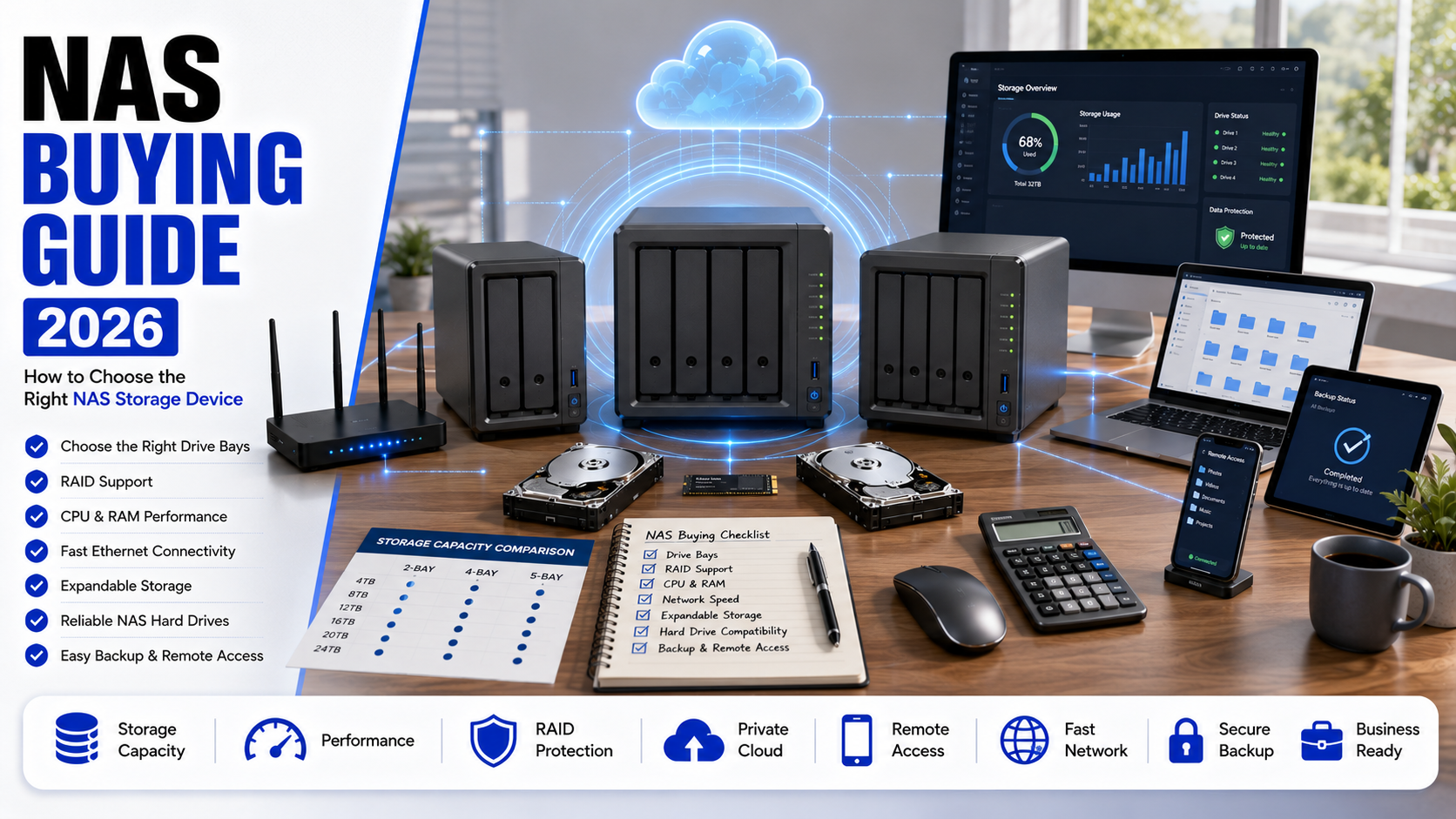
Choosing the Right Number of Drive Bays
This is another area where first-time buyers often get confused.
You’ll come across terms like 2-bay, 4-bay, and 6-bay NAS.
The number simply refers to how many hard drives the enclosure can hold.
2-Bay NAS
For most people, a two-bay NAS is more than enough.
It’s affordable, consumes less electricity, and supports RAID 1, which mirrors your data across two drives for added protection.
If you’re a student, freelancer, photographer, or someone setting up a NAS at home for the first time, a 2-bay system is usually the sweet spot.
It’s simple, reliable, and easier to manage.
4-Bay NAS
A four-bay NAS offers more flexibility.
Instead of worrying about running out of storage after a couple of years, you can simply add more drives as your needs grow.
This is a great option for content creators, small businesses, or anyone dealing with large video libraries.
It also unlocks more advanced RAID configurations, improving both storage efficiency and fault tolerance.
6-Bay and Larger Systems
Unless you’re running a production studio, managing hundreds of users, or storing massive amounts of surveillance footage, a six-bay NAS is probably more than you need.
Yes, they’re powerful.
But they also cost significantly more, consume more electricity, and require a larger investment in hard drives.
For the average home user, that money is often better spent on higher-quality drives instead.
RAID Sounds Complicated—But It Really Isn’t
If you’ve been researching NAS devices online, you’ve almost certainly come across the term RAID.
It sounds technical, but the basic idea is actually quite simple.
RAID is a way of using multiple hard drives together to improve speed, reliability, or both.
The important thing to remember is this:
RAID protects you from a hard drive failure. It does not protect you from every kind of data loss.
If you accidentally delete a folder, a virus encrypts your files, or someone overwrites an important document, RAID won’t magically restore it.
That’s why experienced users still keep an additional backup of important files.
For most home users, RAID 1 is the safest and easiest option.
It creates an identical copy of your data on the second drive. If one drive fails unexpectedly, your files remain available on the other.
You lose some usable storage, but you gain something much more valuable—peace of mind.
Don’t Buy Cheap Desktop Hard Drives for Your NAS
This is probably the biggest mistake I see new buyers make.
They spend a good amount of money on a NAS enclosure and then install the cheapest desktop hard drives they can find.
Technically, they’ll work.
But they’re not designed to run 24 hours a day, seven days a week.
A NAS usually stays powered on all the time, quietly backing up devices, sharing files, or recording security footage.
That continuous workload is exactly why manufacturers make dedicated NAS hard drives.
Models like WD Red Plus and Seagate IronWolf are specifically built for this type of environment. They’re quieter, more reliable, and better at handling vibration inside multi-drive systems.
The price difference may seem noticeable initially, but over several years it’s money well spent.
HDD or SSD—Which One Makes More Sense?
This question comes up almost every time someone plans their first NAS.
The answer depends on how you’ll actually use it.
Traditional hard drives still offer the best value when you need large amounts of storage.
If your NAS is mainly storing photos, movies, office files, or backups, there’s very little reason to fill it entirely with SSDs.
Modern NAS hard drives are reliable, affordable, and available in very high capacities.
SSDs, on the other hand, shine when speed becomes the priority.
Applications load faster, file indexing improves, and databases respond more quickly.
Some premium NAS models even allow you to install small NVMe SSDs purely as cache drives. This gives you the responsiveness of SSDs while keeping your main storage on larger hard drives.
For most Indian buyers, I’d still recommend investing in good NAS-grade HDDs first.
You can always upgrade with SSD caching later if your workload demands it.
Pay Attention to the Software, Not Just the Hardware
One lesson I’ve learned after comparing different NAS brands is that software often matters more than specifications.
A powerful processor means very little if the operating system feels confusing.
This is where Synology continues to have an advantage.
Its DSM software feels polished, intuitive, and beginner-friendly. Most everyday tasks—creating folders, setting permissions, backing up phones, or accessing files remotely—take only a few clicks.
QNAP offers far more advanced features, but the interface can feel overwhelming for first-time users.
TerraMaster has improved significantly over the past few years, although it still isn’t quite as refined.
If you’re buying your first NAS, don’t underestimate the value of good software.
You’ll interact with it far more often than the processor specifications listed on the box.
Think About Your Future Storage Needs
One of the easiest ways to waste money is buying a NAS that’s already close to its limits.
Storage requirements have a habit of growing much faster than expected.
Maybe today you only have a few hundred gigabytes of family photos.
A year later, you’ve started recording 4K videos on your phone.
Another year passes, and you’ve bought a drone or mirrorless camera.
Before you know it, you’ve filled several terabytes.
That’s why I usually recommend buying a NAS with enough room to grow rather than one that only meets today’s requirements.
You’ll thank yourself later.
Common Mistakes First-Time Buyers Make
Even after reading reviews, many people still make avoidable mistakes.
Here are the ones I’d personally try to avoid.
Buying the Cheapest NAS Available
A low price is attractive, but if the hardware struggles after a year or two, replacing the entire system becomes far more expensive than buying a slightly better model from the start.
Ignoring Backup Strategy
Many people believe RAID means they no longer need backups.
Unfortunately, that’s one of the biggest misconceptions surrounding NAS storage.
Always keep another copy of irreplaceable files somewhere else.
Think of RAID as insurance—not as your only safety net.
Filling Every Drive Immediately
Leave some room for growth.
Performance often drops when storage devices become completely full, and future upgrades become much more complicated.
Forgetting Network Speed
Even the fastest NAS can’t transfer files quickly if it’s connected to an old network.
If you’re investing in a NAS with 2.5GbE networking, make sure your router, switch, and computer can actually take advantage of those speeds.
Otherwise, you’re paying for performance you’ll never use.
Which NAS Would I Personally Buy?
People often ask this question, so here’s my honest opinion.
If I wanted a NAS purely for home use, automatic backups, media streaming, and storing important files, I’d choose the Synology DS224+ without much hesitation.
Not because it’s the most powerful.
Because it’s the easiest to live with.
If my work involved editing videos every day or managing large creative projects, I’d lean towards the QNAP TS-264 for its stronger hardware and faster networking.
And if my budget were limited but I still wanted modern hardware that wouldn’t feel outdated in a couple of years, the TerraMaster F2-223 would be difficult to ignore.
There’s no universal winner here.
The best NAS is simply the one that matches the way you actually work—not the one with the longest specification sheet.
Frequently Asked Questions
1. Is a NAS worth buying for home users in 2026?
If your digital life revolves around more than one device, then yes—it absolutely is.
Think about it. Most households today have at least two smartphones, a laptop, maybe a desktop PC, and a Smart TV. Add years of family photos, WhatsApp backups, office documents, and videos into the mix, and storage starts becoming messy very quickly.
A NAS helps bring everything together in one secure place. More importantly, it can back up your devices automatically, so you’re not constantly worrying about losing important files.
For someone who only stores a few documents, an external hard drive is probably enough. But if you’re managing a growing collection of data, a NAS is one of those purchases you’ll appreciate more over time.
2. Can I replace Google Drive or OneDrive with a NAS?
In many cases, yes.
A modern NAS can function as your own private cloud. You can access files remotely, share folders with family or colleagues, and even synchronize data across multiple devices.
That said, I wouldn’t recommend abandoning cloud storage completely.
The safest approach is to use both.
Keep your everyday files on the NAS while backing up your most important data to a trusted cloud service. This follows the well-known 3-2-1 backup rule, which many IT professionals rely on to minimize the risk of data loss.
3. Which NAS brand is the most reliable?
There isn’t a single correct answer, but a few brands have consistently earned strong reputations over the years.
- Synology is widely known for its excellent software, ease of use, and long-term updates.
- QNAP is popular among professionals who need more advanced features and faster networking.
- TerraMaster has improved significantly in recent years and offers impressive value for money.
- Asustor is another solid choice, especially for users looking for high-performance hardware.
If you’re buying your first NAS and want the smoothest experience, Synology is still the easiest recommendation.
4. Do NAS devices consume a lot of electricity?
Not really.
Most two-bay NAS systems consume roughly the same amount of electricity as an energy-efficient LED light bulb during normal use.
The exact power usage depends on the processor, the number of hard drives installed, and whether the system is actively transferring files.
Many NAS devices also support scheduled power-on and power-off times, along with sleep modes for hard drives, helping reduce electricity consumption when the system isn’t being used.
5. How long does a NAS last?
The NAS enclosure itself can easily last five to eight years, sometimes even longer if it’s well maintained.
The hard drives inside it usually have a shorter lifespan because they’re mechanical devices that run continuously.
This is why it’s a good idea to monitor drive health regularly and replace aging drives before they fail.
Most NAS operating systems make this easy by sending alerts when a drive begins showing signs of wear.