
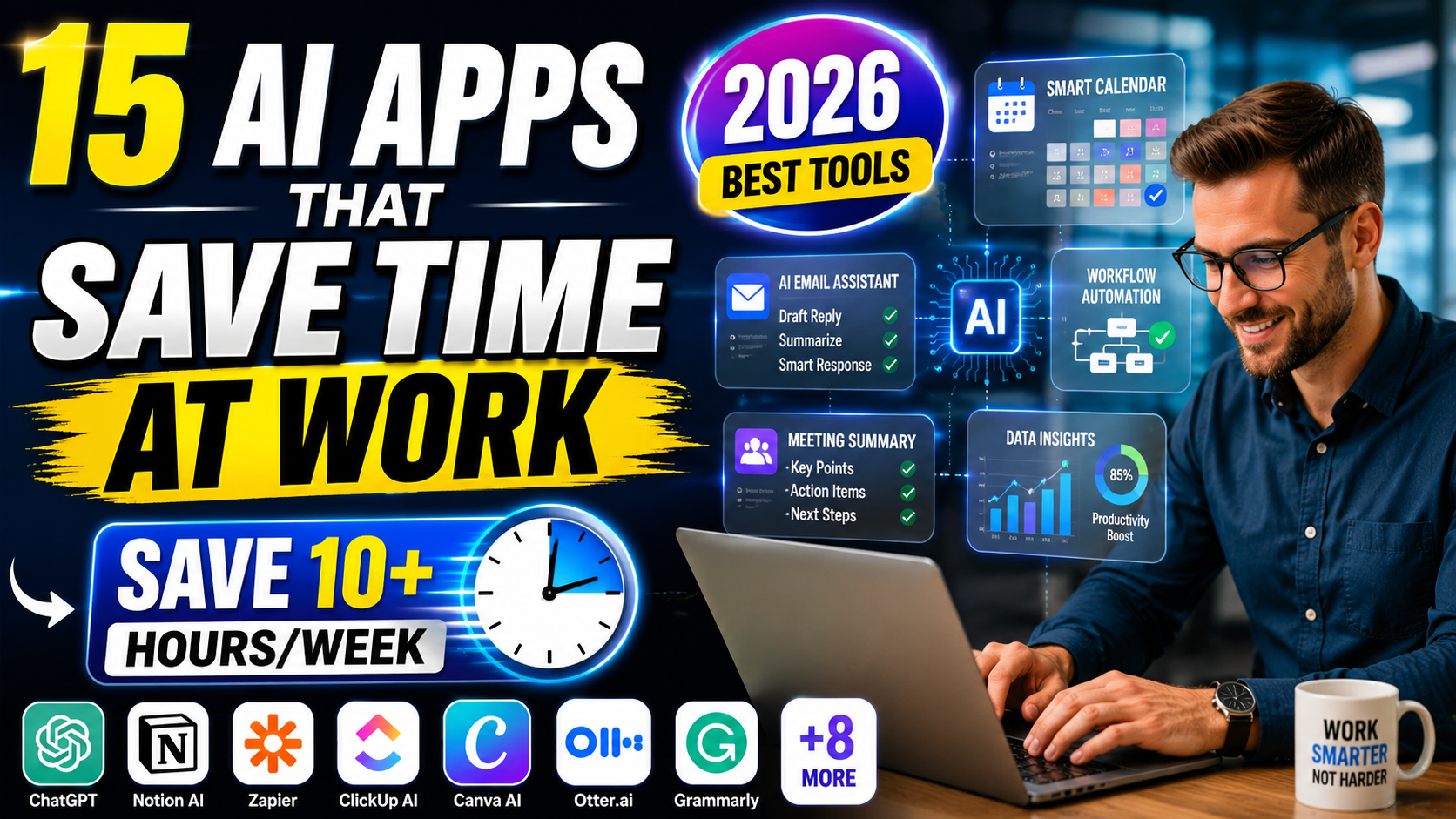
Discover the best AI apps that save time at work in 2026. Compare features, pricing, pros, cons, and productivity benefits for professionals.
15 Best AI Apps That Save Time at Work in 2026
Every professional has felt it.
You start the day with a clear plan, open your laptop, and suddenly hours disappear into emails, meetings, reports, spreadsheets, and repetitive tasks. By evening, your to-do list looks almost the same as it did in the morning.
The frustrating part isn’t a lack of effort. Most people work hard. The real problem is that too much time gets consumed by work that shouldn’t require so much human attention anymore.
That’s where AI apps that save time at work are changing the game.

In just a few years, artificial intelligence has evolved from an experimental technology into a practical workplace assistant. Today, AI can draft emails, summarize meetings, organize projects, analyze data, create presentations, automate workflows, and even help make better decisions.
The professionals who are embracing these tools are not necessarily working harder. They’re working smarter.
In this guide, you’ll discover the best AI apps that save time at work, what they do best, who should use them, and how they can help you reclaim hours every week.
What Are the Best AI Apps That Save Time at Work?
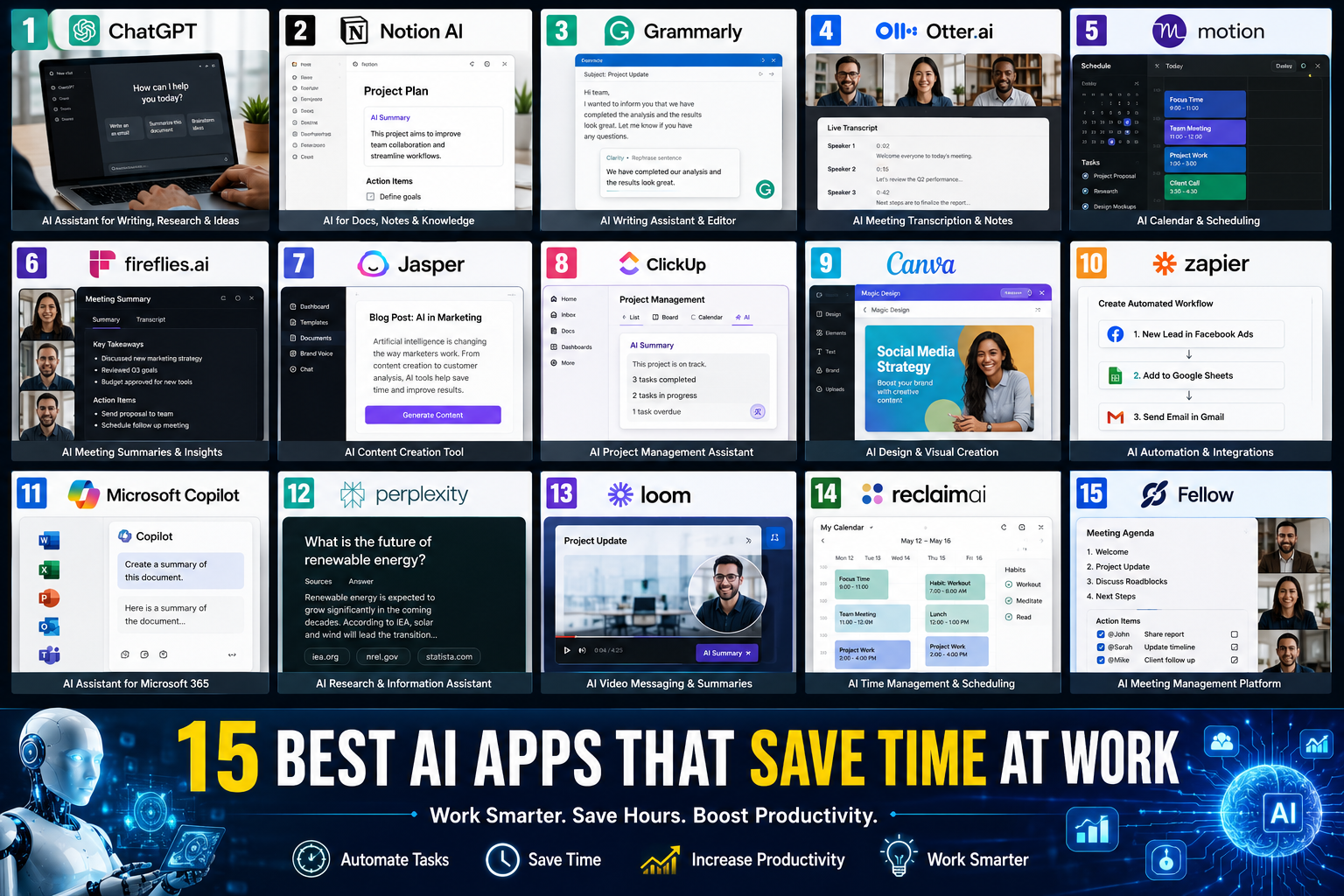
Top AI Productivity Tools in 2026
| AI Tool | Best For | Time Saved |
|---|---|---|
| ChatGPT | Writing & Research | 5–10 hrs/week |
| Notion AI | Documentation | 3–6 hrs/week |
| Grammarly | Editing | 2–4 hrs/week |
| Otter.ai | Meeting Notes | 3–5 hrs/week |
| Motion | Scheduling | 2–5 hrs/week |
| Fireflies.ai | Meeting Summaries | 3–6 hrs/week |
| Jasper | Content Creation | 4–8 hrs/week |
| ClickUp AI | Project Management | 3–7 hrs/week |
| Canva AI | Design Work | 2–5 hrs/week |
| Zapier AI | Automation | 5–15 hrs/week |
Why AI Productivity Tools Matter More Than Ever
The average office worker spends a surprising amount of time on repetitive activities.
These include:
- Writing emails
- Scheduling meetings
- Taking notes
- Organizing documents
- Creating reports
- Updating project boards
- Managing calendars
Individually, these tasks seem small.
Collectively, they consume dozens of hours every month.
The best AI apps that save time at work reduce this burden by automating routine work and allowing people to focus on strategy, creativity, and decision-making.
According to workplace productivity trends, companies adopting AI tools are seeing measurable improvements in efficiency, employee satisfaction, and output quality.
1. ChatGPT
Best Overall AI Assistant for Professionals
If you’re looking for one tool that delivers the biggest productivity boost, ChatGPT remains one of the strongest choices available.
Professionals use it daily for:
- Drafting emails
- Writing reports
- Brainstorming ideas
- Research assistance
- Summarizing documents
- Creating outlines
- Coding support
Real-World Use Case
Imagine spending 45 minutes writing a project proposal.
With ChatGPT, you can create a high-quality first draft in minutes and spend your time refining instead of starting from scratch.
Pros
- Extremely versatile
- Easy to use
- Works across industries
- Saves significant writing time
Cons
- Requires good prompts
- Output sometimes needs editing
Best For
- Managers
- Marketers
- Freelancers
- Entrepreneurs
- Students
- Business owners
When discussing AI apps that save time at work, ChatGPT consistently ranks near the top because of its flexibility.
2. Notion AI
Best for Documentation and Knowledge Management
Documentation often becomes a hidden productivity killer.
Teams spend countless hours creating notes, organizing information, and searching for files.
Notion AI simplifies this process by helping users:
- Generate summaries
- Create documentation
- Organize knowledge bases
- Write content faster
- Extract action items
Why Professionals Love It
Instead of manually reviewing pages of notes, Notion AI can instantly summarize key information.
This significantly reduces information overload.
Pros
- Integrated workspace
- Strong collaboration tools
- Excellent organization features
Cons
- Learning curve for beginners
3. Grammarly
Best AI Tool for Writing Better Emails Faster
Many professionals underestimate how much time they spend editing.
A simple email can easily take ten minutes when you’re trying to sound professional and clear.
Grammarly acts like an always-available editor.
Features include:
- Grammar correction
- Tone suggestions
- Clarity improvements
- AI rewriting
- Email optimization
Time-Saving Benefit
Instead of repeatedly reviewing messages before sending, Grammarly provides instant recommendations.
Pros
- Very accurate
- Easy integration
- Improves communication quality
Cons
- Premium features require subscription
4. Otter.ai
Best AI Meeting Assistant
Meetings generate valuable information.
Unfortunately, most people forget key details shortly after the call ends.
Otter.ai automatically:
- Records meetings
- Creates transcripts
- Generates summaries
- Captures action items
Real Benefit
Instead of manually taking notes, participants can focus on the discussion.
This alone makes Otter one of the most practical AI apps that save time at work.
Pros
- Accurate transcription
- Fast summaries
- Easy sharing
Cons
- Accuracy depends on audio quality
5. Motion
Best AI Calendar and Scheduling Tool
Most professionals lose productivity because their schedules become chaotic.
Motion uses AI to:
- Prioritize tasks
- Schedule work automatically
- Adjust calendars dynamically
- Prevent overload
Why It Works
Traditional task lists tell you what to do.
Motion tells you when to do it.
That difference can dramatically improve productivity.
Pros
- Smart scheduling
- Excellent automation
- Reduces decision fatigue
Cons
- Premium pricing
6. Fireflies.ai
Best AI Tool for Meeting Summaries
Fireflies.ai specializes in meeting intelligence.
It can:
- Join virtual meetings
- Record conversations
- Generate summaries
- Track action items
- Search past meetings
Ideal For
- Remote teams
- Sales teams
- Agencies
- Consultants
The ability to instantly search previous meetings saves enormous amounts of time.
7. Jasper
Best AI Content Creation Tool
Content teams often spend hours drafting blogs, newsletters, marketing campaigns, and social media content.
Jasper accelerates the process significantly.
Features
- Blog writing
- Ad copy creation
- Email campaigns
- SEO content support
Pros
- Fast content production
- Marketing-focused
- Easy templates
Cons
- Requires human editing
8. ClickUp AI
Best AI Project Management Assistant
Project management platforms can become overwhelming.
ClickUp AI helps simplify workflows by:
- Summarizing projects
- Creating task descriptions
- Generating updates
- Writing documentation
For teams managing multiple projects, this is one of the most valuable AI apps that save time at work available today.
How to Choose the Right AI Productivity Tool
Not every tool is suitable for every professional.
Consider:
Choose ChatGPT If:
- You write frequently
- You research often
- You need versatile assistance
Choose Notion AI If:
- You manage large amounts of information
- Your team documents everything
Choose Motion If:
- Scheduling overwhelms you
- Your calendar constantly changes
Choose Fireflies or Otter If:
- You attend many meetings
Choose Jasper If:
- Content creation is a major responsibility
9. Canva AI
Best AI Design Tool for Non-Designers
Creating professional graphics used to require expensive software and design skills.
Today, Canva AI allows almost anyone to create impressive visual content within minutes.
Whether you need:
- Social media graphics
- Presentation slides
- Marketing materials
- Infographics
- Team reports
Canva AI dramatically reduces design time.
AI Features
- Magic Design
- AI Image Generation
- Background Removal
- Text-to-Presentation
- AI Copy Assistance
Real-World Example
A marketing manager who previously spent two hours creating a presentation can often complete the same task in less than 30 minutes using Canva AI.
Pros
- Beginner-friendly
- Huge template library
- Fast content creation
Cons
- Advanced customization can be limited
Best For
- Marketers
- Small business owners
- Freelancers
- Social media managers
10. Zapier AI
Best Automation Tool for Eliminating Repetitive Work
If there is one tool capable of saving entire workdays every month, it’s Zapier.
Zapier connects apps together and automates workflows without coding.
For example:
- Save email attachments automatically
- Create tasks from emails
- Send Slack notifications
- Update spreadsheets
- Manage CRM records
Why It Matters
Many professionals repeat the same digital actions dozens of times every day.
Zapier eliminates these repetitive processes.
This is why it consistently appears on lists of the best AI apps that save time at work.
Pros
- Massive app integrations
- Powerful automation
- No coding required
Cons
- Complex workflows can take setup time
11. Microsoft Copilot
Best AI Assistant for Microsoft 365 Users
Millions of professionals already use:
- Word
- Excel
- Outlook
- PowerPoint
- Teams
Microsoft Copilot brings AI directly into these tools.
What It Can Do
- Summarize meetings
- Draft emails
- Analyze spreadsheets
- Create presentations
- Generate reports
Example
Instead of manually analyzing hundreds of rows in Excel, Copilot can identify trends and generate insights instantly.
Pros
- Deep Microsoft integration
- Enterprise-ready
- Excellent productivity features
Cons
- Best experience requires Microsoft ecosystem
12. Perplexity

Best AI Research Assistant
Research can consume hours.
Perplexity helps professionals find answers faster by combining AI-generated responses with source citations.
Ideal For
- Business research
- Market analysis
- Academic work
- Competitive intelligence
Benefits
- Faster information gathering
- Better source verification
- Reduced research time
Pros
- Cited answers
- Fast search experience
- Reliable research support
Cons
- Not a replacement for deep research
13. Loom AI
Best AI Video Communication Tool
Many meetings can be replaced with short videos.
Loom AI makes asynchronous communication simple.
Features
- Screen recording
- AI summaries
- Auto-generated titles
- Video transcription
Why Professionals Use It
Instead of scheduling a 30-minute meeting, you can record a quick 5-minute explanation.
The time savings add up quickly.
14. Reclaim AI
Best AI Time Management Tool
Time blocking is effective but often difficult to maintain manually.
Reclaim AI automatically schedules:
- Tasks
- Meetings
- Breaks
- Habits
Benefits
- Better focus
- Reduced calendar chaos
- Improved work-life balance
Pros
- Smart calendar management
- Excellent automation
- Easy integration
Cons
- Works best with digital calendars
15. Fellow
Best AI Meeting Productivity Platform
Fellow focuses on making meetings more productive.
It helps teams:
- Create agendas
- Capture notes
- Generate summaries
- Track action items
Why It Saves Time
Teams spend less time remembering decisions and more time executing them.
Comparison Table: Best AI Apps That Save Time at Work
| Tool | Category | Best For | Difficulty |
|---|---|---|---|
| ChatGPT | AI Assistant | General Productivity | Easy |
| Notion AI | Documentation | Knowledge Management | Medium |
| Grammarly | Writing | Email & Editing | Easy |
| Otter.ai | Meetings | Transcription | Easy |
| Motion | Scheduling | Time Management | Medium |
| Fireflies.ai | Meetings | Meeting Notes | Easy |
| Jasper | Content | Marketing Teams | Medium |
| ClickUp AI | Projects | Team Management | Medium |
| Canva AI | Design | Visual Content | Easy |
| Zapier AI | Automation | Workflow Automation | Medium |
| Microsoft Copilot | Office Work | Microsoft Users | Easy |
| Perplexity | Research | Information Gathering | Easy |
| Loom AI | Video | Communication | Easy |
| Reclaim AI | Scheduling | Calendar Management | Medium |
| Fellow | Meetings | Team Collaboration | Easy |
How Much Time Can AI Actually Save?
A common question professionals ask is whether AI tools truly make a difference.
The answer depends on how you work.
Estimated Weekly Time Savings
| Task | Hours Saved |
|---|---|
| Email Writing | 2–5 Hours |
| Meeting Notes | 2–4 Hours |
| Research | 3–6 Hours |
| Content Creation | 4–8 Hours |
| Scheduling | 1–3 Hours |
| Workflow Automation | 5–15 Hours |
For many professionals, combining several AI apps that save time at work can realistically save between 10 and 20 hours every week.
That’s the equivalent of gaining an extra workday.
Common Mistakes When Using AI at Work
Even the best tools won’t help if they’re used incorrectly.
Automating Everything
Not every task should be automated.
Human judgment still matters.
Trusting AI Without Review
Always verify important outputs.
AI should assist decision-making, not replace it entirely.
Using Too Many Tools
More tools don’t automatically mean more productivity.
Choose a small stack that solves your biggest problems.
Ignoring Security Policies
Always follow company guidelines when uploading sensitive information.
The Ideal AI Productivity Stack for Most Professionals
If you’re starting from scratch, consider this combination:
Writing & Research
- ChatGPT
- Perplexity
Meetings
- Fireflies.ai
- Otter.ai
Organization
- Notion AI
- ClickUp AI
Scheduling
- Motion
- Reclaim AI
Automation
- Zapier AI
Design
- Canva AI
This setup covers nearly every major productivity challenge.
Conclusion
The workplace is changing rapidly.
Professionals who learn to work alongside AI are gaining a significant advantage over those who continue relying solely on traditional methods.
The best AI apps that save time at work don’t just help you complete tasks faster. They reduce stress, improve focus, eliminate repetitive work, and create more opportunities for meaningful, high-value contributions.
Whether you’re a freelancer, manager, entrepreneur, marketer, or remote worker, there has never been a better time to explore AI-powered productivity tools.
Start with one or two tools, integrate them into your workflow, and measure the results.
You may be surprised how many hours you can reclaim every week.
Frequently Asked Questions
What are the best AI apps that save time at work?
The best AI apps that save time at work include ChatGPT, Notion AI, Zapier AI, Grammarly, Motion, Canva AI, Microsoft Copilot, and Fireflies.ai.
Are AI productivity tools worth paying for?
For most professionals, yes. Even saving a few hours each week can justify the subscription cost through improved productivity and efficiency.
Which AI tool saves the most time?
Zapier often delivers the largest time savings because it automates repetitive workflows across multiple applications.
Can AI replace employees?
AI is better viewed as a productivity assistant rather than a replacement. It handles repetitive tasks while humans focus on strategy, creativity, and decision-making.
Which AI app is best for small businesses?
ChatGPT, Canva AI, and Zapier AI provide excellent value for small businesses because they cover communication, design, and automation needs.
Are AI tools safe for workplace use?
Most reputable platforms offer strong security measures. However, users should always follow company policies and avoid sharing sensitive information without authorization.