
Discover the best free budgeting apps without a bank account. Track spending, manage cash, and build better money habits in 2026.
Best Free Budgeting Apps Without a Bank Account in 2026
Introduction
Managing money can feel overwhelming when every budgeting app seems to demand access to your bank account. Many people simply aren’t comfortable sharing sensitive financial information with another platform. Others may rely primarily on cash, prepaid cards, or alternative payment methods and don’t have a traditional bank account at all.
The good news is that you don’t need bank connectivity to take control of your finances.
In fact, some of the most effective money management strategies work perfectly well with manual tracking. Whether you’re trying to save for a vacation, pay down debt, build an emergency fund, or simply understand where your money goes each month, there are excellent free budgeting apps without bank account requirements that can help.
What makes these apps especially valuable is their focus on awareness and intentional spending. Instead of automatically pulling data from financial institutions, they encourage users to actively engage with their spending habits. That small difference often leads to better long-term financial behavior.
In this guide, you’ll discover the best free budgeting apps without bank account connections, compare their features, learn who they’re best for, and find practical tips for choosing the right option.
What Are the Best Free Budgeting Apps Without a Bank Account?
If you’re looking for the best free budgeting apps without bank account integration, these are among the strongest choices in 2026:
| App | Best For | Free Version |
|---|---|---|
| Goodbudget | Envelope budgeting | Yes |
| Buddy | Beginners | Yes |
| Money Manager | Detailed tracking | Yes |
| Spending Tracker | Simplicity | Yes |
| WalletCount | Cash budgeting | Yes |
| EveryDollar | Goal-based budgeting | Yes |
| MyMoney | Personal expense tracking | Yes |
| Monefy | Fast expense logging | Yes |
| Ivy Wallet | Android users | Yes |
| Fudget | Ultra-simple budgets | Yes |
| Money Lover | Comprehensive budgeting | Yes |
Why People Prefer Budgeting Apps Without Bank Connections
Many financial apps encourage users to connect checking accounts, savings accounts, and credit cards. While this convenience can save time, it isn’t ideal for everyone.
Common reasons people avoid bank-linked budgeting apps include:
Privacy Concerns
Some users simply prefer not to share banking credentials with third-party applications.
Manual budgeting allows you to maintain greater control over your financial information.
Cash-Based Lifestyles
Millions of Americans still use cash for daily expenses.
Traditional automated budgeting tools often struggle to accurately track cash spending.
Better Spending Awareness
When you manually enter purchases, you become more aware of your spending decisions.
Research consistently shows that conscious tracking can improve financial habits.
No Traditional Bank Account
Many people use prepaid debit cards, digital wallets, or alternative financial services.
These users often need free budgeting apps without bank account requirements.
Best Free Budgeting Apps Without Bank Account Access
1. Goodbudget
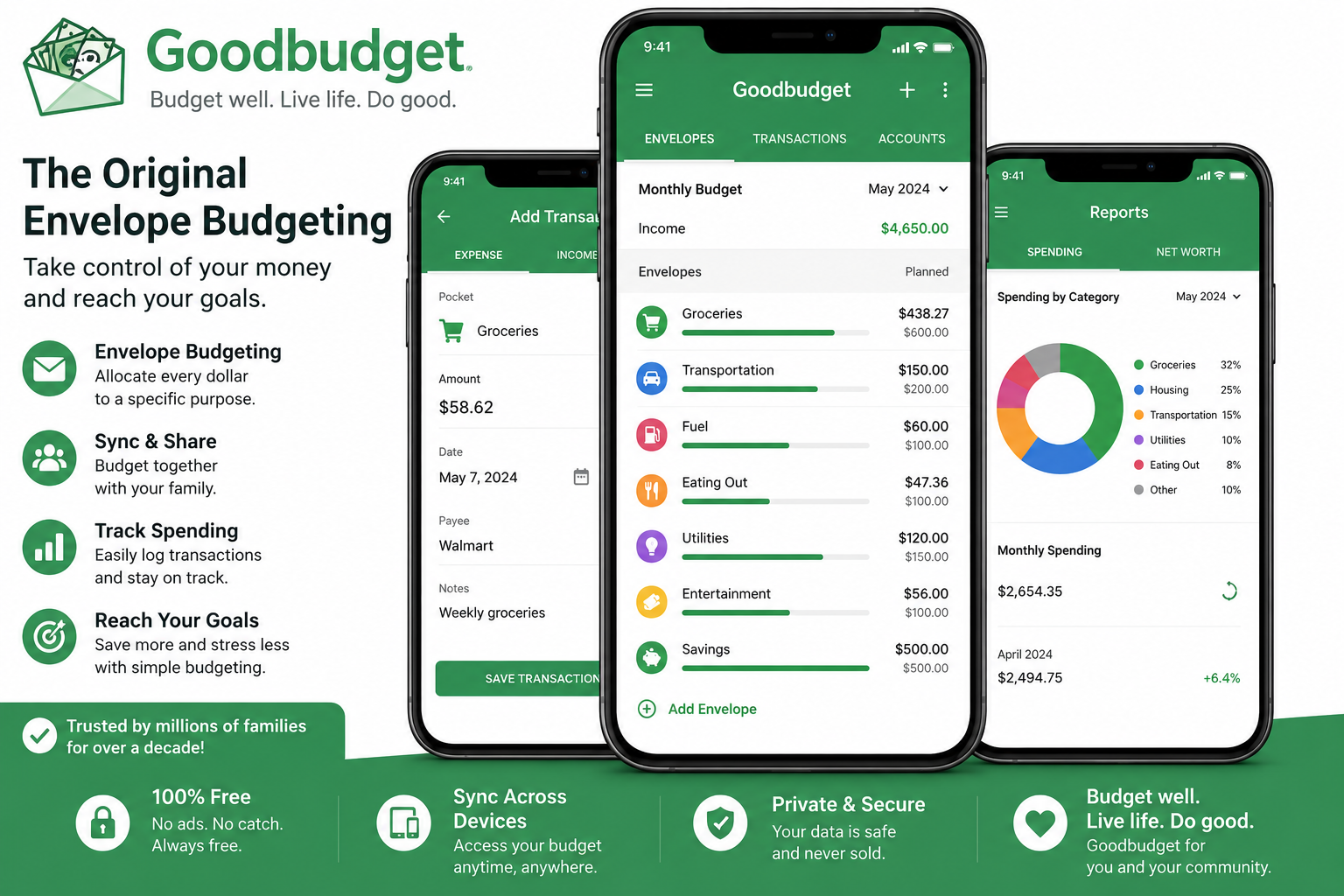
Best for Envelope Budgeting
Goodbudget brings the traditional envelope budgeting system into the digital world.
Instead of placing physical cash into envelopes, you create virtual spending categories.
Examples include:
- Groceries
- Transportation
- Entertainment
- Dining Out
- Utilities
- Savings
Every time you spend money, you record the transaction manually and subtract it from the appropriate envelope.
Pros
- Free version available
- Excellent for families
- Encourages intentional spending
- Works without bank linking
Cons
- Manual entry required
- Free version has envelope limits
Best For
People who enjoy structured budgeting systems and want strong spending discipline.
2. Buddy
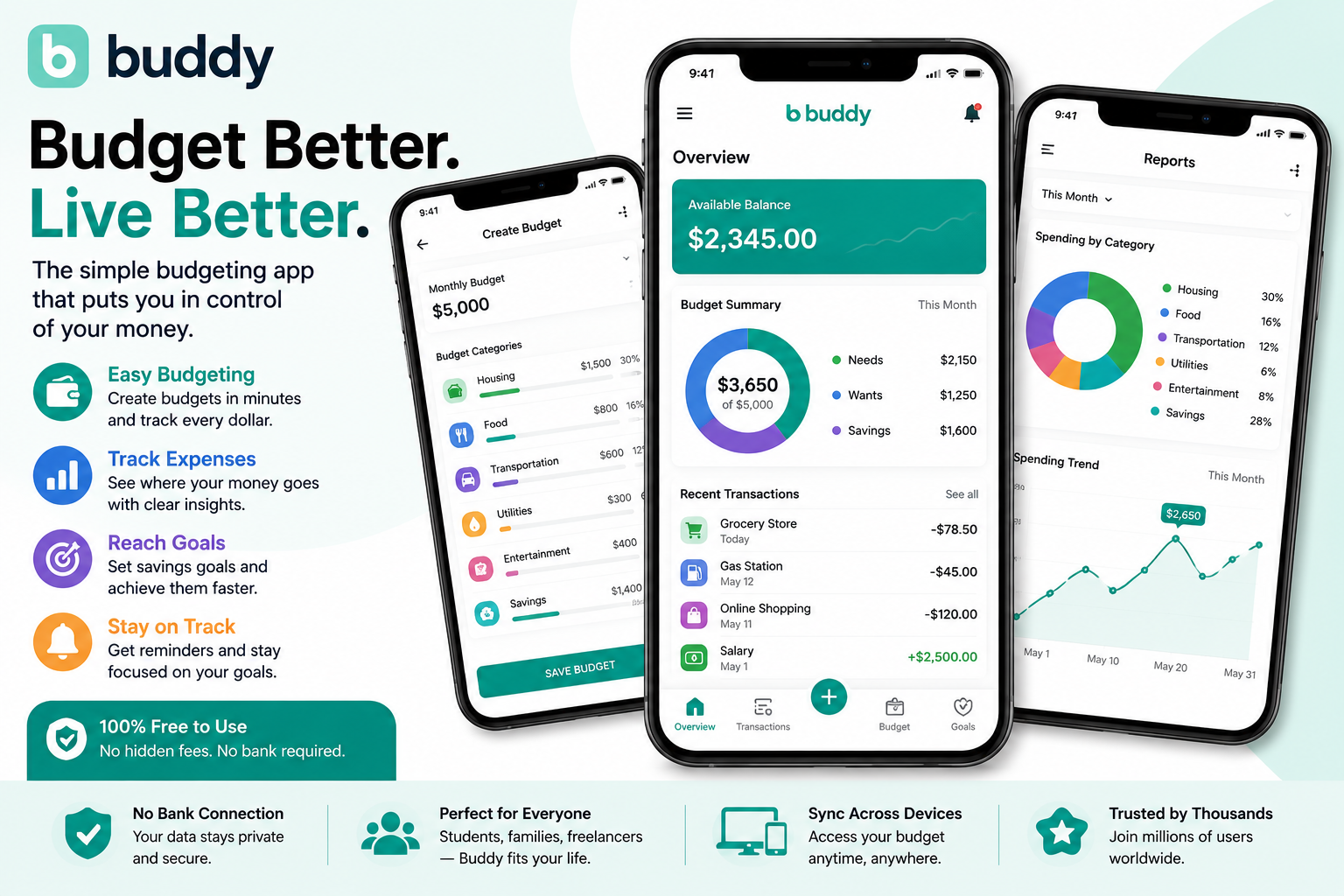
Best for Budgeting Beginners
Buddy is one of the most user-friendly budgeting apps available today.
The clean interface makes it easy for new budgeters to understand where their money goes.
Key features include:
- Expense tracking
- Budget goals
- Spending categories
- Visual reports
- Monthly summaries
Many users appreciate that they can use the app effectively without connecting bank accounts.
Pros
- Modern design
- Easy setup
- Great visuals
- Beginner-friendly
Cons
- Some advanced features require premium access
Best For
Anyone starting their budgeting journey for the first time.
3. Money Manager
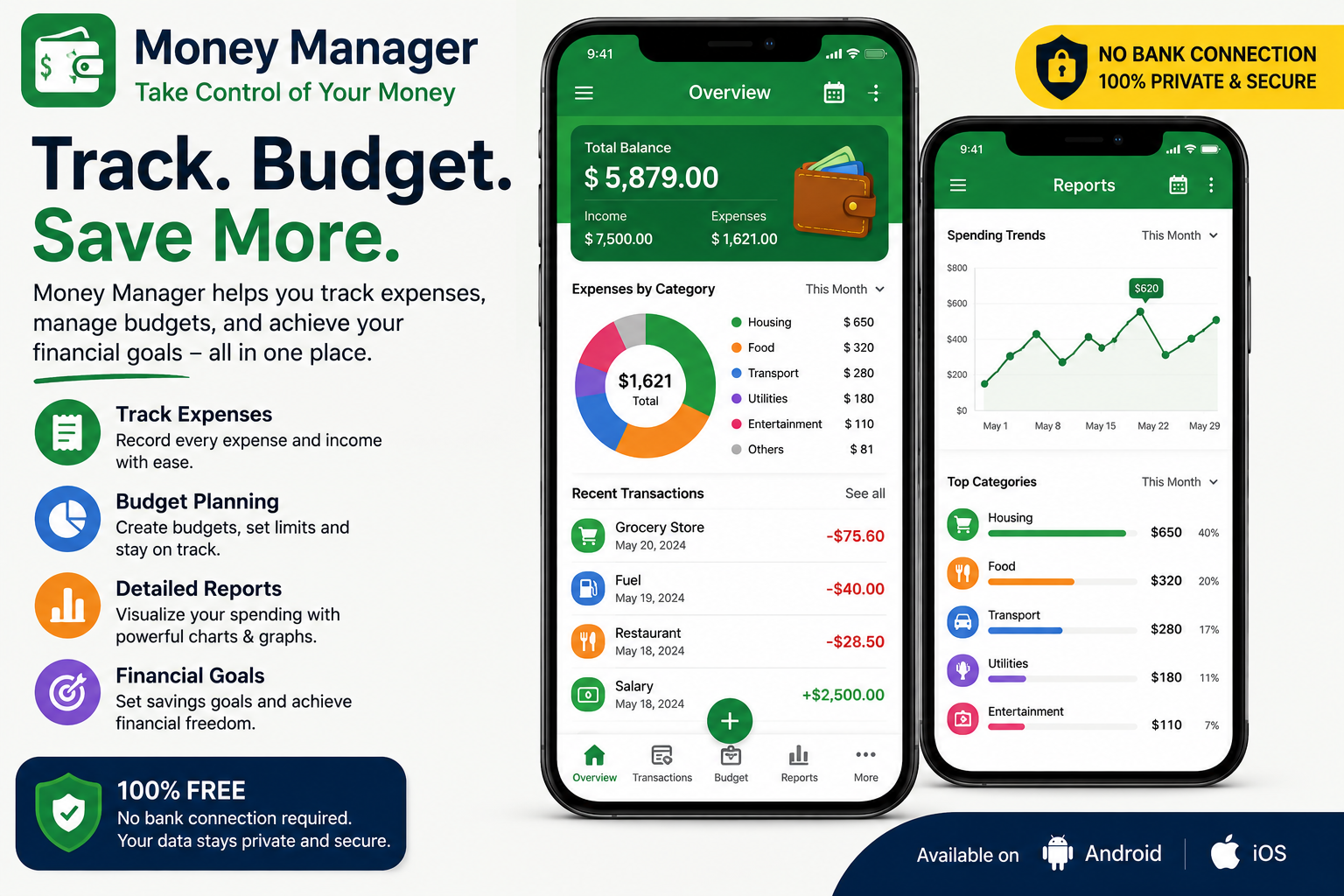
Best for Detailed Expense Tracking
If you enjoy numbers and detailed financial records, Money Manager delivers impressive functionality.
The app allows users to:
- Track expenses
- Record income
- Categorize spending
- Generate reports
- Monitor monthly trends
Because everything can be entered manually, it works perfectly among free budgeting apps without bank account integration.
Pros
- Detailed analytics
- Powerful reporting
- Highly customizable
Cons
- Slight learning curve
Best For
People who enjoy detailed financial tracking.
4. Spending Tracker
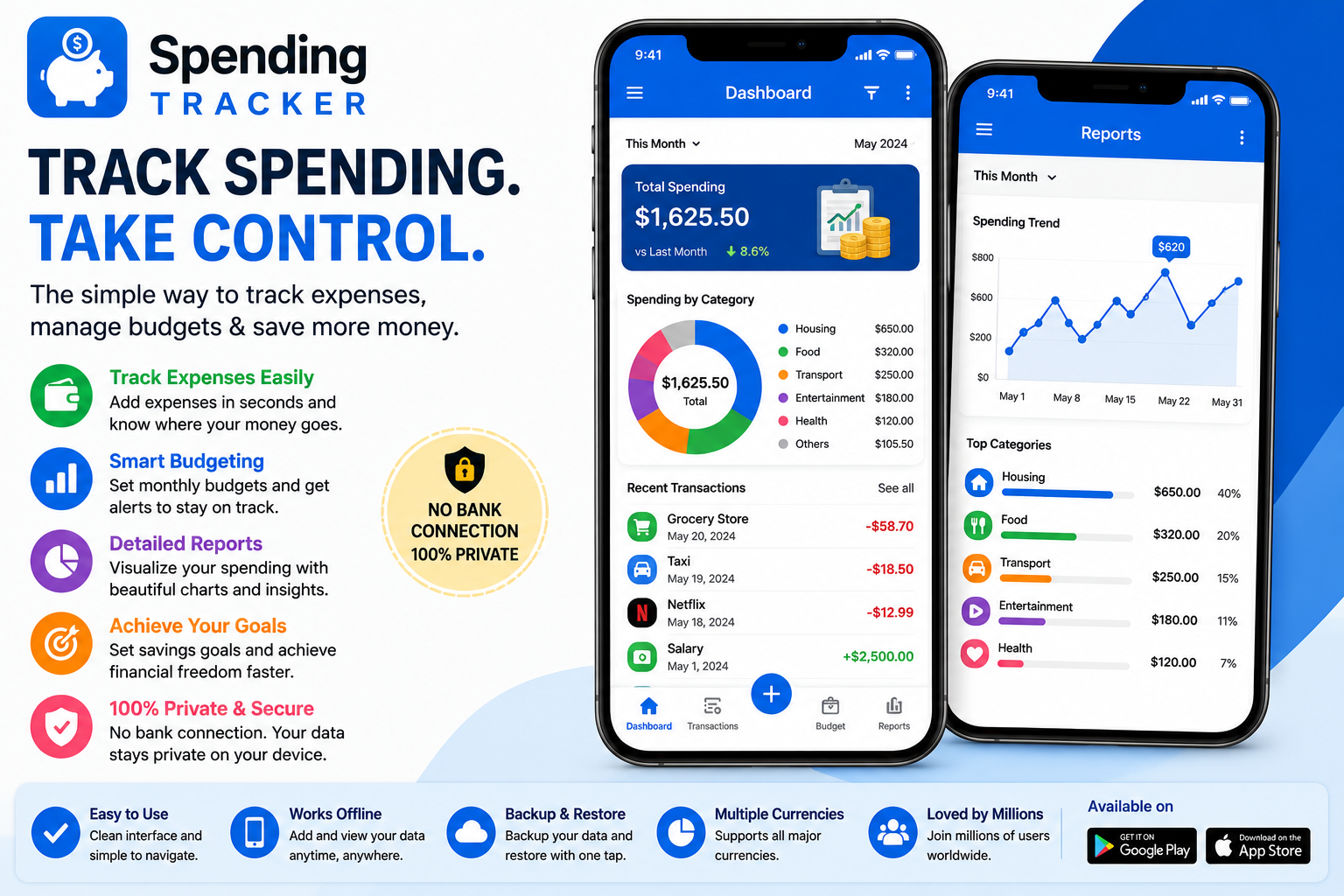
Best for Simplicity
Some budgeting apps become overloaded with features.
Spending Tracker takes the opposite approach.
The app focuses on one primary goal:
Helping you know exactly where your money goes.
The interface is straightforward and can be learned within minutes.
Pros
- Extremely easy to use
- Fast transaction entry
- Lightweight design
Cons
- Limited advanced tools
Best For
Users who want simplicity above everything else.
5. Monefy
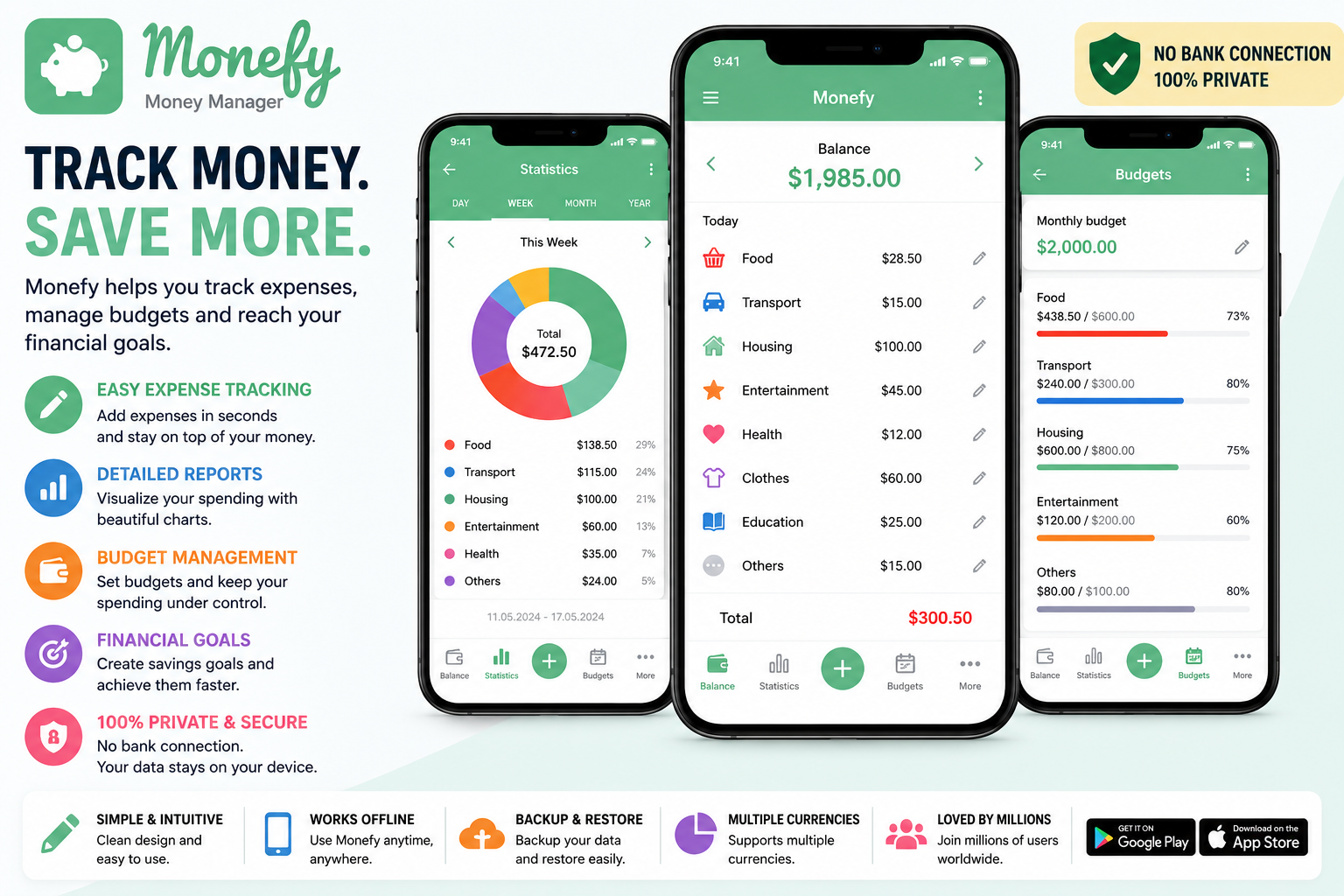
Best for Quick Expense Logging
Monefy is popular because recording expenses takes only a few seconds.
Users simply:
- Tap a category
- Enter an amount
- Save
That’s it.
This speed makes it easier to stay consistent, which is often the biggest challenge in budgeting.
Pros
- Fast entry process
- Attractive design
- Great for cash users
Cons
- Limited free functionality
Best For
Busy people who need quick expense tracking.
How to Choose the Right Budgeting App
Not every budgeting app fits every lifestyle.
Ask yourself:
Do You Use Mostly Cash?
Choose apps focused on manual transaction tracking.
Are You New to Budgeting?
Look for beginner-friendly apps with visual dashboards.
Do You Want Detailed Reports?
Choose apps with advanced analytics and category breakdowns.
Are You Budgeting With Family?
Select apps that allow sharing and collaboration.
Real-Life Example
Imagine Sarah, a freelance graphic designer.
She receives payments through multiple platforms and often uses cash for daily purchases.
Most budgeting apps wanted direct bank access, which she didn’t want to provide.
Instead, she started using one of the free budgeting apps without bank account integration and spent five minutes each evening recording expenses.
After three months she discovered she was spending nearly $250 monthly on coffee, snacks, and impulse purchases.
Simply recognizing the pattern allowed her to redirect that money into savings.
Within a year she built a $3,000 emergency fund.
The lesson isn’t about the app itself.
It’s about visibility.
Budgeting works when you consistently see where your money goes.
Benefits of Manual Budgeting
Stronger Awareness
You actively think about purchases.
Better Spending Decisions
Impulse purchases become easier to identify.
Increased Privacy
No banking credentials are shared.
Works for Everyone
Whether you use cash, prepaid cards, or digital wallets, manual budgeting remains effective.
Common Mistakes People Make When Using Free Budgeting Apps Without Bank Account Access
Even the best free budgeting apps without bank account integration won’t produce results if they’re not used consistently. Many people download a budgeting app with good intentions, track expenses for a few days, and then gradually stop using it. Budgeting success comes from habits, not just software.
Not Tracking Every Expense
One of the biggest mistakes is failing to record small purchases. A $5 coffee, a quick fast-food stop, or a digital subscription may not seem significant individually. However, these expenses can add up to hundreds of dollars every month.
Users who get the best results from free budgeting apps without bank account access develop a habit of recording every transaction, regardless of the amount.
Setting Unrealistic Budget Limits
Creating an overly restrictive budget often leads to frustration. If your normal grocery spending is $500 per month, setting a $200 grocery budget is unlikely to work.
Instead, analyze your current spending and make gradual improvements. Small, realistic changes are easier to maintain over time.
Ignoring Small Daily Purchases
Daily spending habits often have a greater impact on finances than occasional large purchases. Many people focus on major bills while overlooking smaller expenses that quietly drain their budget.
Tracking these purchases is one of the biggest benefits of using free budgeting apps without bank account requirements.
Forgetting to Review Monthly Reports
Budgeting isn’t just about entering numbers. It’s also about understanding spending patterns.
At the end of each month, review your reports and ask yourself:
- Where did most of my money go?
- Which categories exceeded my budget?
- Where can I save more next month?
- Did I make progress toward my financial goals?
Using Too Many Budget Categories
Some users create dozens of spending categories, making budgeting more complicated than necessary.
A simple structure often works best:
- Housing
- Transportation
- Food
- Entertainment
- Healthcare
- Savings
- Miscellaneous
Keeping things simple makes budgeting easier to maintain.
Free Budgeting Apps Without Bank Account vs Bank-Linked Budgeting Apps
Many people wonder whether manual budgeting apps are better than apps that automatically connect to checking accounts and credit cards.
The answer depends on your priorities.
Privacy Comparison
Privacy is one of the main reasons people choose free budgeting apps without bank account integration.
Since these apps don’t require access to financial accounts, users maintain greater control over sensitive information.
For privacy-conscious individuals, this can provide significant peace of mind.
Ease of Use
Bank-linked apps automatically import transactions, which saves time.
However, manual budgeting offers a different advantage.
When users actively record spending, they become more aware of where their money goes. This increased awareness often leads to better financial decisions.
Security Considerations
Most reputable budgeting apps use strong security measures.
However, some people simply prefer reducing risk by avoiding account connections altogether.
This is another reason why free budgeting apps without bank account options continue growing in popularity.
Accuracy of Expense Tracking
Automated apps generally reduce data-entry errors because transactions import automatically.
Manual budgeting requires consistency.
If users forget to enter expenses, reports may become less accurate.
Still, many people believe the increased awareness outweighs the extra effort.
Which Option Is Better?
There isn’t a universal answer.
Bank-linked apps may suit users who prioritize convenience.
Manual budgeting apps are often better for:
- Cash users
- Privacy-conscious individuals
- Teenagers learning money management
- People without traditional bank accounts
- Users who want stronger spending awareness
How to Create a Budget Using Free Budgeting Apps Without Bank Account Connections
One of the greatest advantages of free budgeting apps without bank account access is that anyone can start immediately.
No checking account.
No credit card.
No financial institution required.
Just a willingness to track spending and improve financial habits.
Step 1: Calculate Your Monthly Income
Begin by determining how much money you receive each month.
Income sources may include:
- Salary
- Freelance work
- Side hustles
- Government benefits
- Investment income
- Child support
Understanding your total monthly income provides the foundation for your budget.
Step 2: Identify Fixed Expenses
Fixed expenses remain relatively consistent each month.
Examples include:
- Rent or mortgage
- Insurance
- Phone bills
- Internet service
- Loan payments
- Subscription services
List these expenses first because they represent your essential financial obligations.
Step 3: Track Variable Expenses
Variable expenses fluctuate throughout the month.
Examples include:
- Groceries
- Dining out
- Entertainment
- Shopping
- Transportation
- Personal care
Most opportunities for savings are found within variable spending categories.
Step 4: Set Savings Goals
A budget should help you achieve financial goals, not simply track expenses.
Examples include:
- Emergency fund
- Vacation savings
- Home down payment
- Debt repayment
- Education expenses
Even saving a small amount consistently can produce significant results over time.
Step 5: Monitor Progress Weekly
Don’t wait until the end of the month to review your finances.
Weekly check-ins allow you to:
- Identify overspending quickly
- Adjust spending habits
- Stay motivated
- Prevent budget surprises
Regular monitoring is one of the keys to successful budgeting.
Security Tips for Using Free Budgeting Apps Without Bank Account Access
Although free budgeting apps without bank account access generally provide additional privacy, users should still follow good security practices.
Enable Two-Factor Authentication
If available, activate two-factor authentication immediately.
This extra layer of security helps protect your account from unauthorized access.
Create Strong Passwords
Avoid common passwords such as:
- 123456
- password
- qwerty
Instead, use unique combinations of:
- Uppercase letters
- Lowercase letters
- Numbers
- Symbols
Keep Apps Updated
Software updates often contain important security improvements.
Enable automatic updates whenever possible.
Avoid Public Wi-Fi
Public networks can expose personal information to security risks.
Whenever possible, access financial apps using secure private connections.
Download Apps From Official Sources
Only download budgeting applications from trusted sources such as:
- Apple App Store
- Google Play Store
This reduces the risk of installing fake or malicious applications.
Alternative Ways to Budget Besides Free Budgeting Apps Without Bank Account Access
While free budgeting apps without bank account requirements are excellent tools, some users prefer combining multiple budgeting methods.
Cash Envelope Method
The envelope budgeting system has been used successfully for decades.
Users divide cash into categories such as:
- Groceries
- Transportation
- Entertainment
- Dining Out
Once an envelope is empty, spending stops for that category until the next budgeting period.
This method creates strong spending discipline.
Spreadsheet Budgeting
Spreadsheets remain popular because they offer complete customization.
Benefits include:
- Full control
- No monthly fees
- Custom formulas
- Detailed reporting
Many financially successful individuals continue using spreadsheets today.
Printable Budget Planners
Paper planners remain effective for people who enjoy writing things down.
Research suggests that physically writing information can improve memory and awareness.
Budget Journals
Budget journals combine expense tracking with personal reflections and financial goals.
Many users find this approach motivating because it creates a stronger connection between spending habits and long-term objectives.
Hybrid Budget Systems
Some people combine multiple methods.
For example:
- Budgeting app for daily tracking
- Spreadsheet for monthly analysis
- Printed planner for goal setting
A hybrid approach often provides the best balance between convenience and control.
Why More Americans Are Choosing Free Budgeting Apps Without Bank Account Integration
Consumer attitudes toward privacy continue evolving.
More people now understand the value of protecting personal information online.
As a result, free budgeting apps without bank account integration have become increasingly popular among:
- Students
- Freelancers
- Gig workers
- Retirees
- Cash users
- Privacy-conscious consumers
These apps allow users to take control of finances without sharing sensitive banking credentials.
Most importantly, they encourage active participation in the budgeting process.
And that’s often what creates lasting financial change.
Conclusion
Taking control of your finances doesn’t require a traditional bank account or sharing your banking credentials with third-party services.
The best free budgeting apps without bank account integration give you the flexibility to manage money on your own terms while maintaining privacy and awareness.
Whether you prefer envelope budgeting, detailed expense tracking, or simple daily logging, there’s an option that matches your style.
The most important factor isn’t choosing the perfect app.
It’s choosing one you’ll actually use consistently.
Start tracking your spending today, stay engaged with your finances, and you’ll likely discover opportunities to save more money than you expected.
Frequently Asked Questions
What are the best free budgeting apps without bank account access?
Goodbudget, Buddy, Money Manager, Spending Tracker, Monefy, and EveryDollar are among the best options available.
Can budgeting apps work without linking a bank account?
Yes. Many free budgeting apps without bank account requirements allow manual expense tracking and budget creation.
Are manual budgeting apps safe?
Generally yes. Since no banking credentials are connected, privacy risks are often reduced.
Which budgeting app is best for cash users?
Goodbudget, Spending Tracker, and Monefy are excellent choices for people who primarily use cash.
Do free budgeting apps have enough features?
For most users, yes. Free plans typically include expense tracking, budgeting categories, reports, and spending analysis.